EasyManua.ls Logo

NAD T760 - User Manual

NAD T760
23 pages
Print Icon
To Next Page IconTo Next Page
Loading...
GB
NA
D
T 760
• OWNER'S MANUAL
©1999 NAD ELECTRONICS LTD. T 760

Questions and Answers

Summary

IMPORTANT SAFETY INSTRUCTIONS

CAUTION: TO REDUCE THE RISK OF ELECTRIC SHOCK

Reduces risk of electric shock by not removing cover.

OUTDOOR ANTENNA GROUNDING

Explains proper grounding for outdoor antennas.

SAFETY WARNINGS

CLASS 1 LASER PRODUCT CLASSIFICATION

Identifies product as Class 1 laser product.

DIGITAL APPARATUS RADIO NOISE LIMITS

States compliance with radio noise regulations.

LASER RADIATION HAZARD WARNING

Warns about invisible laser radiation when open.

REAR PANEL CONNECTIONS OVERVIEW

FRONT PANEL CONTROLS OVERVIEW

INSTALLATION NOTES

AM ANTENNA CONNECTION

Connects AM loop antenna for reception.

FM ANTENNA CONNECTION

Connects ribbon FM antenna for reception.

AM TUNING STEP FREQUENCY SETTING

Sets AM tuning step frequency.

TAPE 1 & CD INPUT CONNECTIONS

Describes connections for tape and CD inputs.

5.1 CHANNEL INPUT CONFIGURATION

Connects multi-channel audio from external decoders.

VIDEO INPUT DESCRIPTIONS

VIDEO 1 & VIDEO 2 INPUTS

Inputs for audio/video from various sources.

VIDEO 3 & VIDEO 4 INPUTS

Inputs for audio/video, suitable for VCRs.

DIGITAL AUDIO INPUTS EXPLAINED

Connects digital sources via optical/coaxial.

AUDIO PRE-OUTS & SUBWOOFER OUT

Outputs for external amplifiers or active subwoofers.

MONITOR OUT CONNECTIONS

Outputs for viewing video sources on a TV.

SPEAKER CONNECTIONS AND FEATURES

FRONT SPEAKER WIRING

Details on connecting front speakers.

CENTER SPEAKER CONNECTION

Details on connecting the center speaker.

SURROUND SPEAKER WIRING

Details on connecting surround speakers.

SOFT CLIPPING FEATURE

Reduces audible distortion when amplifier is overdriven.

NAD-LINK CONNECTIVITY

Enables system control between NAD components.

SWITCHED POWER OUTLETS EXPLANATION

Accessory outlets for other components.

FRONT PANEL OPERATING CONTROLS

POWER BUTTON OPERATION

How to use the power button.

STAND-BY INDICATOR LIGHT

Explains the stand-by LED status.

DISPLAY FUNCTIONALITY

How to use the display for information.

TUNER SECTION CONTROLS

FM MUTE;MONO FUNCTIONALITY

Controls FM muting and mono reception.

MEMORY PRESET MANAGEMENT

Stores radio stations into memory.

PRESET;TUNE MODE SELECTION

Toggles between preset and tuning modes.

DOWN;UP TUNING BUTTONS

Navigates presets and tunes stations.

VOLUME CONTROL OPERATION

MASTER VOLUME ADJUSTMENT

Adjusts overall loudness of signals.

HEADPHONE AND VIDEO 5 INPUT

HEADPHONE SOCKET USAGE

Details on headphone jack functionality.

VIDEO 5 INPUT CONNECTION

For temporary connection of camcorders/consoles.

INPUT SELECTION

VIDEO 1 INPUT SELECTION

Selects the VIDEO 1 input source.

VIDEO 2 INPUT SELECTION

Selects the VIDEO 2 input source.

VIDEO 3 & 4 INPUT SELECTION

Selects VIDEO 3 and 4 input sources.

VIDEO 5 INPUT SELECTION

Selects the VIDEO 5 input source.

EXTERNAL INPUTS AND MODES

EXT. 5.1 INPUT USAGE

Selects multi-channel input from external decoder.

SURROUND MODE SELECTION

Selects available surround sound modes.

MONITORING AND SOURCE SELECTION

TAPE MONITOR FUNCTIONALITY

Selects tape recorder output for monitoring.

CD INPUT SELECTION

Selects the CD player as active input.

FM RADIO INPUT SELECTION

Selects FM radio input.

AM RADIO INPUT SELECTION

Selects AM radio input.

VIDEO OUTPUT DESCRIPTIONS

Describes video signal routing to outputs.

TONE CONTROLS AND PRESETS

BASS & TREBLE ADJUSTMENT

Adjusts bass and treble for tonality.

STORING RADIO PRESETS

Procedure to save radio stations.

RECALLING RADIO PRESETS

Procedure to select stored stations.

REMOTE CONTROL FEATURES

REMOTE STAND-BY OPERATION

Switches unit between operating and standby.

SLEEP TIMER FUNCTIONALITY

Automatically switches unit off after time.

AUDIO AND SYSTEM CONTROLS

MUTE AUDIO OUTPUT OPERATION

Temporarily switches off sound to speakers/headphones.

MASTER VOLUME CONTROL

Controls overall volume level.

MENU NAVIGATION CONTROLS

Uses cursor and enter buttons for menus.

TEST SIGNAL GENERATOR USAGE

Aids in adjusting speaker levels.

SURROUND MODE SELECTION BUTTON

Scrolls through available surround modes.

REMOTE CD PLAYER CONTROL

CD PLAYER OPERATION VIA REMOTE

Controls NAD CD players.

REMOTE CASSETTE DECK CONTROL

CASSETTE DECK OPERATION VIA REMOTE

Controls NAD cassette decks.

ON SCREEN DISPLAY (OSD) SYSTEM SETUP

ACCESSING THE OSD SETUP MENU

How to enter the OSD setup.

INPUT SETTINGS CONFIGURATION

Setting audio, video inputs and modes.

CHANNEL DELAY SETTINGS

CENTER CHANNEL DELAY ADJUSTMENT

Adjusts center speaker delay.

REAR CHANNEL DELAY ADJUSTMENT

Adjusts rear speaker delay.

SPEAKER SETTINGS CONFIGURATION

SPEAKER PRESET SELECTION

Selects speaker setup presets.

SPEAKER SETTINGS DETAILS

SPEAKER SIZE MODES (LARGE;SMALL)

Defines speaker size for frequency response.

SPEAKER ACTIVE MODES (ON;OFF)

Defines if speakers are active or inactive.

FACTORY PRESET CONFIGURATIONS

Three pre-programmed speaker setups.

SURROUND SYSTEM SETUP GUIDE

ACCESSING THE SETUP MENU

Guide to OSD setup for surround system.

CHANNEL DELAY ADJUSTMENT DETAILS

SETTING CENTER CHANNEL DELAY

How to set center channel delay time.

SETTING REAR CHANNEL DELAY

How to set rear channel delay time.

CHANNEL BALANCE ADJUSTMENT

ADJUSTING SPEAKER OUTPUT LEVELS

Balances speaker output for even sound.

CHANNEL BALANCE ADJUSTMENT CONTINUED

LFE SETTING ADJUSTMENT

Adjusts subwoofer channel level.

SURROUND SPEAKER DELAY ADJUSTMENT

Sets delay for surround speakers.

TROUBLESHOOTING GUIDE

NO SOUND ISSUES RESOLUTION

Resolving lack of audio output.

SINGLE CHANNEL NO SOUND DIAGNOSIS

Diagnosing one-channel audio problems.

SURROUND CHANNELS NO SOUND TROUBLE

Troubleshooting surround audio.

CENTER CHANNEL NO SOUND ISSUES

Troubleshooting center channel audio.

DOLBY;DTS AUTO-DETECTION FAILS

Resolving digital format detection issues.

POOR BASS;STEREO IMAGE PROBLEMS

Addressing weak bass or diffuse stereo sound.

REMOTE CONTROL MALFUNCTION RESOLUTION

Fixing issues with the remote handset.

TUNER NO SOUND PROBLEMS RESOLUTION

Resolving no sound from tuner.

RADIO NOISE AND HISS DIAGNOSIS

Diagnosing AM/FM noise and hiss.

FM DISTORTION ISSUES TROUBLESHOOTING

Troubleshooting distortion on FM reception.

INTERFERENCE ON FM;AM RADIO

Resolving whistles and buzzes on radio.

RDS NAME DISPLAY PROBLEM RESOLUTION

Addressing missing RDS station names.

Summary

IMPORTANT SAFETY INSTRUCTIONS

CAUTION: TO REDUCE THE RISK OF ELECTRIC SHOCK

Reduces risk of electric shock by not removing cover.

OUTDOOR ANTENNA GROUNDING

Explains proper grounding for outdoor antennas.

SAFETY WARNINGS

CLASS 1 LASER PRODUCT CLASSIFICATION

Identifies product as Class 1 laser product.

DIGITAL APPARATUS RADIO NOISE LIMITS

States compliance with radio noise regulations.

LASER RADIATION HAZARD WARNING

Warns about invisible laser radiation when open.

REAR PANEL CONNECTIONS OVERVIEW

FRONT PANEL CONTROLS OVERVIEW

INSTALLATION NOTES

AM ANTENNA CONNECTION

Connects AM loop antenna for reception.

FM ANTENNA CONNECTION

Connects ribbon FM antenna for reception.

AM TUNING STEP FREQUENCY SETTING

Sets AM tuning step frequency.

TAPE 1 & CD INPUT CONNECTIONS

Describes connections for tape and CD inputs.

5.1 CHANNEL INPUT CONFIGURATION

Connects multi-channel audio from external decoders.

VIDEO INPUT DESCRIPTIONS

VIDEO 1 & VIDEO 2 INPUTS

Inputs for audio/video from various sources.

VIDEO 3 & VIDEO 4 INPUTS

Inputs for audio/video, suitable for VCRs.

DIGITAL AUDIO INPUTS EXPLAINED

Connects digital sources via optical/coaxial.

AUDIO PRE-OUTS & SUBWOOFER OUT

Outputs for external amplifiers or active subwoofers.

MONITOR OUT CONNECTIONS

Outputs for viewing video sources on a TV.

SPEAKER CONNECTIONS AND FEATURES

FRONT SPEAKER WIRING

Details on connecting front speakers.

CENTER SPEAKER CONNECTION

Details on connecting the center speaker.

SURROUND SPEAKER WIRING

Details on connecting surround speakers.

SOFT CLIPPING FEATURE

Reduces audible distortion when amplifier is overdriven.

NAD-LINK CONNECTIVITY

Enables system control between NAD components.

SWITCHED POWER OUTLETS EXPLANATION

Accessory outlets for other components.

FRONT PANEL OPERATING CONTROLS

POWER BUTTON OPERATION

How to use the power button.

STAND-BY INDICATOR LIGHT

Explains the stand-by LED status.

DISPLAY FUNCTIONALITY

How to use the display for information.

TUNER SECTION CONTROLS

FM MUTE;MONO FUNCTIONALITY

Controls FM muting and mono reception.

MEMORY PRESET MANAGEMENT

Stores radio stations into memory.

PRESET;TUNE MODE SELECTION

Toggles between preset and tuning modes.

DOWN;UP TUNING BUTTONS

Navigates presets and tunes stations.

VOLUME CONTROL OPERATION

MASTER VOLUME ADJUSTMENT

Adjusts overall loudness of signals.

HEADPHONE AND VIDEO 5 INPUT

HEADPHONE SOCKET USAGE

Details on headphone jack functionality.

VIDEO 5 INPUT CONNECTION

For temporary connection of camcorders/consoles.

INPUT SELECTION

VIDEO 1 INPUT SELECTION

Selects the VIDEO 1 input source.

VIDEO 2 INPUT SELECTION

Selects the VIDEO 2 input source.

VIDEO 3 & 4 INPUT SELECTION

Selects VIDEO 3 and 4 input sources.

VIDEO 5 INPUT SELECTION

Selects the VIDEO 5 input source.

EXTERNAL INPUTS AND MODES

EXT. 5.1 INPUT USAGE

Selects multi-channel input from external decoder.

SURROUND MODE SELECTION

Selects available surround sound modes.

MONITORING AND SOURCE SELECTION

TAPE MONITOR FUNCTIONALITY

Selects tape recorder output for monitoring.

CD INPUT SELECTION

Selects the CD player as active input.

FM RADIO INPUT SELECTION

Selects FM radio input.

AM RADIO INPUT SELECTION

Selects AM radio input.

VIDEO OUTPUT DESCRIPTIONS

Describes video signal routing to outputs.

TONE CONTROLS AND PRESETS

BASS & TREBLE ADJUSTMENT

Adjusts bass and treble for tonality.

STORING RADIO PRESETS

Procedure to save radio stations.

RECALLING RADIO PRESETS

Procedure to select stored stations.

REMOTE CONTROL FEATURES

REMOTE STAND-BY OPERATION

Switches unit between operating and standby.

SLEEP TIMER FUNCTIONALITY

Automatically switches unit off after time.

AUDIO AND SYSTEM CONTROLS

MUTE AUDIO OUTPUT OPERATION

Temporarily switches off sound to speakers/headphones.

MASTER VOLUME CONTROL

Controls overall volume level.

MENU NAVIGATION CONTROLS

Uses cursor and enter buttons for menus.

TEST SIGNAL GENERATOR USAGE

Aids in adjusting speaker levels.

SURROUND MODE SELECTION BUTTON

Scrolls through available surround modes.

REMOTE CD PLAYER CONTROL

CD PLAYER OPERATION VIA REMOTE

Controls NAD CD players.

REMOTE CASSETTE DECK CONTROL

CASSETTE DECK OPERATION VIA REMOTE

Controls NAD cassette decks.

ON SCREEN DISPLAY (OSD) SYSTEM SETUP

ACCESSING THE OSD SETUP MENU

How to enter the OSD setup.

INPUT SETTINGS CONFIGURATION

Setting audio, video inputs and modes.

CHANNEL DELAY SETTINGS

CENTER CHANNEL DELAY ADJUSTMENT

Adjusts center speaker delay.

REAR CHANNEL DELAY ADJUSTMENT

Adjusts rear speaker delay.

SPEAKER SETTINGS CONFIGURATION

SPEAKER PRESET SELECTION

Selects speaker setup presets.

SPEAKER SETTINGS DETAILS

SPEAKER SIZE MODES (LARGE;SMALL)

Defines speaker size for frequency response.

SPEAKER ACTIVE MODES (ON;OFF)

Defines if speakers are active or inactive.

FACTORY PRESET CONFIGURATIONS

Three pre-programmed speaker setups.

SURROUND SYSTEM SETUP GUIDE

ACCESSING THE SETUP MENU

Guide to OSD setup for surround system.

CHANNEL DELAY ADJUSTMENT DETAILS

SETTING CENTER CHANNEL DELAY

How to set center channel delay time.

SETTING REAR CHANNEL DELAY

How to set rear channel delay time.

CHANNEL BALANCE ADJUSTMENT

ADJUSTING SPEAKER OUTPUT LEVELS

Balances speaker output for even sound.

CHANNEL BALANCE ADJUSTMENT CONTINUED

LFE SETTING ADJUSTMENT

Adjusts subwoofer channel level.

SURROUND SPEAKER DELAY ADJUSTMENT

Sets delay for surround speakers.

TROUBLESHOOTING GUIDE

NO SOUND ISSUES RESOLUTION

Resolving lack of audio output.

SINGLE CHANNEL NO SOUND DIAGNOSIS

Diagnosing one-channel audio problems.

SURROUND CHANNELS NO SOUND TROUBLE

Troubleshooting surround audio.

CENTER CHANNEL NO SOUND ISSUES

Troubleshooting center channel audio.

DOLBY;DTS AUTO-DETECTION FAILS

Resolving digital format detection issues.

POOR BASS;STEREO IMAGE PROBLEMS

Addressing weak bass or diffuse stereo sound.

REMOTE CONTROL MALFUNCTION RESOLUTION

Fixing issues with the remote handset.

TUNER NO SOUND PROBLEMS RESOLUTION

Resolving no sound from tuner.

RADIO NOISE AND HISS DIAGNOSIS

Diagnosing AM/FM noise and hiss.

FM DISTORTION ISSUES TROUBLESHOOTING

Troubleshooting distortion on FM reception.

INTERFERENCE ON FM;AM RADIO

Resolving whistles and buzzes on radio.

RDS NAME DISPLAY PROBLEM RESOLUTION

Addressing missing RDS station names.

Overview

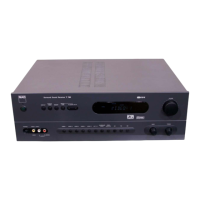
The NAD T 760 is a Surround Sound Receiver designed for home theater systems, offering a comprehensive set of features for audio and video processing, amplification, and radio reception. It is equipped to handle various audio and video sources, including digital and analog inputs, and provides multi-channel amplification for a surround sound experience.

Function Description:

The T 760 serves as the central hub for a home entertainment system, integrating a tuner, pre-amplifier, and multi-channel power amplifier into a single unit. It supports Dolby Digital and DTS surround sound modes, as well as Dolby Pro Logic and NAD's proprietary EARS (Enhanced Ambiance Retrieval System) Surround Mode. The receiver allows users to select active audio and video inputs, control volume, adjust tone, and configure speaker settings for optimal sound performance.

For video, the T 760 handles both composite video and S-Video signals, routing them to a monitor output for display on a television or video projector. It features multiple video inputs (Video 1-5) to accommodate various video devices like DVD players, VCRs, satellite/cable receivers, camcorders, and video game consoles.

The audio section includes inputs for CD players, tape recorders, and external 5.1 channel decoders. It also incorporates an AM/FM tuner with RDS (Radio Data System) capabilities, allowing for the display of station names and radio text where available. The built-in power amplifiers drive up to five speakers (Front Left, Front Right, Center, Surround Left, Surround Right), and a dedicated subwoofer pre-out is provided for connecting an active subwoofer.

The NAD-Link feature enables centralized control of other NAD components (like CD players or cassette decks) equipped with NAD-Link connectors, allowing the receiver's remote control to manage a complete system.

Important Technical Specifications:

  • Amplification: Five built-in power amplifiers for Front Left, Front Right, Center, Surround Left, and Surround Right speakers.
  • Speaker Impedance: Minimum 4 ohms per speaker for Front, Center, and Surround channels.
  • Subwoofer Output: Dedicated pre-out for active subwoofers.
  • Digital Audio Inputs: Three digital audio inputs (one optical, two coaxial) for DVD, CD, or other digital sources. Optical Digital Input 1 is linked to Video 1 input. Coaxial Digital Input 2 is linked to Video 2 input. Coaxial Digital Input 3 is linked to Video 3 input.
  • Analog Audio Inputs: Multiple RCA inputs for CD, Tape 1, and various video sources (Video 1-5).
  • Video Inputs: Multiple composite video and S-Video inputs (Video 1-5). Video 4 only supports composite video.
  • Monitor Outputs: Composite video and S-Video outputs for connecting a TV or video monitor.
  • Tuner: AM/FM tuner with RDS (PS, RT) support.
  • AM Tuning Steps: Switchable between 10kHz (120V version) and 9kHz (230V version).
  • FM Tuning Steps: 0.1 MHz (120V version) or 0.05 MHz (230V version).
  • Volume Control: Ranges from ∞ to +18dB.
  • Tone Controls: Bass and Treble controls with a 'flat' detent at 12 o'clock position.
  • Soft Clipping: NAD's proprietary circuit to minimize audible distortion when the amplifier is overdriven.
  • NAD-Link: For system integration and control with other NAD components.
  • Switched AC Outlets (120V North American versions only): Total 120W, 1A max.
  • Cooling: Internal cooling fan that operates when internal components reach a certain temperature.
  • Display: Vacuum Fluorescent Display (VFL) for showing operational information.
  • On-Screen Display (OSD): Elaborate OSD facility for setting up surround sound parameters, accessible via a connected TV or monitor. Supports PAL and NTSC video systems.

Usage Features:

  • Input Selection: Front panel buttons and remote control allow selection of active audio and video inputs (Video 1-5, Tape Monitor, CD, FM, AM, EXT. 5.1).
  • Surround Mode Selection: Dedicated buttons on the front panel and remote control to cycle through available surround sound modes (Dolby Digital, DTS, Pro Logic, EARS, Stereo). The receiver automatically detects Dolby Digital or DTS signals when a digital audio input is used.
  • Speaker Configuration: Comprehensive speaker settings via OSD, allowing users to define speaker size (Large/Small) and activity (On/Off) for Front, Center, and Surround channels, and Subwoofer (On/Off). Three factory presets are provided for typical installations.
  • Channel Balance: Individual trim adjustments for Center, Surround Left, Surround Right, and Subwoofer channels (±10dB range) to achieve equal loudness at the listening position. A test signal generator is available for calibration.
  • Channel Delays: Adjustable delay times for Center (0-5ms) and Rear (0-15ms for Dolby Digital, 15-30ms for Dolby Pro Logic) speakers to ensure synchronized sound arrival at the listening position. Not available in DTS mode.
  • Dynamic Range Control: For Dolby Digital sources, allows incremental reduction of dynamic range (100%, 75%, 50%, 25%) for comfortable listening at various volume levels.
  • Tuner Presets: Stores up to 40 radio stations (30 FM, 10 AM) for quick recall.
  • FM Mute/Mono: Toggles between stereo and mono reception and engages/disengages muting to reduce noise from weak signals.
  • Sleep Timer: Remote control feature to automatically switch off the unit after a preset time (90, 60, 30 minutes, or off).
  • Headphone Output: 1/4" stereo jack for private listening, with volume and tone controls active. Automatically mutes speakers and Audio Pre-Outs when headphones are inserted.
  • Soft Clipping: User-selectable feature to gently limit output and minimize distortion when the amplifier is overdriven.
  • Remote Control: Full-function remote handset with access to all key functions, OSD navigation, and control of other NAD components via NAD-Link.

Maintenance Features:

  • Cleaning: Use a dry soft cloth; lightly dampen with soapy water if necessary. Avoid benzine, thinner, or other volatile agents.
  • Power Management: Disconnect from AC socket if unused for a long period.
  • Ventilation: Ensure adequate ventilation by not blocking air-flow openings; avoid placing on soft surfaces or in enclosed spaces.
  • Troubleshooting Guide: The manual provides a troubleshooting section for common issues like no sound, channel imbalance, remote control malfunction, and tuner reception problems, along with suggested causes and solutions.
  • Servicing: Refer servicing to qualified service personnel. Do not attempt to open the unit or remove the cover, as there are no user-serviceable parts inside. Use only factory-authorized replacement parts for repairs.
  • Battery Replacement: Replace AAA (R03) batteries in the remote control, ensuring correct polarity.
  • Antenna Placement: Experiment with AM loop antenna and FM ribbon antenna placement for best signal strength and lowest background noise. External antennas are recommended for poor reception areas.

NAD T760 Specifications

General IconGeneral
BrandNAD
ModelT760
CategoryStereo Receiver
LanguageEnglish

Related product manuals