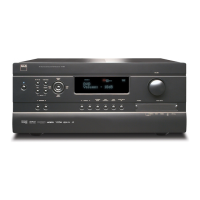
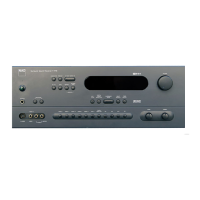
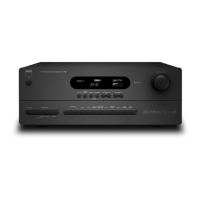
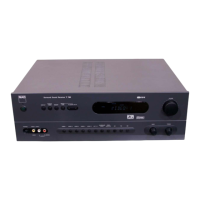
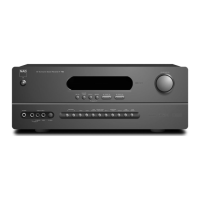
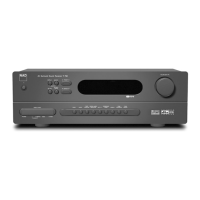
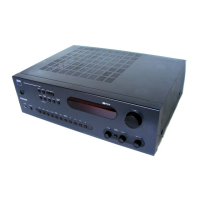
The NAD T770 is a sophisticated Surround Sound Receiver designed to be the central hub of a home audio and video system. It integrates multiple functions, including an amplifier, tuner, and various audio/video switching capabilities, to deliver a comprehensive entertainment experience.
Function Description
The primary function of the T770 is to process and amplify multi-channel audio signals for a surround sound setup, supporting formats like Dolby Digital, Dolby Pro Logic, and NAD's own EARS (Enhanced Ambience Retrieval System) Surround Mode. It features five built-in power amplifiers for the Left, Right, Center, Left Surround, and Right Surround channels, allowing it to drive a full 5.1 speaker system. For users desiring even more power or specific amplifier characteristics, the T770 also functions as a pre-amplifier, offering Audio Pre-Outs for connection to external power amplifiers. An additional Subwoofer Pre-Out is provided for connecting an active subwoofer, essential for reproducing low-frequency effects in modern soundtracks.
Beyond its amplification capabilities, the T770 acts as a versatile audio/video switcher. It offers a wide array of inputs and outputs, including multiple composite video, S-Video, and analogue audio inputs (AUX, CD, Tape 1, Tape 2, Video 1-5). Crucially, it incorporates three digital audio inputs (one optical, two coaxial) for connecting digital sources like DVD players or CD players, ensuring high-fidelity audio processing. The receiver's tuner section supports both AM and FM bands, allowing access to radio broadcasts.
A notable feature is the Multi Source Pre-Out, which enables the T770 to channel audio from any selected input source to an external power amplifier or sound system in a different room, independently of the main listening room's selection and volume. This allows for multi-room audio distribution, enhancing the system's versatility.
Usage Features
The T770 is designed for intuitive operation, both from its front panel and a comprehensive remote control. The front panel includes essential controls such as input selectors (Video 1-5, Tape 1-2, FM, AM, AUX, CD), a master volume knob, bass and treble tone controls, and speaker selection buttons (A and B). The remote control expands on these, offering direct access to all input selectors, surround modes, tuner functions (preset, bank, tune/search), and volume adjustments, including a dedicated MS Volume for the multi-source output.
The On Screen Display (OSD) is a critical user interface element, especially for setting up the surround sound system. It guides users through speaker selection (Small, Large, None for Center; Yes/No for Surround and Subwoofer), speaker distance calibration, and individual channel level adjustments using a built-in test signal generator. The OSD can be superimposed over the video signal or displayed on a solid blue background, and a "Temporary Display" option provides on-screen confirmation of changes like volume adjustments or input selections for a few seconds.
For tuner operation, the T770 supports storing up to 40 radio station presets across four banks (A, B, C, D), allowing for easy recall. For non-RDS stations, users can assign custom names to presets for better identification. The FM Mute/Mode button offers flexibility, allowing users to switch between stereo and mono reception and engage/disengage the muting circuit to improve reception of weak signals.
The receiver also includes a headphone socket with its own amplifier, which automatically mutes the subwoofer output and disengages all speakers when headphones are connected. A "Tone Defeat" switch allows users to bypass the bass and treble controls for a purer audio signal if desired. The "Soft Clipping" feature, which can be switched on or off, gently limits the amplifier's output when overdriven, minimizing audible distortion during high-level playback.
Maintenance Features
The T770 incorporates several features to ensure reliable operation and ease of maintenance. A cooling fan is integrated to prevent overheating, particularly during demanding surround sound operation at high power levels. This fan activates automatically when needed, ensuring the unit remains within safe operating temperatures.
The memory backup system retains surround sound trim settings and tuner preset information for several weeks, even if the unit is completely switched off or unplugged, reducing the need for frequent re-configuration.
For physical maintenance, the manual advises placing the unit on a firm, level surface, avoiding direct sunlight, heat sources, and damp conditions. Adequate ventilation is crucial, and the unit should not be placed in enclosed spaces that impede airflow. Cleaning should be done with a dry, soft cloth, avoiding harsh solvents.
The manual strongly emphasizes that users should not attempt servicing themselves and should refer all servicing to qualified personnel. This is a critical safety measure to prevent electric shock and ensure the continued safe operation of the device. It also specifies that only Factory Authorized Replacement Parts should be used for repairs to maintain safety and performance.
Connectivity guidelines highlight the importance of using high-quality RCA leads for audio and dedicated video leads for optimal performance, ensuring all connectors are firmly pushed in to prevent signal loss or damage. The AM loop antenna and FM ribbon antenna are designed for easy connection, with advice on placement to optimize reception. The NAD-Link connectors facilitate centralized control within a multi-component NAD system, simplifying system management.


 To Next Page
 General