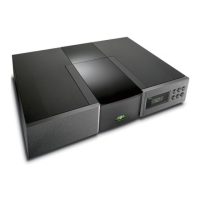
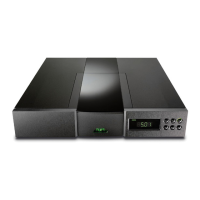
E5
CD555
6 CD555 In Use
6.1 Disc Loading
To open the transport door press the player door button or the
handset open key. To load a disc place it on the platter followed
by the magnetic puck. Do not use a puck from any other Naim
CD player.
If the player is stopped the door will open automatically when
a hand is moved towards the proximity sensor located in the
player front panel display window.
To close the door press the player door button or the handset
open key. The door will also close if the player play button or
handset play key are pressed.
Note: If the door hits an obstruction the door indicator will flash
and the door will stop moving. Remove the obstruction before
attempting to open or close the door again.
Note: If the door is left open for five minutes it will close
automatically to prevent inadvertent damage or dust build-up
within the player.
Note: If an HDCD
®
encoded compact disc is loaded the CD555
will automatically recognise and decode it. The display will read
HDCD for a few seconds after play is pressed.
6.2 Player Maintenance
It is important for reliable operation of the CD555 to ensure
that the surfaces of the transport platter and the underside of
the puck are free of dust or debris which can prevent the disc
from sitting properly and cause it to slip.
To clean the transport platter, take a piece of Blu-Tack and
lightly apply it to the top surface of the hub, picking up any
material attached to it. Brush the plastic outer edge lightly with
your finger or a soft brush to ensure that it is dust and particle
free. Similarly, clean the puck with Blu-Tack, to remove debris
from its underside.
Do not, under any circumstances, use any solvents or fluids for
the cleaning process.
®
,
HDCD
®
, High Definition Compatible Digital
®
and Pacific Microsonics™ are either registered trademarks or trademarks of Pacific Microsonics, Inc. in the United States and/or other countries.
6.3 Player Door Reset and Calibration
If at any time the player door fails to open or close correctly, or
the top panel door button flashes, the door may need re-setting
and calibrating. The procedures are as follows.
It may only be necessary to carry out the Position Calibration
procedure.
6.3.1 Door Position Calibration
Switch the player off. Hold down the top panel door button and
switch the player on. The player display should read - - . Switch
the player off and, after a short while, back on again. If the door
button flashes this indicates that the Door Reset and Motion
Calibration procedures are necessary. Carry out the following
two procedures.
6.3.2 Door Reset
Note: Door Reset will also reset DIN/Phono Socket selection,
Display settings, RC5/RS232 settings and Control Mode setting
(see Section 16.2).
Switch the player off. Hold down the top panel stop button and
switch the player on. Switch the player off and carry out the
Door Motion Calibration procedure.
6.3.3 Door Motion Calibration
With the door fully closed press and hold the top panel door
and play buttons and switch the player on.
The door will continually open and close and the level of open/
close gain adjustment will be displayed. Allow the player to
run until the values displayed for open and close have settled
to consistent values. The door should now open and close
consistently. Switch the player off and, after a short while, back
on again. The door should now operate correctly.



 To Next Page