EasyManua.ls Logo

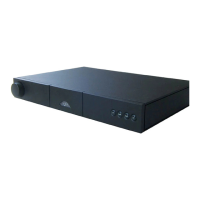
NAIM NAC 202 - User Manual

NAIM NAC 202
24 pages
Print Icon
To Next Page IconTo Next Page
Loading...
REFERENCE MANUAL
PREAMPLIFIERS
ENGLISH

Other manuals for NAIM NAC 202

Question and Answer IconNeed help?

Do you have a question about the NAIM NAC 202 and is the answer not in the manual?

Summary

Connections

Mains Power

Mains Power Installation and Safety

Instructions for correct wiring, fuse replacement, and safety precautions for mains power connections.

General Installation

NAC 552 Introduction and Installation

NAC 552 Connections and Controls

NAC 552 Rear Panel Connections

Detailed diagram and explanation of the NAC 552 rear panel connectivity options.

Specification

NAC 252 Introduction and Installation

NAC 252 Connections and Controls

NAC 252 Rear Panel Connections

Diagram of the NAC 252 rear panel, detailing all input and output connectors.

NAC 282, NAC 202 and NAC 152 XS Introduction and Installation

Power Supply Upgrades

NAC 282, NAC 202 and NAC 152 XS Rear Panel Connections

NAC 282 Rear Panel Sockets

Diagram and explanation of the rear panel sockets for the NAC 282 preamplifier.

NAC 202 Rear Panel Sockets

NAC 152 XS Rear Panel Sockets

NAC 282, NAC 202 and NAC 152 XS Power Supply Connections

NAC 282 Connected to Hi-Cap and NAPSC

Diagram showing the NAC 282 connected to Hi-Cap and NAPSC power supplies.

NAC 282 Connected to SuperCap and NAPSC

Diagram illustrating NAC 282 connection to SuperCap and NAPSC power supplies.

NAC 202 Connected to Hi-Cap and NAPSC

NAC 152 XS Connected to FlatCap (both outputs)

NAC 152 XS Connected to FlatCap and Hi-Cap

Specifications

Preamplifier Operation

Fault Conditions

R-com Remote Handset

NARCOM 4 Remote Handset

Statutory Safety Warnings

Summary

Connections

Mains Power

Mains Power Installation and Safety

Instructions for correct wiring, fuse replacement, and safety precautions for mains power connections.

General Installation

NAC 552 Introduction and Installation

NAC 552 Connections and Controls

NAC 552 Rear Panel Connections

Detailed diagram and explanation of the NAC 552 rear panel connectivity options.

Specification

NAC 252 Introduction and Installation

NAC 252 Connections and Controls

NAC 252 Rear Panel Connections

Diagram of the NAC 252 rear panel, detailing all input and output connectors.

NAC 282, NAC 202 and NAC 152 XS Introduction and Installation

Power Supply Upgrades

NAC 282, NAC 202 and NAC 152 XS Rear Panel Connections

NAC 282 Rear Panel Sockets

Diagram and explanation of the rear panel sockets for the NAC 282 preamplifier.

NAC 202 Rear Panel Sockets

NAC 152 XS Rear Panel Sockets

NAC 282, NAC 202 and NAC 152 XS Power Supply Connections

NAC 282 Connected to Hi-Cap and NAPSC

Diagram showing the NAC 282 connected to Hi-Cap and NAPSC power supplies.

NAC 282 Connected to SuperCap and NAPSC

Diagram illustrating NAC 282 connection to SuperCap and NAPSC power supplies.

NAC 202 Connected to Hi-Cap and NAPSC

NAC 152 XS Connected to FlatCap (both outputs)

NAC 152 XS Connected to FlatCap and Hi-Cap

Specifications

Preamplifier Operation

Fault Conditions

R-com Remote Handset

NARCOM 4 Remote Handset

Statutory Safety Warnings

NAIM NAC 202 Specifications

General IconGeneral
Output level775 mV
Amplifier class-
Output impedance50 Ω
Input sensitivity75 mV
Audio output channels- channels
Peak power per channel- W
Signal-to-Noise Ratio (SNR)- dB
Total Harmonic Distortion (THD)- %
Line inputs (RCA)2
Speakers connectivity typeRCA
PurposeHome
Product colorBlack
Connectivity technologyWired
Weight and Dimensions IconWeight and Dimensions
Depth314 mm
Width432 mm
Height87 mm
Weight7000 g

Related product manuals