
 Need help?
Do you have a question about the Nanoleaf AURORA and is the answer not in the manual?
Describes the connection and function of the Aurora Rhythm module, including its multipurpose button.
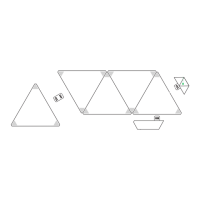
Details connecting the controller to panels using linkers and the overall panel assembly process.
Provides guidance on optimal panel placement, surface preparation, and mounting tape usage.
Explains how the app detects and allows manipulation of panel arrangement for display.
Details the use of color sets (palettes) for creating scenes and their limitations.
Describes how to apply colors to individual panels and adjust overall or specific panel brightness.
Details various animation types like Random, Flow, Wheel, and Highlight for dynamic effects.
Explains transition styles such as Curvy Squiggles and Block Squiggles for color changes.
Describes Fade and Burst animation effects, including their color transitions and repeat options.
Covers adjusting animation speed and panel brightness using in-app sliders.
Provides example commands for controlling Nanoleaf Aurora using Siri, Alexa, and Google Assistant.
Explains the different states of the Wi-Fi status LED and their implications.
Offers steps for resolving issues when the Aurora cannot be found or seen in the app.
Instructions for resetting only the Wi-Fi configuration to connect to a new network.
Details on performing soft resets (preserving scenes) and hard resets (factory defaults).
Addresses issues with more than 30 panels and controller/power supply limitations.
Outlines compliance with FCC Rules, ICES-3(B), and ISEDC standards for digital apparatus.
Details RF radiation exposure compliance for uncontrolled environments and installation distance.
Warns that unauthorized changes or modifications may void the device's certification.
Advises on minimizing interference with other radio or broadcast devices.
Lists environments and conditions where Nanoleaf Aurora should not be used, including heat and moisture.
Provides essential precautions like not opening the device, cleaning safely, and avoiding panel damage.
 General
| Brand | Nanoleaf |
|---|---|
| Model | AURORA |
| Category | DJ Equipment |
| Language | English |

 To Next Page