
 Need help?
Do you have a question about the NAPCO GEM-RP1CAE KEYPAD and is the answer not in the manual?
Instructions for testing the system's sounding device and telephone line.
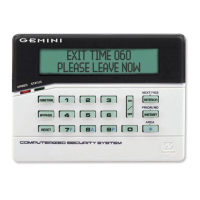
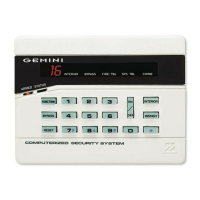
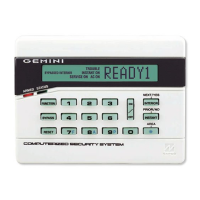
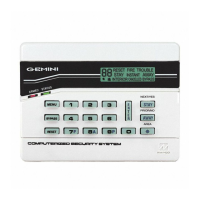
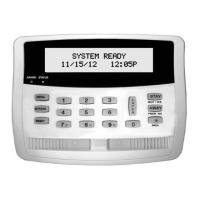
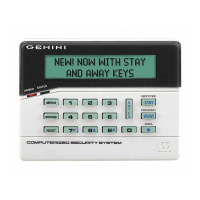
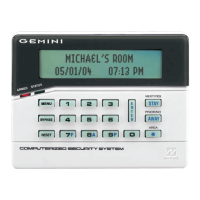
Describes the keypad display, status lights, and the function of all buttons.
Ensures system readiness, bypasses faulted zones, and outlines arming and exiting steps.
Manages priority arming scenarios and initial trouble indications.
Addresses system troubles during arming and optional area arming functions.
Allows free movement by bypassing interior zones and enables instant protection.
Utilizing panic buttons (F, A, P) with the [*] button for emergency alerts.
Procedure to disarm, reset alarms, and use ambush codes for security.
Understanding the operational behavior of Day and 24-Hour zones.
Procedures for fire alarms, troubles, and creating fire escape plans.
Discussing safety procedures and providing space for a fire escape floorplan.
View zone faults, bypasses, directory, and activate bell test.
Display phone numbers, system troubles, fire alarms, and schedules.
Activate overview, chime, watch, and guard tour modes.
Resetting troubles, performing tests, and viewing alarm, total, and fire logs.
Viewing opening/closing logs, system logs, and managing autoarm schedules.
Access programming, check transmitter status, and control relays.
How the system communicates with a central station and its reporting capabilities.
System notifications for arming and disarming events to the central station.
Procedures for manually bypassing or unbypassing system zones.
Features for commercial systems related to exit time after ringback and exit-delay restart.
Overview of the Program Mode and how to access it for system customization.
Instructions for setting user access codes for the system.
Assigning custom text descriptions to individual system zones.
A step-by-step guide illustrating how to program a user's code.
Interpreting messages indicating system status, delays, and zone faults.
Understanding messages related to alarms, fire events, access issues, and arming blocks.
Interpreting messages for system troubles, communication failures, and commercial-specific modes.
Definitions of terms from Abort Delay through Instant Protection.
Definitions of terms from Interior Button through Opening Window.
Definitions of terms from Overview Mode through System Trouble.
Definitions of general troubles, user codes, and specific zone types.
 General
| Mounting | Surface Mount |
|---|---|
| Compatibility | NAPCO Gemini Series Control Panels |
| Display | Alphanumeric LCD |
| Function Keys | Yes |
| Audible Indicators | Buzzer |
| Communication | Wired |
| Power Supply | 12VDC |
| Operating Temperature | 32°F to 120°F (0°C to 49°C) |
| Dimensions | 4.5" H x 6.5" W |




 To Next Page