
 Need help?
Do you have a question about the NAPCO Gemini GEM-TOUCH K Series and is the answer not in the manual?
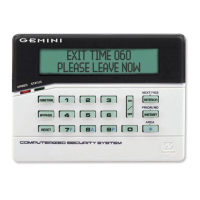
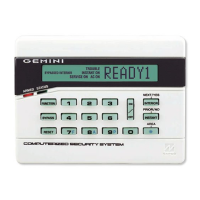
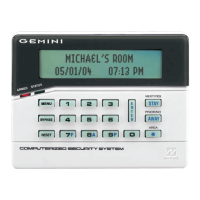
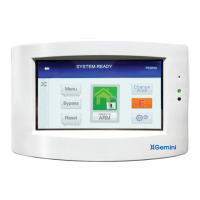
Covers warning icons, status lights, and the display window.
Details numerical keys, Menu, Enter, Clear, and Star buttons for operation.
Explains Arming modes, Bypass, Emergency, Reset, and System Settings.
Room Light Sensor and Change Area button functionalities.
Explains warning icons indicating system status and alerts.
Indicates when one or more zones have been bypassed from system protection.
Appears when a general system trouble or fire event is detected.
Step-by-step guide to arm the system when leaving the premises.
How to remove a faulted zone from system protection temporarily.
Explains how to manage and acknowledge system troubles before arming.
Guides on arming specific Areas in a partitioned system.
Arms the system with interior zones bypassed for movement within the home.
Explains automatic interior zone bypass when arming AWAY but staying home.
Arms the system with interior zones bypassed for nighttime security.
Allows exiting the premises while the system is armed STAY or NIGHT.
How to use Police, Auxiliary, and Fire emergency buttons.
Step-by-step guide to disarm the security system.
How to silence an audible alarm and reset the display after an event.
Using an Ambush Code to send a silent alarm to the central station.
Actions to take during a fire alarm and how to silence it.
Explains how to silence and address fire zone trouble conditions.
Guidance on creating a fire escape plan for the building.
Steps for rehearsing fire escape procedures with family members.
Crucial escape procedures to discuss and follow during a fire.
Performs a test of the alarm sounder and checks battery status.
Displays a list of all zones and their names within the system.
Enables keypad beeps for zone status changes while disarmed.
Initiates a test to check zone faults and transmitter status.
Helps find and identify zone troubles by sounding a tone.
Accesses logs for alarms, total events, and system events.
Sets the system to arm automatically after a delay of 1 to 4 hours.
Checks the status and signal strength of wireless transmitters.
Details features like Abort Delay and reporting capabilities.
Explains how the system reports arming and disarming events to the central station.
Steps to access the system settings menu via the keypad.
Guide to changing or updating existing user access codes.
How to view existing user codes programmed into the system.
Steps to safely exit the user code programming interface.
Procedure to enter the system settings menu using the keypad.
Adjusts backlight levels, audio volume, and LED brightness.
Utility to adjust touchscreen sensitivity and accuracy.
Delay period allowing system reset before reporting to central station.
User Code for remotely unlocking a door.
Prefix code for silent alarm dispatch when forced to disarm.
Monitors reports and notifies authorities.
A zone fault (e.g., open door, window).
A problem detected in the system (e.g., low battery, power failure).
Personalized code for arming, disarming, and system settings.
Zone armed and ready at all times for emergencies.
Covers AC power failure (E01) and low battery (E02).
Explains communication failure (E03) and receiver response failure (E06).
Details wireless transmitter failure (E04) and system cold start (E09).
Covers keypad, transmitter, and receiver tamper conditions.
Details RF transmitter tamper, receiver jam, and RF self-test failure.
Covers fire trouble, CO trouble, keyfob battery, and bell/siren trouble.
Addresses common issues like arming problems and open zones.
 General
| Series | Gemini GEM-TOUCH K Series |
|---|---|
| Type | Touchscreen Keypad |
| Keypad Type | Touchscreen |
| Backlight | Yes |
| Communication | Wired |
| Power Supply | 12V DC |
| Compatibility | NAPCO Alarm Systems |
| Functionality | Security System Control, Automation Control |
| Mounting | Wall Mount |
| Operating Temperature | 0°C to 49°C (32°F to 120°F) |
| Dimensions | 5.5 x 4.5 x 0.5 inches |
| Weight | 0.5 lbs |



 To Next Page