EasyManua.ls Logo

NAPCO Gemini GEM-X255 - User Manual

NAPCO Gemini GEM-X255
40 pages
Print Icon
To Next Page IconTo Next Page
Loading...
1
OPERATING GUIDE for the
GEM-X255 Security System
© NAPCO 2001
DESIGN PATS. PENDING
ARMED
COMPUTERIZED SECURITY SYSTEM
STATUS
GEMINI
A 1 2 3
B 4 5 6
C 7 8 9 0
E
F
G
J
SYSTEM ARMED
01/01/00 12:00 AM
GEM-X255_OI273_USER.pub
page 1
Tuesday, September 10, 2002 13:14

Other manuals for NAPCO Gemini GEM-X255

Question and Answer IconNeed help?

Do you have a question about the NAPCO Gemini GEM-X255 and is the answer not in the manual?

Summary

System Introduction and Controls

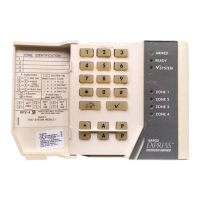
GEM-X255 Keypad Overview and Testing

Introduces the GEM-X255 security system, its keypad, and outlines essential weekly testing.

Keypad Buttons and Status Indicators

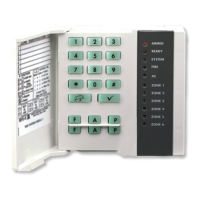
Detailed explanation of all keypad controls, buttons, and status lights for system operation.

Core Security Operations

Arming and Disarming Procedures

Step-by-step guides for arming the system when leaving and disarming upon return.

On-Premise Protection and Bypass

Utilizing interior bypass, instant protection, and easy exit for enhanced security while on premises.

Fire Safety and Emergency Response

Procedures for fire alarms, escape planning, and using emergency response buttons.

Advanced System Functions and Management

Navigating Keypad Utility Functions

Accessing and using various utility functions via the keypad for system status and testing.

Central Station Monitoring and Communication

Understanding how the system communicates with a central station and its reporting features.

System Programming and Customization

Customizing the system by programming user codes, zone descriptions, date, and time.

System Diagnostics and Troubleshooting

System Trouble Error Codes

Identifying and resolving system issues using specific trouble codes and their conditions.

Troubleshooting Common System Issues

General guidance for resolving common operational problems and system faults.

NAPCO Limited Warranty

Summary

System Introduction and Controls

GEM-X255 Keypad Overview and Testing

Introduces the GEM-X255 security system, its keypad, and outlines essential weekly testing.

Keypad Buttons and Status Indicators

Detailed explanation of all keypad controls, buttons, and status lights for system operation.

Core Security Operations

Arming and Disarming Procedures

Step-by-step guides for arming the system when leaving and disarming upon return.

On-Premise Protection and Bypass

Utilizing interior bypass, instant protection, and easy exit for enhanced security while on premises.

Fire Safety and Emergency Response

Procedures for fire alarms, escape planning, and using emergency response buttons.

Advanced System Functions and Management

Navigating Keypad Utility Functions

Accessing and using various utility functions via the keypad for system status and testing.

Central Station Monitoring and Communication

Understanding how the system communicates with a central station and its reporting features.

System Programming and Customization

Customizing the system by programming user codes, zone descriptions, date, and time.

System Diagnostics and Troubleshooting

System Trouble Error Codes

Identifying and resolving system issues using specific trouble codes and their conditions.

Troubleshooting Common System Issues

General guidance for resolving common operational problems and system faults.

NAPCO Limited Warranty

NAPCO Gemini GEM-X255 Specifications

General IconGeneral
TypeHybrid Security System
Zones255
Partitions8
Wireless Frequency319.5 MHz
Input Voltage16.5VAC
Power Supply16.5VAC
Battery Backup12V, 7Ah rechargeable battery
KeypadsUp to 8 keypads

Related product manuals