Slide 57© Narda Safety Test Solutions GmbH www.narda-sts.com
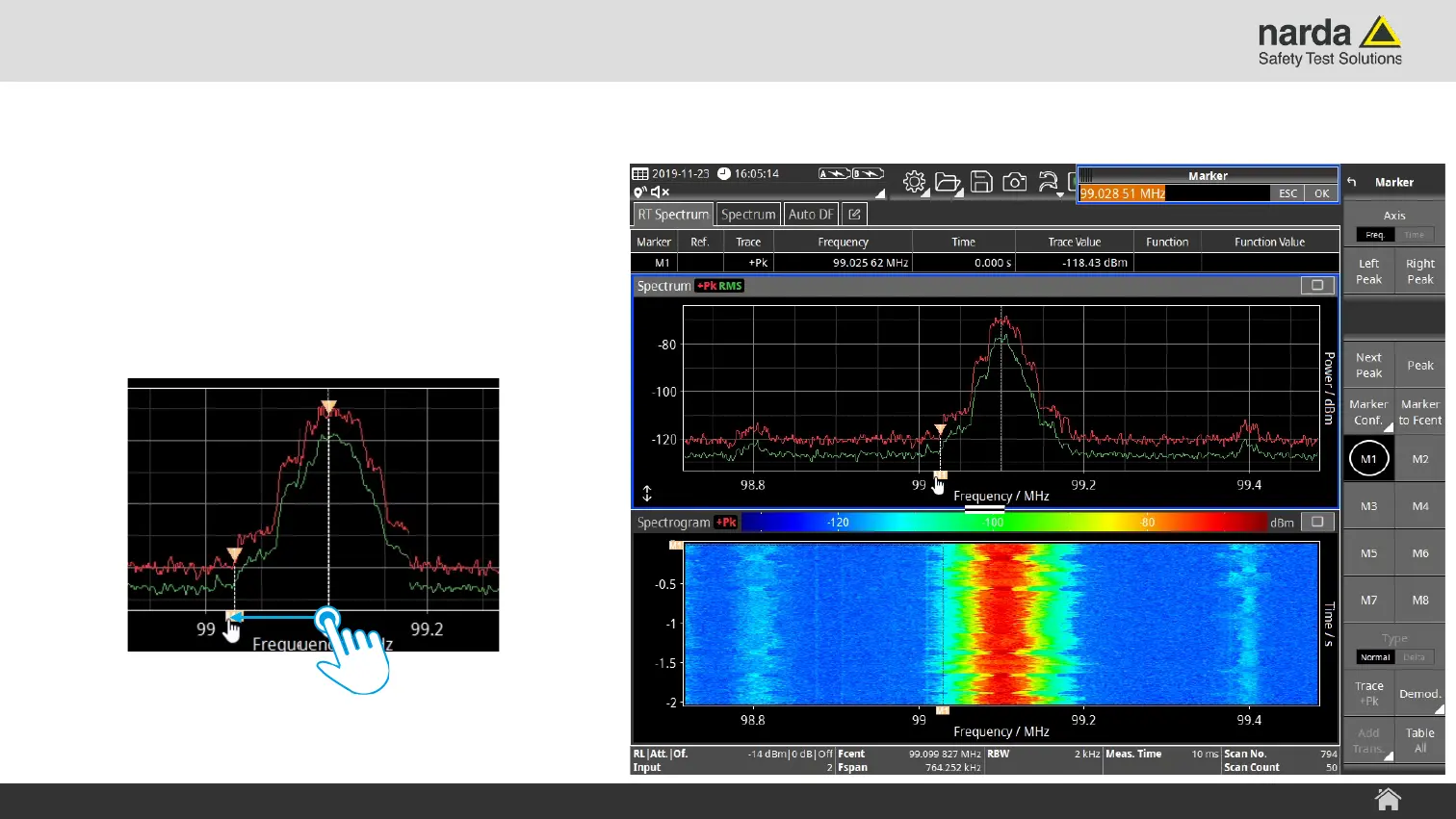
Change Marker Position by Touch
To change the marker position
1) Tap on the marker label to select it
2) Then drag the marker by it’s label to the
desired position.
SignalShark - User Interface Manual
Basic Operation



 To Next Page