Slide 63© Narda Safety Test Solutions GmbH www.narda-sts.com
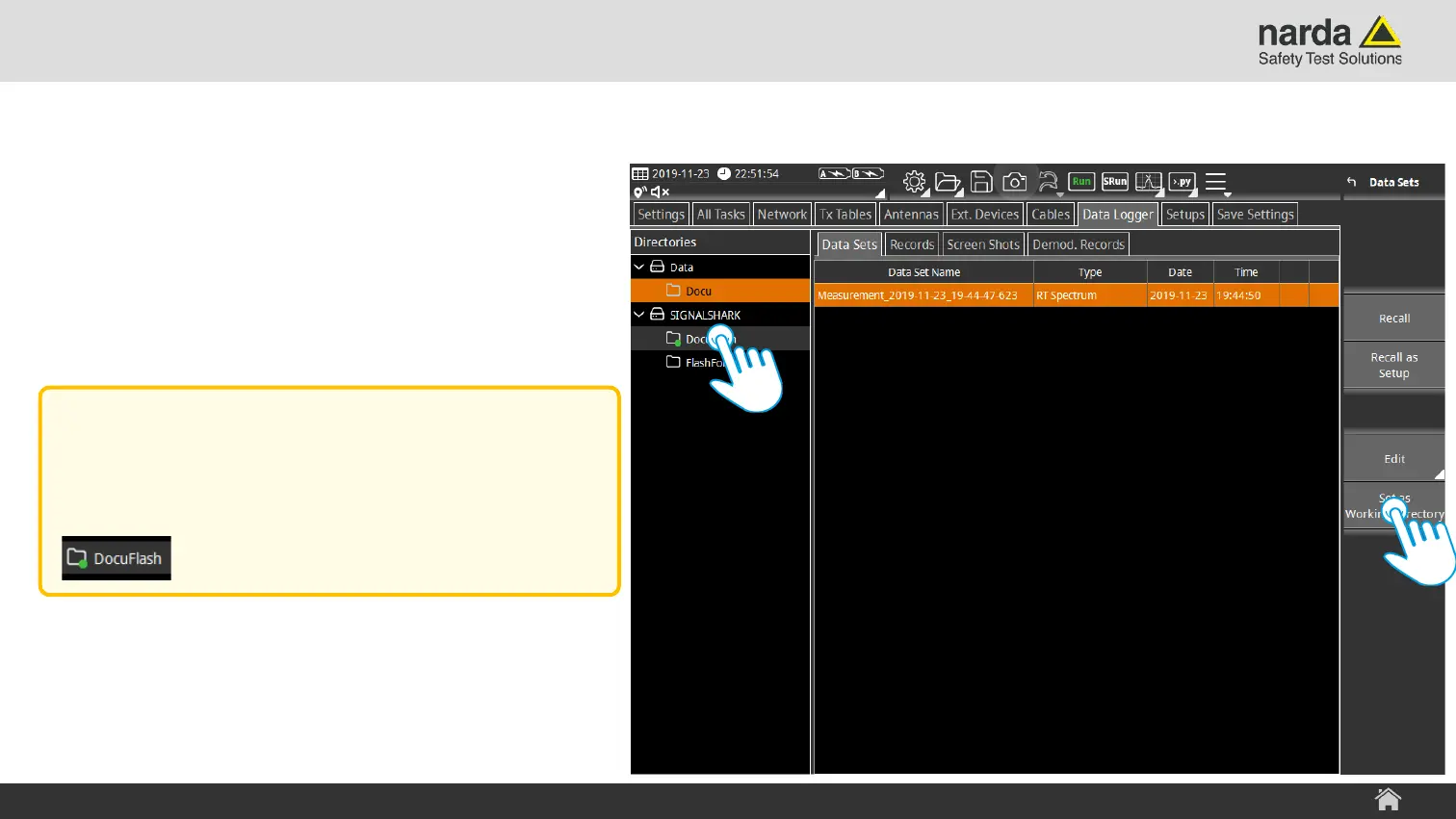
Select Working Directory Step 1
› Select the drive/folder that should be set
as Working Directory
› Tap on “Set as Working Directory”
SignalShark - User Interface Manual
Basic Operation
Note:
The actual Working Directory is marked
with a green dot.



 To Next Page