19
NARVON SUMMIT
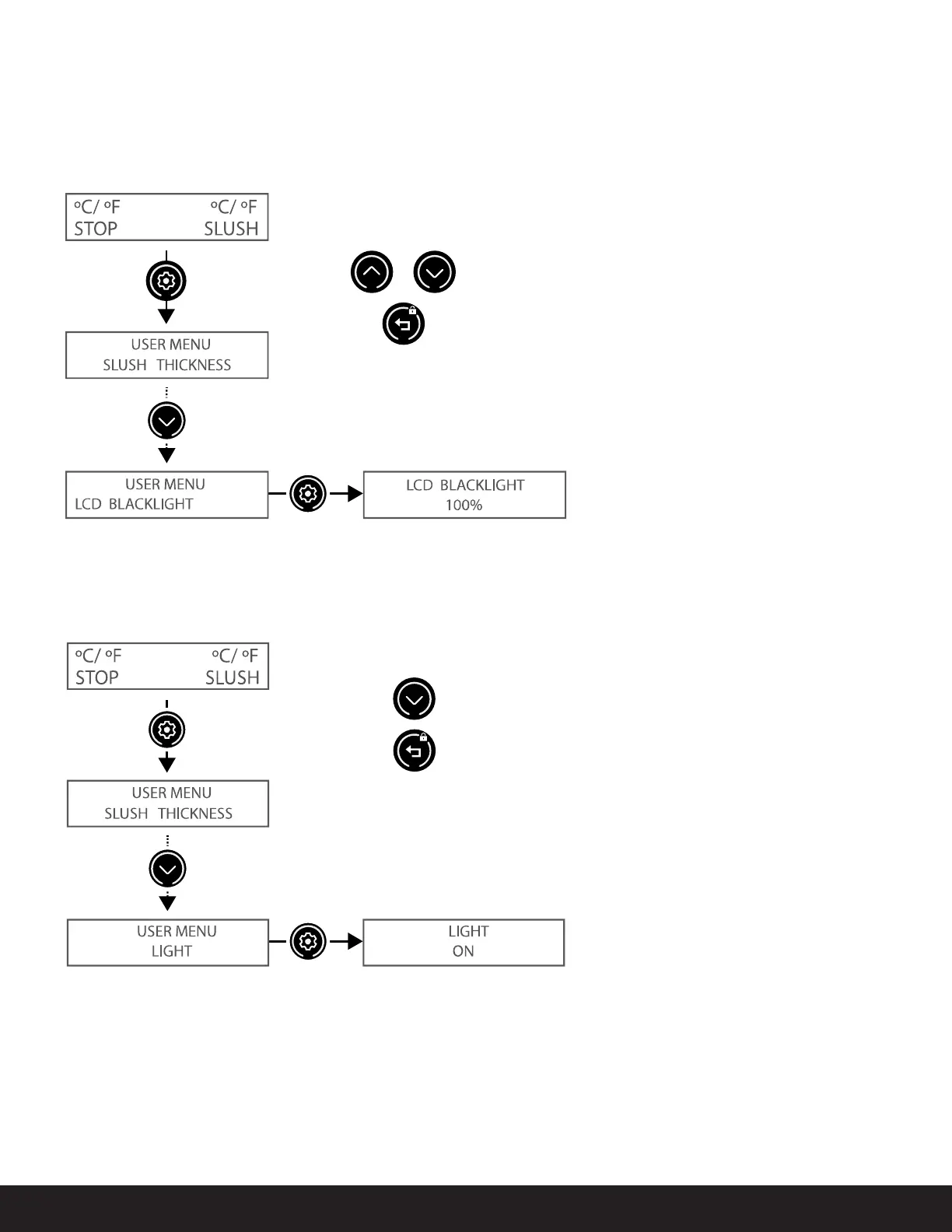
Adjusts the intensity of the LCD display backlight. The default setting is 100%.
Turns the bowl lights ON and OFF. The default setting is ON.
1. Press
and hold.
1. Press
and hold.
2. Press and
release.
2. Press and
release.
Toggles between ON and OFF
Increase/decreases intensity level
Saves changes and exits (press twice to exit user menu)
Saves changes and exits (press twice to exit user menu)
3. Press.
3. Press.
PROGRAMMING
LCD BACKLIGHT
BOWL LIGHTS



 To Next Page