Chapter 2 DAQ System Overview
© National Instruments Corporation 2-5 NI USB-621x User Manual
Programming Devices in Software
National Instruments measurement devices are packaged with NI-DAQ
driver software, an extensive library of functions and VIs you can call from
your application software, such as LabVIEW or LabWindows/CVI, to
program all the features of your NI measurement devices. Driver software
has an application programming interface (API), which is a library of VIs,
functions, classes, attributes, and properties for creating applications for
your device.
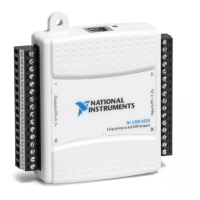
USB-621x devices use the NI-DAQmx driver. NI-DAQmx includes a
collection of programming examples to help you get started developing an
application. You can modify example code and save it in an application.
You can use examples to develop a new application or add example code to
an existing application.
To locate LabVIEW and LabWindows/CVI examples, open the National
Instruments Example Finder.
• In LabVIEW, select Help»Find Examples.
• In LabWindows/CVI, select Help»NI Example Finder.
Measurement Studio, Visual Basic, and ANSI C examples are located in the
following directories:
• NI-DAQmx examples for Measurement Studio-supported languages
are in the following directories:
–
MeasurementStudio\VCNET\Examples\NIDaq
– MeasurementStudio\DotNET\Examples\NIDaq
• NI-DAQmx examples for ANSI C are in the
NI-DAQ\Examples\DAQmx ANSI C Dev directory
For additional examples, refer to
zone.ni.com.


 To Next Page
 Loading...