RMC-8357 Installation Guide | © National Instruments | 5
Front Panel LEDs
• Power indicator
• Power shuttle indicators
• LAN status indicators
• HDD indicator
• System temp (overheat) and fan (fail) warning indicator
System Management
• Monitoring for CPU and chassis environment
• CPU thermal trip support
• +5 V standby alert LED
• Fan speed control
RMC-8357 Description
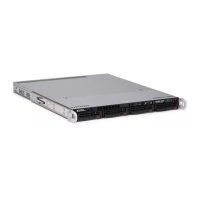
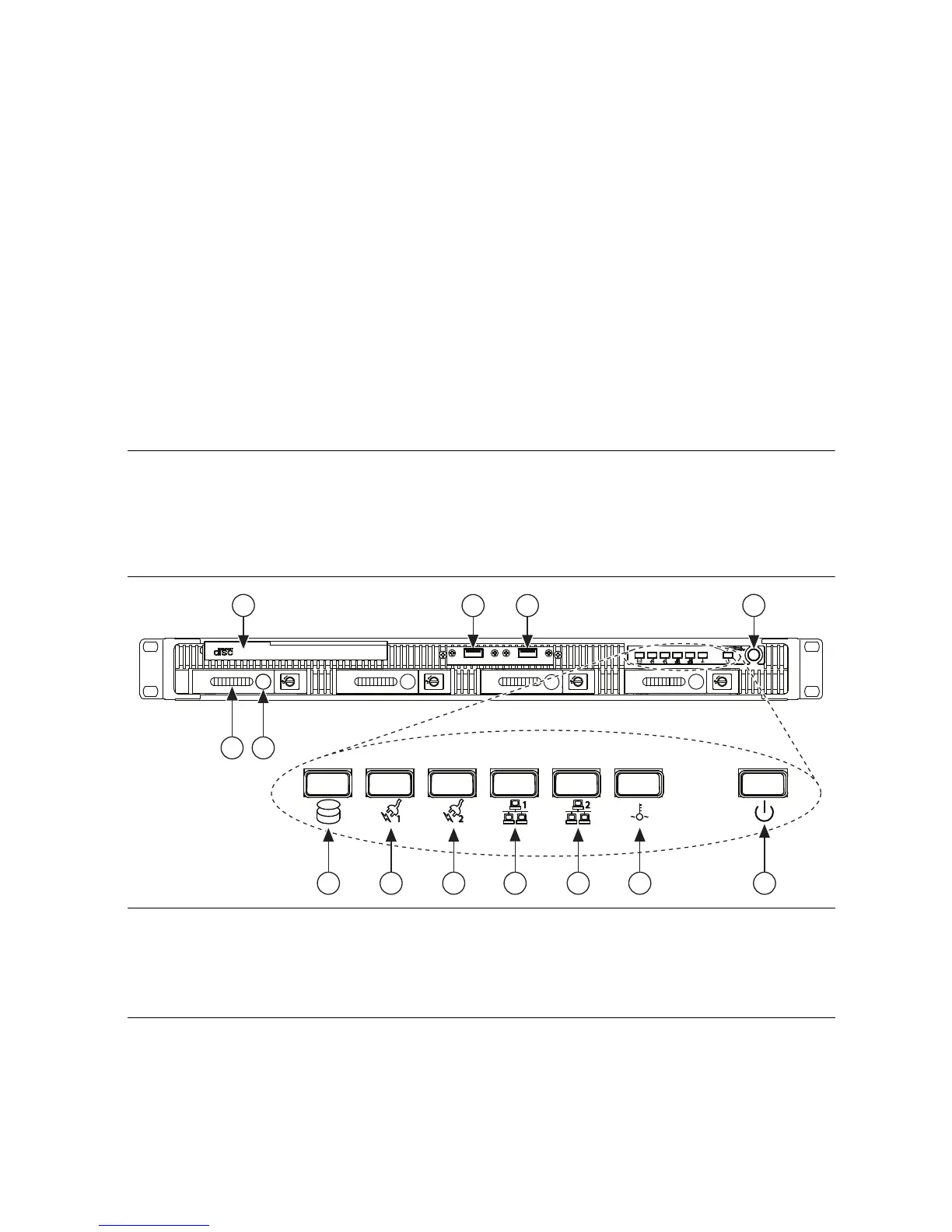
Figures 1 and 2 show key features of the RMC-8357 front and rear panel. For detailed
information about the RMC-8357 front and rear panel, refer to Chapter 3, I/O Information, in the
RMC-8357 User Manual.
Figure 1. Front View of the RMC-8357
The front panel includes the following LEDs:
• Hard drive activity indicator—glows when there is hard drive activity.
• Power shuttle indicators—glow when power shuttles are powered on.
1 DVD-R/W Blu-ray Drive
2 Hard Drives
3 Hard Drive Ejector Buttons
4USB Ports
5 Hard Drive Activity Indicator
6 Power Shuttle 1 Indicator
7 Power Shuttle 2 Indicator
8 LAN1 Status Indicator
9 LAN2 Status Indicator
10 System Temp and Fan Warning Indicator
11 Power Indicator
12 Power Switch
Rugged Rackmount Controller
Rugged Rackmount Controller
NI RMC-8357
4
4
32
12
9876
5 10
11
1

 To Next Page
 Loading...