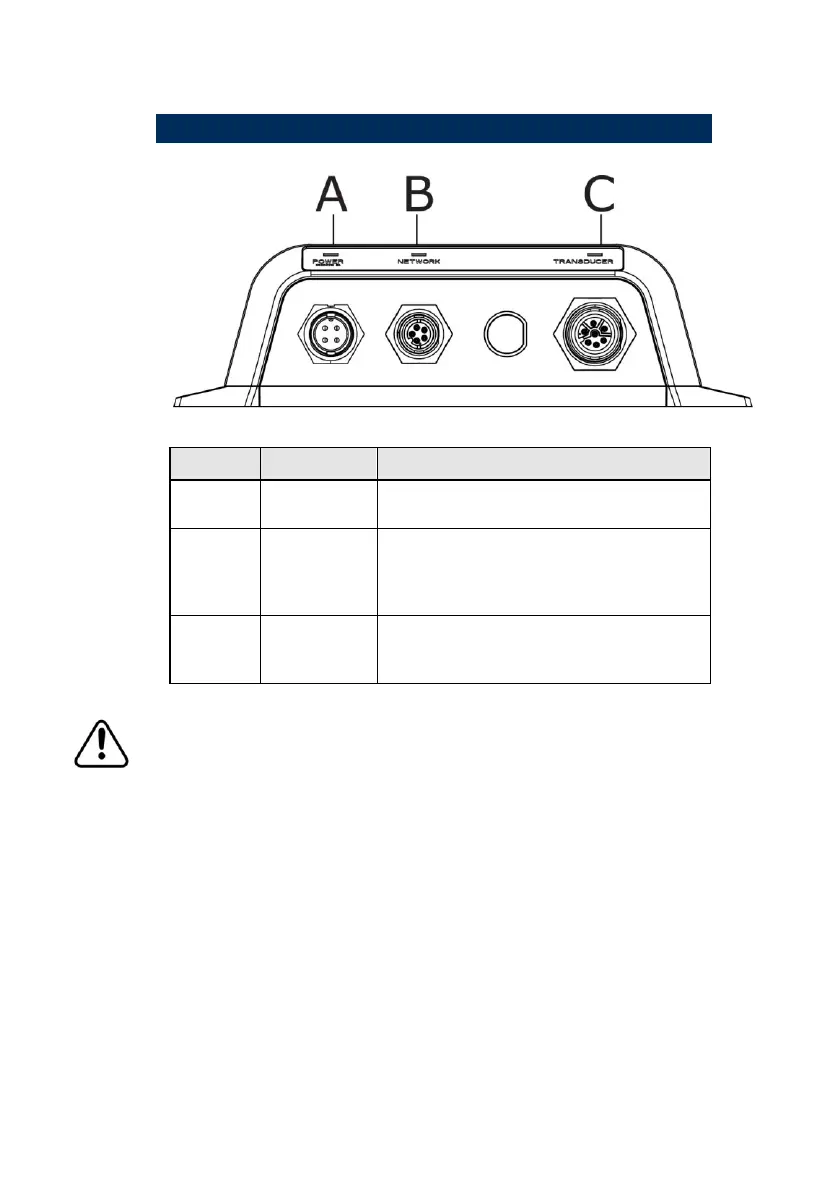
Connect dedicated power cable (see
"Connect power" page 15)
Ethernet network: Connect to your
display or Ethernet switch connector
(see "Connect BSM-1 to your display"
page 11)
Connect your transducer (see "Parts
List" page 18) for a list of compatible
transducers
Removing the transducer cable from the BSM-1 while the
module is powered on can cause sparks. Remove the
transducer cable only after the module has been
disconnected from its power source.

 To Next Page
 Loading...