EasyManua.ls Logo

Navien NFC Series - User Manual

Navien NFC Series
26 pages
Print Icon
To Next Page IconTo Next Page
Loading...
Getting Service
If your boiler requires service, you have several options for getting service:
Contact Technical Support at 1-800-519-8794 or on the website: www.navien.com.
For warranty service, always contact Technical Support first.
Contact the technician or professional who installed your boiler.
Contact a licensed professional for the affected system (for example, a plumber or electrician).
When you contact Technical Support, please have the following information at hand:
Model number
Serial number
Date purchased
Installation location and type
Error code, if any appears on the front panel display.
800.519.8794 www.Navien.com
20 Goodyear lrvine, CA 92618
Users Information Manual
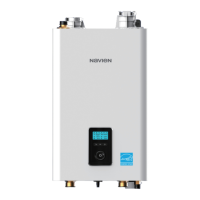
NFC Condensing Combi-Boilers
THE LEADER IN CONDENSING TECHNOLOGY
Version: 1.0 (Nov 26, 2018)

Questions and Answers

Summary

Boiler Service and Support

Contacting Technical Support

Options for contacting support, including phone and website for service and warranty.

Information Required for Support

Details like model number, serial number, date purchased, and error code needed for service.

Model Identification

Key Safety Warnings and Gas Procedures

Understanding Safety Symbols and Precautions

Gas Leak Procedures

Steps to take if gas is detected, including avoiding electrical switches and using phones.

General Boiler Operation Safety

Electrical Safety and Component Handling

Emphasizes turning off power before electrical work and avoiding wet hands with components.

California Proposition 65 Chemical Warning

Provides the required warning regarding exposure to certain chemicals.

Hot Water Burn Risk Prevention

Water Temperature and Scald Risk

Explains how water temperature relates to burn severity and time.

Navien Boiler Features and Protection

Boiler Parts and Connection Identification

Identifies front and bottom views of the boiler, detailing connection ports.

Front Panel Display Icons and Indicators

Interpreting Operating Indicators

Details icons for system status, heating demand, temperatures, and pressure.

Front Panel Controls and Navigation

Navigating Boiler Settings and Menus

Details how to use buttons and the command dial for settings and confirmation.

Boiler Power On;Off Operation

Setting Space Heating Temperature

Step-by-step guide to set the desired space heating water temperature.

Setting DHW Water Temperature

Accessing Boiler Main Menu

How to access and navigate the main menu for settings and status.

Monitoring Boiler Operational Parameters

Boiler Reset Procedure

Procedure to reset the boiler to resolve operational issues or error codes.

Cleaning the Boiler Exterior

Draining the Boiler for Service

Steps to safely drain the boiler for maintenance or freeze protection.

Air Intake Filter Cleaning and Maintenance

Detailed Air Intake Filter Cleaning

Boiler Freeze Protection Guidelines

Scheduled Boiler Maintenance Tasks

Outlines daily, monthly, and annual maintenance tasks for owners and technicians.

Interior Inspection and Cleaning Procedures

Piping and Vent System Integrity Checks

Procedures for checking water, gas, flue, and air piping for leaks and obstructions.

Water System and Pressure Monitoring

Pressure Relief and Ignition System Checks

Details inspection of relief valves and ignition/flame detector electrodes.

Wiring, Settings, and Burner Checks

Heat Exchanger Flushing Preparation

Introduction and necessary items for flushing the heat exchanger.

Heat Exchanger Flushing Execution

Troubleshooting Common Boiler Issues

Resolving No Water or Temperature Problems

Specific solutions for issues like no hot water or insufficient hot water.

Boiler Error Code Definitions

More Boiler Error Code Details

Navien Limited Warranty Coverage

Getting Warranty Service and Making Claims

Explains how to get service and what proof is required for warranty claims.

Warranty Exclusions and Voiding Conditions

Warranty Limitations and User Rights

Explains limitations on liability and user's specific legal rights.

Overview

This document is the User's Information Manual for Navien NFC Condensing Combi-Boilers, specifically models NFC-175 and NFC-200. It provides comprehensive instructions for safe operation, maintenance, and troubleshooting of the boiler.

Function Description

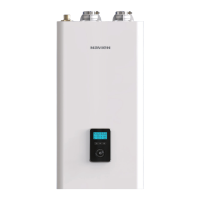
The Navien NFC Condensing Combi-Boiler is a heating appliance designed to provide both space heating and domestic hot water (DHW). It features a condensing technology that maximizes energy efficiency. The boiler is equipped with an automatic ignition device, eliminating the need for a pilot light. Key safety and operational features include:

  • Power Interruption Protection: The boiler automatically restarts and resumes normal operation after a power failure, without requiring a manual reset.
  • Freeze Protection: An internal sensor monitors temperature and initiates a safety heating cycle to prevent damage from freezing.
  • Short-Circuit Protection: Internal glass fuses blow and the gas supply is cut off automatically in the event of an electrical short-circuit.
  • Lightning Protection: The boiler is specially grounded, both internally and externally, to protect against lightning strikes.
  • Carbon Monoxide Protection: The boiler maintains a safe air-to-gas ratio and combustion rate, continuously monitored by an air ratio control module.
  • Auto Fan Detection: The fan's rotation is automatically detected and controlled; fan failure will stop boiler operation.
  • Boiling Prevention: The boiler automatically stops operation if excessive temperatures are detected.

Usage Features

The boiler's front panel serves as the primary interface for users to monitor and control the device. It includes icons and a digital display that provide important information about the boiler's operating status and error codes.

  • Turning On/Off: The boiler can be easily turned on or off by pressing the Power button on the front panel. When powered on, it automatically enters normal operation mode, and its operating conditions are displayed.
  • Temperature Adjustment: Users can adjust both the space heating temperature and the DHW indirect supply temperature. This is done by rotating and pressing the Command dial on the front panel. The display will flash while adjustments are being made, and the new setting is stored once the flashing stops. The manual provides default temperature ranges and notes that settings are retained during power outages.
  • Menu Access: The Mode button (M) allows access to the Main Menu, where users can view status information, configure heating and DHW temperatures, and review error history. The Command dial is used to navigate through menu items and confirm selections.
  • Boiler Reset: In case of an error message, the boiler can be reset by pressing the Back button on the front panel.

Maintenance Features

The manual outlines various maintenance tasks that users can perform, as well as those requiring a qualified service technician.

  • Cleaning the Boiler: The exterior of the boiler can be cleaned with a damp cloth and a non-acidic, non-abrasive cleaner. It's crucial to turn off and disconnect power, and allow the boiler to cool before cleaning to prevent burns. The front panel is moisture resistant but not waterproof.
  • Draining the Boiler: Instructions are provided for draining the boiler, which is necessary for maintenance tasks or to prevent freezing during extended periods of disuse. This involves turning off the boiler, closing gas and water supply valves, and removing drain caps on the manifold system.
  • Cleaning the Air Intake Filter: The air intake filter should be cleaned every 3-4 months to prevent clogging, which can lead to "Error Code 110" and stop boiler operation. This process involves turning off the boiler, disconnecting power, unfastening latches to remove the front cover, unscrewing and removing the filter, rinsing it with clean water, allowing it to dry, and then reassembling.
  • Maintenance Schedules: The manual provides detailed maintenance schedules for both owner maintenance and service technician tasks.
    • Owner Maintenance: Daily checks include ensuring the boiler area is free of combustibles and checking the pressure/temperature gauge. Monthly tasks involve visually inspecting vent piping, burner flames, and the condensate trap/PVC fittings. Periodically, the LWCO (Low Water Cut-Off) should be tested. Every six months, boiler piping should be inspected for leaks, and the relief valve tested. During the non-heating season, the boiler should be shut down if not used for domestic hot water.
    • Service Technician Maintenance (Annual Start-up): This includes addressing reported problems, inspecting and cleaning the interior, cleaning and filling the condensate trap, checking for leaks (water, gas, flue, condensate), verifying flue and air lines, checking system water pressure, control settings, ignition and flame rod, wiring, connections, and flame stability. If needed, the heat exchanger should be flushed, and air intake filter, space heating strainer, and inlet water filter cleaned.
  • Protecting from Freezing: The manual emphasizes that freezing damage is not covered by warranty and provides guidelines to prevent it, such as not unplugging the power cord (due to the freeze protection function requiring electricity) and not closing the gas valve. If the boiler will not be used for an extended period, it should be drained.
  • Troubleshooting: A dedicated section lists common problems, possible causes, and remedies. It also provides a comprehensive list of error codes with their definitions and recommended self-diagnostic/action (Manual RESET, Auto RESET, or Alarm). For persistent issues, users are directed to contact Technical Support.
  • Flushing the Heat Exchanger: Detailed instructions are provided for flushing the heat exchanger, a more complex procedure that may require an authorized technician. This involves gathering specific items like a bucket, cleaning solution, hoses, and a circulation pump, and following a step-by-step process to circulate and rinse the cleaning solution.
  • Checking Water System: This includes verifying system components, checking cold fill pressure, monitoring system pressure during heating, inspecting air vents and separators, and checking the expansion tank.
  • Checking Pressure Relief Valves: Users are instructed to inspect and test the relief valve annually, with a warning that this inspection should be performed by a licensed plumbing contractor every three years.
  • Inspecting Ignition and Flame Detector Electrodes: This involves removing, cleaning, and replacing the electrodes, ensuring the gasket is in good condition.
  • Checking Ignition Ground Wiring and all Boiler Wiring: Ensuring all wiring is in good condition and securely attached.
  • Checking Control Settings: Verifying and adjusting settings from the front panel and external limit controls.
  • Performing Start-up and Checks: Starting the boiler and verifying proper operation and cold fill pressure.
  • Checking the Burner Flame: Inspecting the flame through the observation window and checking for obstructions in venting or a dirty air intake filter if the flame is unsatisfactory.
  • Review with the Owner: The manual advises reviewing the information with the owner, emphasizing maintenance, calling a licensed contractor for unusual behavior, and scheduling annual start-ups.

Navien NFC Series Specifications

General IconGeneral
ModelNFC Series
Fuel TypeNatural Gas or Propane
Vent TypeDirect Vent
Heat Exchanger MaterialStainless Steel
Efficiency95% AFUE
Warranty5-Year Limited Parts Warranty
VentingPVC, CPVC
TypeCondensing Fire Tube Combi-Boiler (NFC-150, NFC-175, NFC-200), Condensing Fire Tube Boiler (NFC-250, NFC-300)

Related product manuals