Need help?
Do you have a question about the Navitel M800 DUAL and is the answer not in the manual?
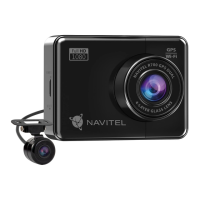
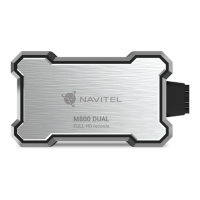
Details the physical components, connectors, and parts of the NAVITEL M800 DUAL DVR.
Lists all the items included in the box with the NAVITEL M800 DUAL DVR.
Explains the different states and meanings of the device's LED indicator lights.
Explains the necessity and procedure for formatting the microSD card for optimal use.
Describes the automatic recording function that starts upon receiving power.
Explains how loop recording saves videos and overwrites older files when storage is full.
Details the device's audio recording capability, including noise suppression.
How to protect the current recording from being deleted or overwritten.
Explains how the G-sensor automatically locks video upon detecting an impact.
Allows setting tilt angle limits for automatic record protection.
Provides access to continuous time-lapse recording mode in parking mode.
 General
| Product color | Black |
|---|---|
| GPS (satellite) | Yes |
| Housing material | Metal |
| Number of cameras | 2 |
| Main camera resolution | 1920 x 1080 pixels |
| Built-in display | No |
| Compatible memory cards | MicroSD (TransFlash) |
| Maximum memory card size | 128 GB |

 To Next Page