Need help?
Do you have a question about the Navitel R250 and is the answer not in the manual?
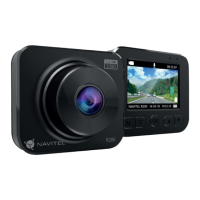
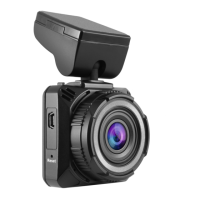
Identifies and describes the physical components of the NAVITEL R250 DUAL DVR.
Details key technical specifications including processor, display, camera, resolution, and battery.
Instructions on inserting and formatting the microSD card for DVR operation.
Steps for securing the DVR to the windshield and connecting the power adapter.
Important guidelines for safe operation, handling, and environmental considerations.
Explains the M button's role in switching modes and menu navigation.
Details the Menu button's use for entering menus and navigating options.
Describes the OK button's functionality for recording, capture, playback, and selection.
Explains the Up/Down buttons for camera switching, audio control, and menu navigation.
Provides information on using the reset button to restore device functionality.
Details how to record video, take photos, and manage recording modes.
Explains how to play back recordings, fast forward, rewind, and lock files.
Covers loop recording, interval recording, motion detection, and audio recording.
Describes how to lock files and add date stamps to recordings.
Explains the G-sensor's role in auto-locking files and parking monitor functionality.
Step-by-step instructions for installing and connecting the rear camera.
 General
| Resolution | 1920x1080 |
|---|---|
| Viewing angle | 140 degrees |
| Motion detection | Yes |
| Display size | 2 inches |
| GPS | No |
| Battery type | Lithium-ion |
| Lens | 4-layer glass |
| Video format | MOV |
| Storage | MicroSD card up to 64 GB |
| Features | G-sensor |
| Image format | JPG |
| Power supply | 5V/1.5A |
| Memory Card Support | Up to 64 GB |
| Display | 2-inch TFT |


 To Next Page