Need help?
Do you have a question about the Navitel MSR900 and is the answer not in the manual?
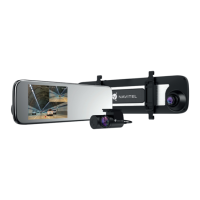
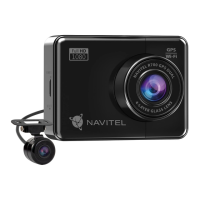
Diagram illustrating the physical components and buttons of the NAVITEL MSR900 DVR with numbered labels.
Controls device power, recording start/stop, photo capture, file selection, and menu item confirmation.
Accesses Mode Settings and Setup menus, allowing navigation and selection of options.
Switches between Video Record, Capture, and Playback modes for device operation.
Navigates menus, selects files, protects recordings, and zooms in/out in capture mode.
Used to reset the device if it becomes unresponsive or requires a system restart.
Automatic recording upon connecting to power. Manual start/stop control via OK button.
Captures still images by switching to Capture mode and pressing the OK button.
Allows viewing recorded videos. Navigate files, play, pause, fast forward, and rewind.
Protects current or selected files from deletion or overwriting by marking them.
Enables or disables audio recording along with video.
Saves footage in timed segments, overwriting older files when the card is full.
Enhances image quality by improving detail in bright and dark areas.
Automatically locks the current video file if the vehicle is impacted.
Automatically records upon detecting vibration when the device is shut down.
Allows entering a license plate number to be embedded in video recordings.
Automatically turns off the screen to conserve power; interval is configurable.
Guide on mounting the device, connecting power, and initial setup for operation.
Advisories on charger use, environmental conditions, device handling, and legal compliance.
 General
| Video Resolution | 1920 x 1080 |
|---|---|
| Storage Type | microSD |
| Maximum Storage Capacity | up to 64GB |
| GPS | Yes |
| G-Sensor | Yes |
| Display Size | 2.7 inches |
| Viewing Angle | 140 degrees |
| Interfaces | mini-USB |
| Features | Motion detection |

 To Next Page