EasyManua.ls Logo

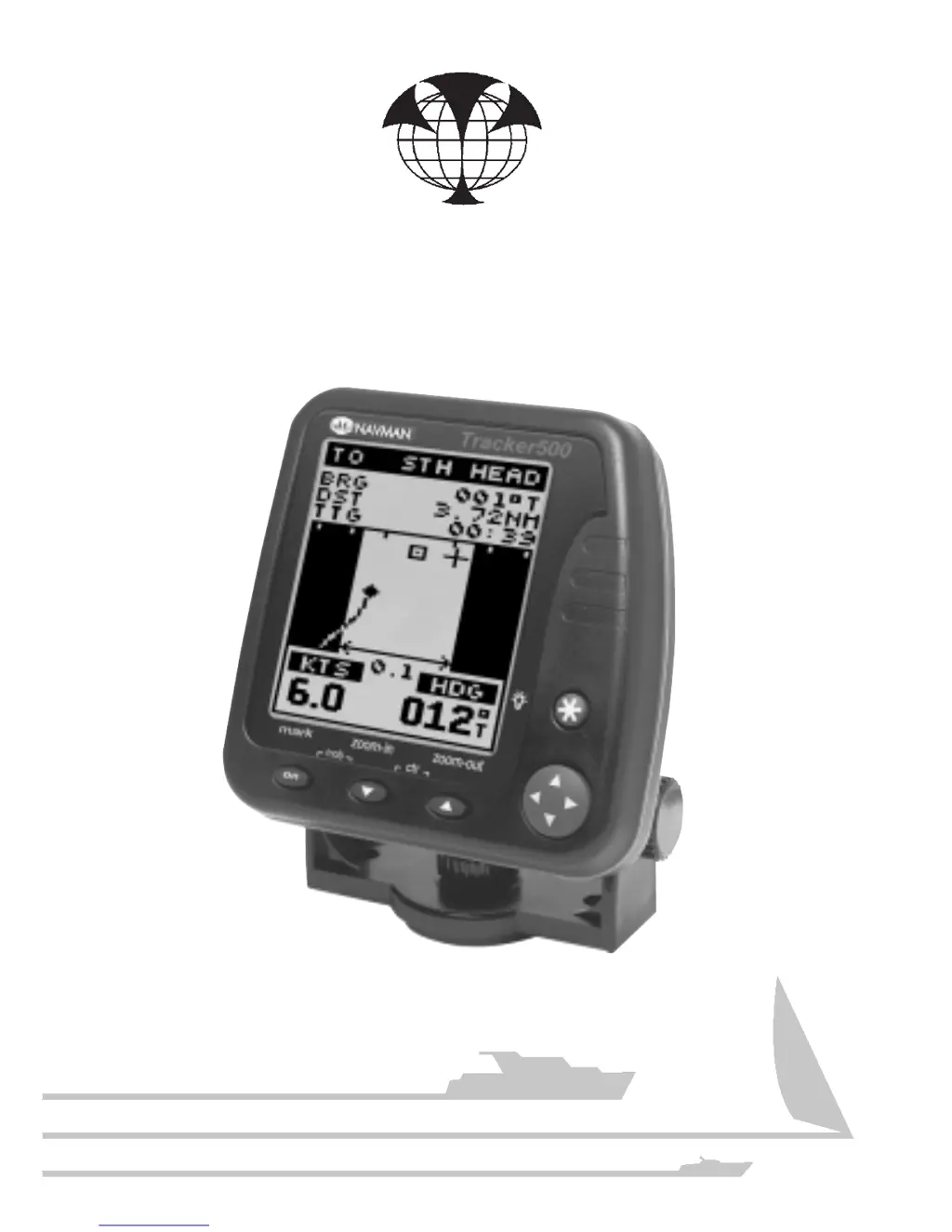
Navman Tracker500/500i - User Manual

Navman Tracker500/500i
44 pages
Print Icon
To Next Page IconTo Next Page
Loading...
NAVMAN

Questions and Answers

  • R
    regina01Aug 18, 2025
    Why does my Navman GPS say 'GPS FIX LOST'?
    • E
      Erica ArnoldAug 18, 2025
      The 'GPS FIX LOST' message on your Navman GPS indicates that the device can no longer establish a GPS fix. This often happens when the antenna's view of the sky is obstructed. To resolve this, make sure the antenna has a clear view of the sky.
  • J
    Jerry FloresAug 21, 2025
    What to do if my Navman GPS Tracker500/500i switches itself off?
    • W
      William SchneiderAug 21, 2025
      If your Navman GPS Tracker500/500i is switching off unexpectedly, it could be due to a poor connection in the power cable, leading to intermittent power loss. Also, the device will shut down if it detects a large voltage surge to protect itself. Check for loose battery connections. You should check the connections and power supply.
  • J
    johnmoranAug 23, 2025
    Why does my Navman GPS take so long to get a fix?
    • T
      Tyrone KelleyAug 23, 2025
      If your Navman GPS Tracker500/500i takes a long time to get a GPS fix, it may be because the device has been moved more than 500 kilometers since it was last switched on, or it hasn't been used for several months. To solve this, allow the Tracker500/500i to search the sky for all available satellites.
  • Z
    Zachary HarrisAug 26, 2025
    How to fix Navman Tracker500/500i GPS fuel remaining if it does not match the amount left in the tank?
    • E
      Emily WhiteAug 26, 2025
      If the 'Fuel Remaining' reading on your Navman GPS doesn't match the actual fuel in the tank, it's likely because the setting wasn't properly calibrated after refueling. You should calibrate the fuel transducer and set Fuel Remaining after every refuel.
  • K
    Kara Ball DDSAug 28, 2025
    How to fix Navman GPS Tracker500/500i if it will not switch on?
    • S
      Savannah RobinsonAug 28, 2025
      If your Navman GPS Tracker500/500i won't switch on, the power or data cable may not be properly connected to its socket, or the power supply connections might be reversed. Check connections.
  • J
    John NormanAug 30, 2025
    Why are my Navman Tracker500/500i fuel flow readings erratic?
    • G
      gregorylindaAug 31, 2025
      Erratic fuel flow readings on your Navman GPS can be caused by the fuel flow transducer being mounted too close to the fuel pump(s) or being subject to excessive vibration. Check for air leaks and adjust the FLOW FLTR value until a steady flow rate is indicated.
  • L
    Larry JacksonSep 2, 2025
    Why is my Navman GPS Tracker500/500i position off by 100 meters?
    • B
      Breanna GriffinSep 2, 2025
      The position indicated on your Navman GPS Tracker500/500i may vary by up to 100 meters from the true position due to Selective Availability (SA), a varying offset introduced by the USA Department of Defence. If available in your area, install a differential receiver.
  • S
    Steven RileySep 4, 2025
    Why does my Navman GPS indicated speed not match the boat's speed?
    • B
      Brian CummingsSep 4, 2025
      If the indicated speed on your Navman GPS doesn't match your boat's speed, it's likely due to the constantly changing Selective Availability (SA) offset, which typically causes an error of less than 1 knot but can occasionally exceed 1.5 knots. Connect the Tracker500/500i to a differential receiver.
  • Z
    Zachary BryantSep 7, 2025
    Why does my Navman Tracker500/500i indicated heading not match the boat’s compass?
    • T
      Tonya TerrySep 7, 2025
      If the indicated heading on your Navman GPS doesn't match the boat's compass, remember that the boat must be moving for the device to determine direction. The constantly changing SA offset results in an indicated heading error, usually apparent only at low speeds. Set the Tracker500/500i BEARINGS setting to MAG.
  • M
    Mitchell RamseySep 9, 2025
    What to do if Navman Tracker500/500i indicates no or low fuel flow?
    • D
      David RogersSep 9, 2025
      If your Navman GPS indicates no or low fuel flow, check that the 5 pin fuel transducer connector is fully inserted into its socket on the back of the Tracker500i. Also, check connections and ensure fuel filter(s) are clean.

Summary

Navman Tracker500;500 i Introduction

Understanding GPS Navigation

Explains the GPS system and its components for navigation.

Navman Tracker Glossary

Defines key navigation terms like Waypoints and Marks used in the device.

Operating the Navman Tracker

Navman Tracker Overview

Tracker Device Controls

Explains the main display elements and functional keys of the Tracker500/500i.

Tracker Key Functionality

Details the operation of essential keys like Power/Mark, MOB, Escape, and Cursor keys.

Navman MOB Function

Tracker Start-up and Satellite Acquisition

Tracker Satellite Status Display

Explains the display during satellite acquisition and position fixing.

GPS Acquisition Time

Navman Tracker Screen Navigation

Tracker Menu Navigation Guide

Explains how to navigate through menus and select options using cursor keys.

Editing Tracker Data Fields

Describes how to change names or numeric values within data fields on the device.

Navman Tracker Screen Overview

Tracker Trackplot Screen Details

Tracker Position Screen Data

Tracker Highway Navigation Screen

Tracker500 i Fuel Management

Resetting Fuel Used Data

Calibrating Fuel Transducers

Updating Fuel Remaining Level

Setting Fuel Low Alarm

Navman GoTo Navigation

Navman Waypoint Management

Tracker Waypoints Menu

Introduces the Waypoints screen and its functions for managing saved locations.

Creating Navman Waypoints

Viewing Waypoint Information

Editing Waypoint Data

Displaying Waypoints on Trackplot

Deleting Navman Waypoints

Calculating Distance Between Waypoints

Navman Mark Management

Converting Marks to Waypoints

Details how to convert temporary marks into permanent waypoints.

Navman Route Planning

Creating Navman Routes

Guides on how to create a new navigation route by sequencing waypoints.

Modifying Routes

Starting and Stopping Routes

Deleting Navman Routes

Navman Tracker Setup and Configuration

Navman Chart Datum Settings

Navman Tracker Specifications

Tracker500;500 i Installation Guide

Tracker500;500 i Troubleshooting

Navman Tracker500/500i Specifications

General IconGeneral
BrandNavman
ModelTracker500/500i
CategoryGPS
LanguageEnglish

Related product manuals