Product Registration
Product registration is required to enable normal product use enables downloading
updates and technical support.
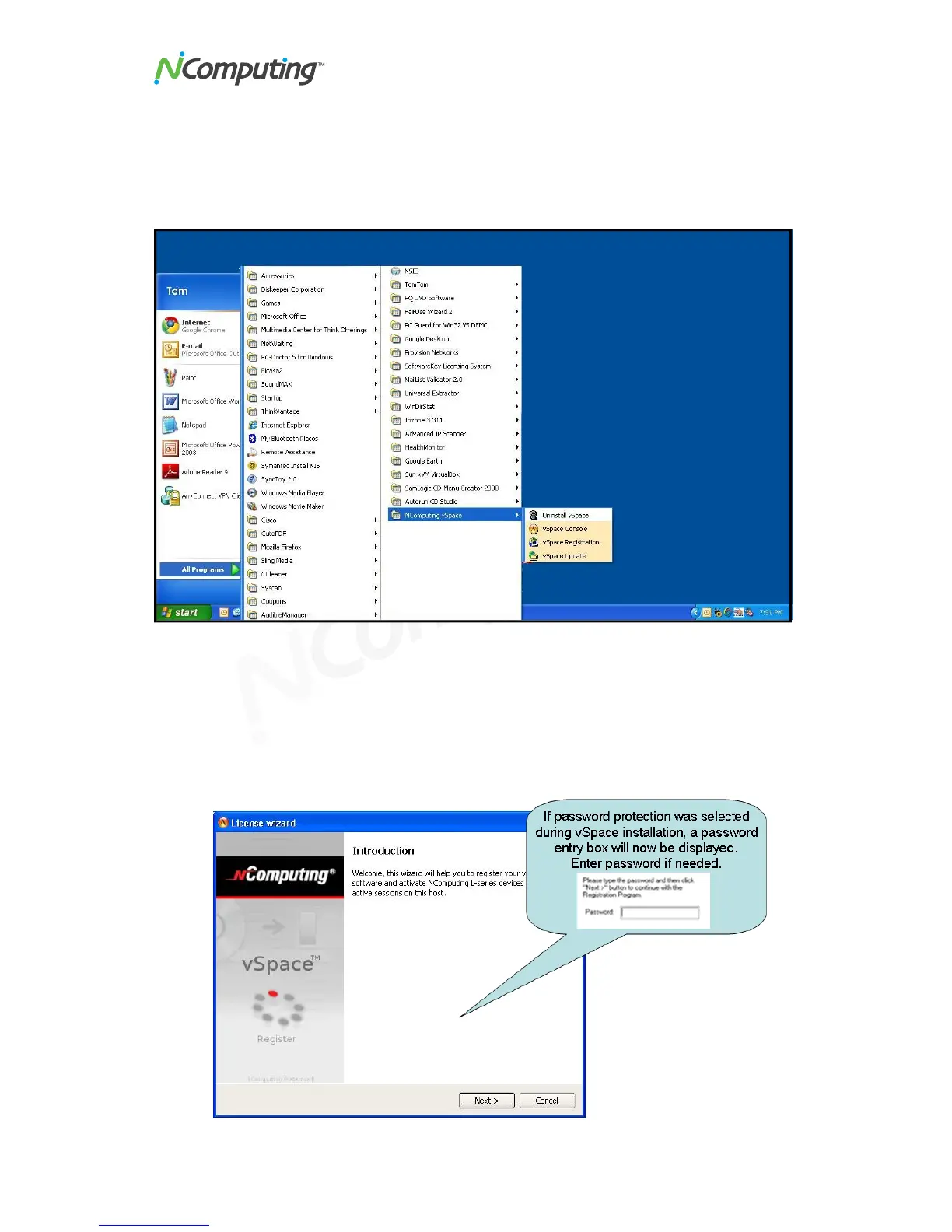
Select "vSpace Registration" in the Windows Start menu.
At any time during the registration process, you can click on the "Cancel" button and the
process will be cancelled, or you can use the "Back" button to return to previous screens
in the registration process to change your entries.
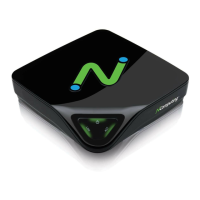
At the registration program “welcome” screen, if vSpace password protection is turned
on, you will need to enter your password. Then Click the "Next" button.


 To Next Page