6. INSTALLAZIONE
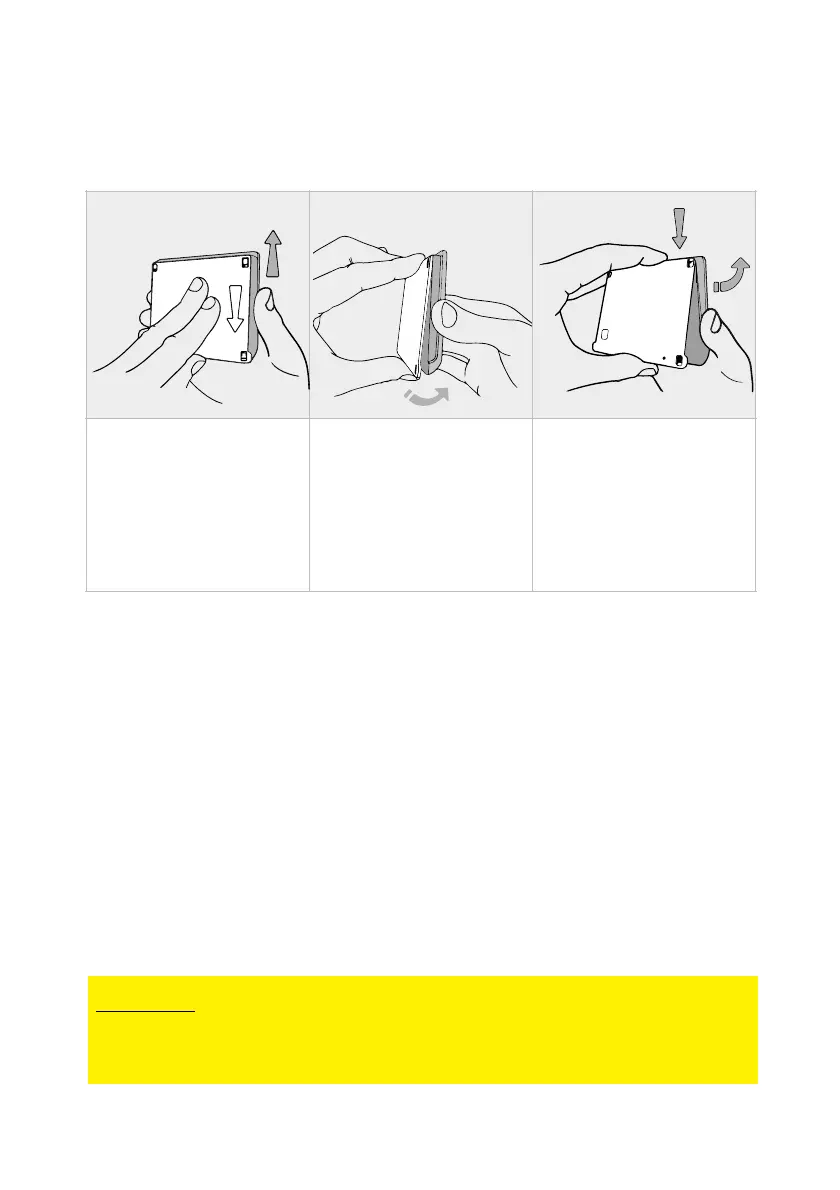
1. Remove the DBT01 mounting frame
2. Place the mounting frame on the wall chosen for
installation and take marks for:
• holes for the fixing screws (diameter 3mm);
• hole for the communication cable pass through
(minimum diameter 7.2mm).
3. Drill the holes and screw mounting frame to the
wall, using the screws provided, be sure that they do
not protrude once screwed in.
4. Pass the communication cable (white connector)
through the hole previously made and insert it
gently onto the display board.


 To Next Page