4-11
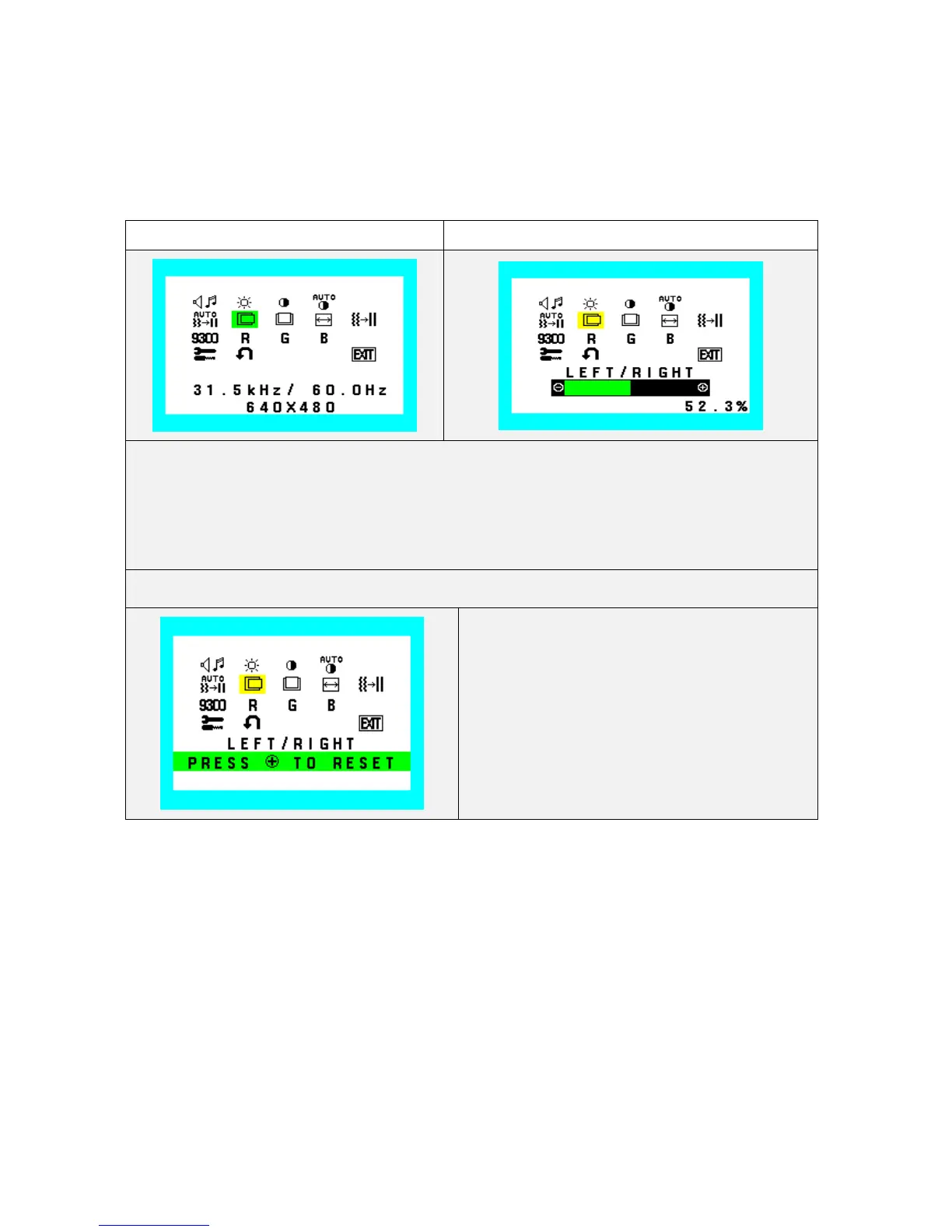
H. Position
Adjust the horizontal image position.
Indicator Value and Bar of minimum position should be 0.0%
Indicator Value and Bar of maximum position should be 100.0%
Factory setting: Optimal value for the signals which is stated in the VESA standard..
Left/Right (H.Posi) (Icon select) Left/Right (H.Posi) (adjust)
1. During H.Posi function operate, H. Posi Icon and slide bar color is changed from Normal condition.
2. “-” Value decrease (to left)
3. “+” Value increase (to right)
4. At exiting from this state, adjusted value is saved to EEPROM.
Left/Right (H.Posi) (RESET)
Recall H. Posi value to factory setting










 To Next Page