4-20
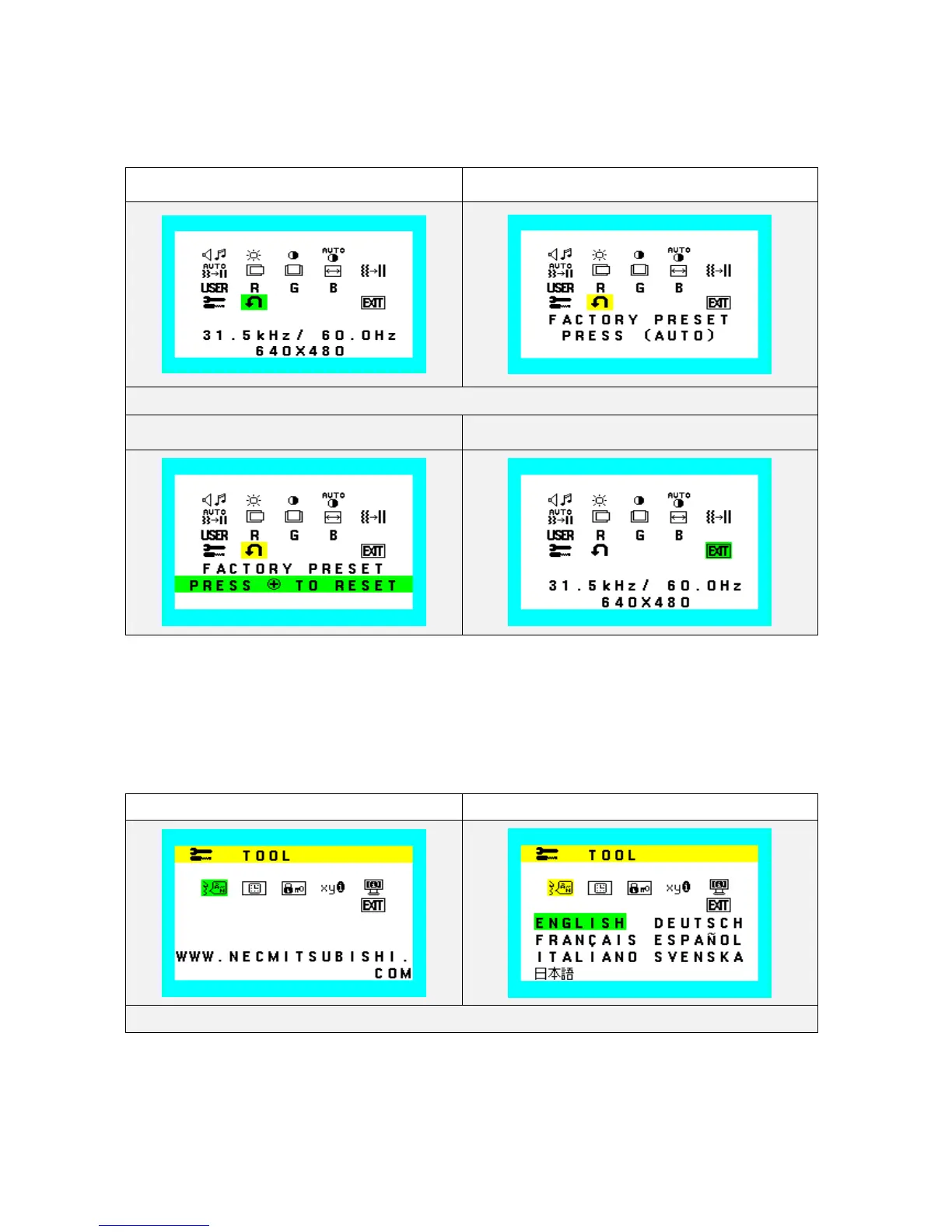
Factory Reset and OSD Close
Reset all user settings to factory preset value except language selection.
Factory Preset (Icon select) Factory Preset (adjust)
During Color Blue function operate, Color Blue Icon and slide bar color is changed from Normal condition.
Factory Preset (confirmation) Exit (OSD Close)
Language
Select one language for OSD. Seven languages are available for OSD menu.
The seven languages are English, Germany, French, Spanish, Italian, Swedish and Japanese.
Language (Icon select) Language (adjust)
Press SELECT key again you can exit it.









 To Next Page