4-21
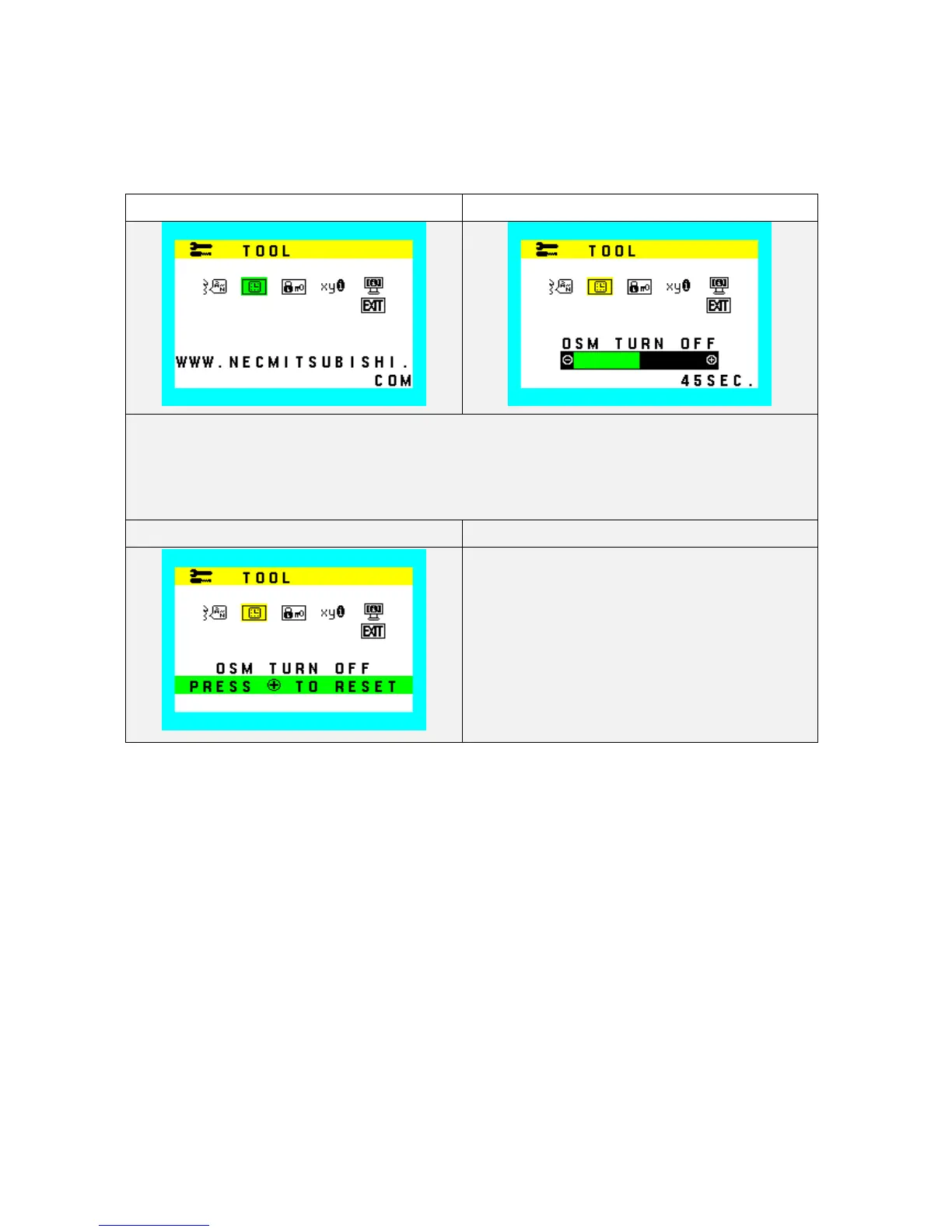
OSD Turn off
Select OSD Menu turn off time.
10 - 120 seconds are available by 5 second step.
Factory setting: 45 seconds.
OSD Turn off (Icon select) OSD Turn off (adjust)
1. During OSD Turn off function operate, OSD Turn off Icon and slide bar color is changed from Normal
condition.
2. "-“ Value decrease (to short)
3. "+” Value increase (to long)
OSD Turn off (Reset)
Reset: OSD Turn Off










 To Next Page