4-23
This function gives warning about the display resolution.
This warning will appear in 30 seconds after the video signals except SXGA mode are input and the message
shall turn off after OSD Turn Off time, or push “SELECT” key.
Resolution notifier OSD shall be shown under following conditions.
1. Resolution Notifier function is enabled.
2. CPU detects video signal is support mode (=not out of range mode) and not optimal resolution(1280x1024).
3. 30 seconds passed from the decision of video mode, and no OSD menu was shown at that time.
Resolution notifier OSD does NOT have priority over main OSD menu. If 30sec passed and if Main OSD menu
is shown at that time, open Resolution notifier OSD "just after Main menu close".
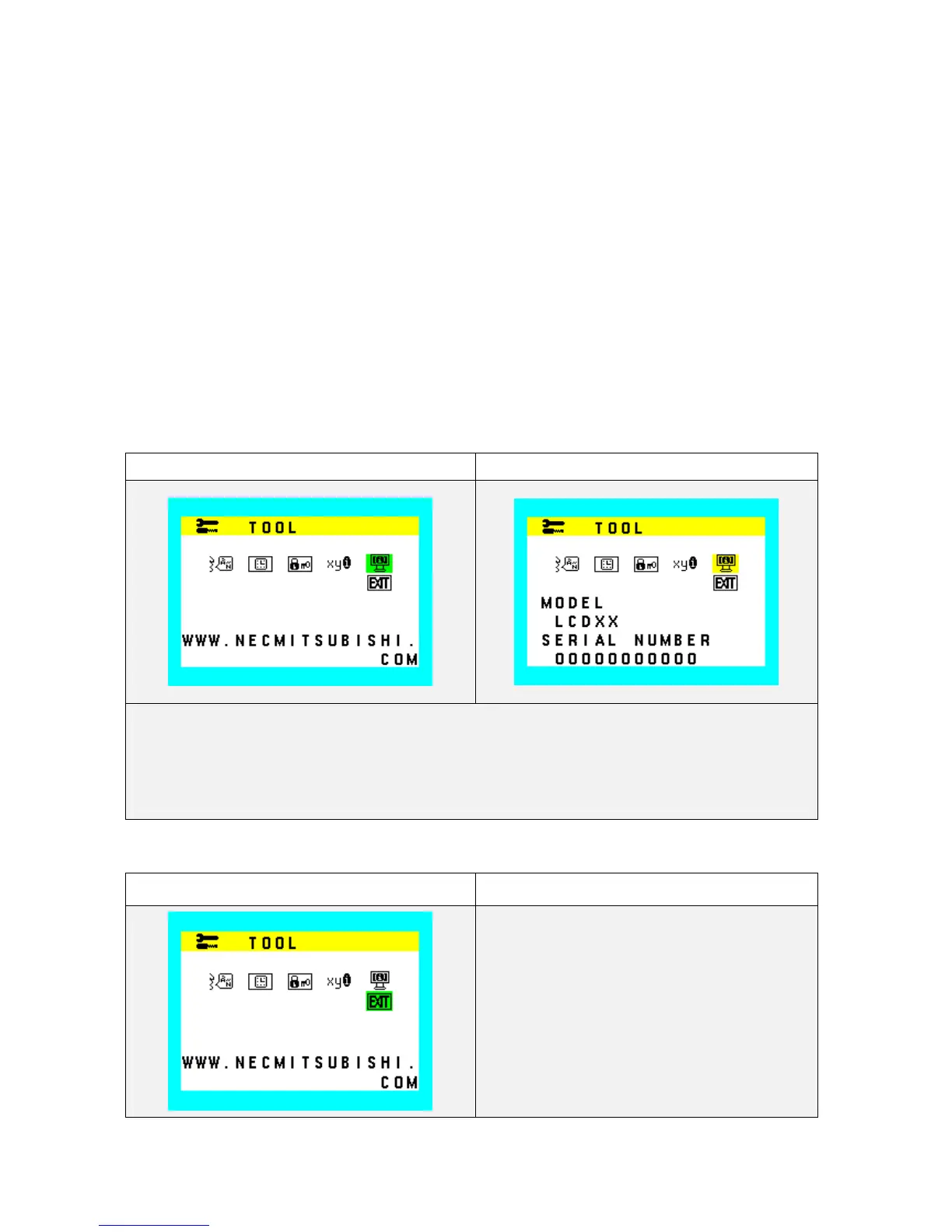
Monitor Information (INFO)
Indicate the model and serial number of the unit.
Model Name and serial number should be stored in EEPROM. And Model name should be programmed in
factory. Number of characters for model name is max 9 and Number of characters for serial number is max 13.
Monitor Info. (Icon select) Monitor Info. (Information display)
Reserve memory area for Model name and serial number
Model name: 9 characters max. Serial number: 13 character max.
Model name indication:
NEC Brand model: LCD72VM /LCD72VM-BK
Exit (sub menu close)










 To Next Page