20
2. Projecting an Image (Basic Operation)
Zoom
[M403X/M363X/M323X/M283X/M403W/M363W/M323W/M403H/M323H]
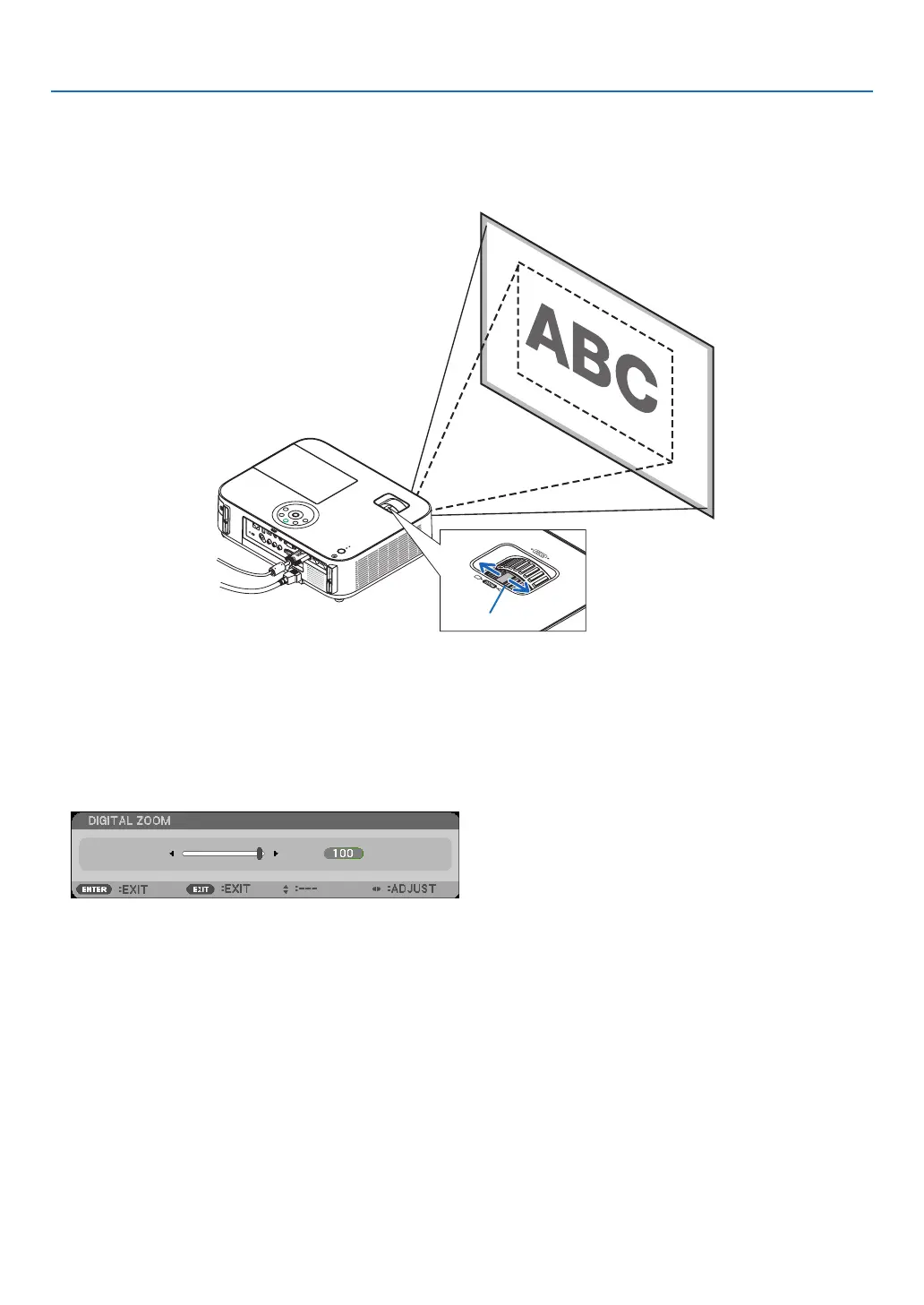
UsetheZOOMlevertoadjusttheimagesizeonthescreen.
[M333XS/M353WS/M303WS]
Theimagesizecanbeadjustedelectronicallyfromthemenu.Todoso,followthestepsbelow.
AdjustingwiththeZOOMbuttonontheremotecontrol
1. Press the ZOOM button.
TheDIGITALZOOMbarwillbedisplayed.
2. Press the ◀ or ▶buttontoadjusttheimagesize.
3. PresstheEXITbutton.
TheDIGITALZOOMbarwillbeclosed.
Zoom Lever



 To Next Page