70
3. Convenient Features
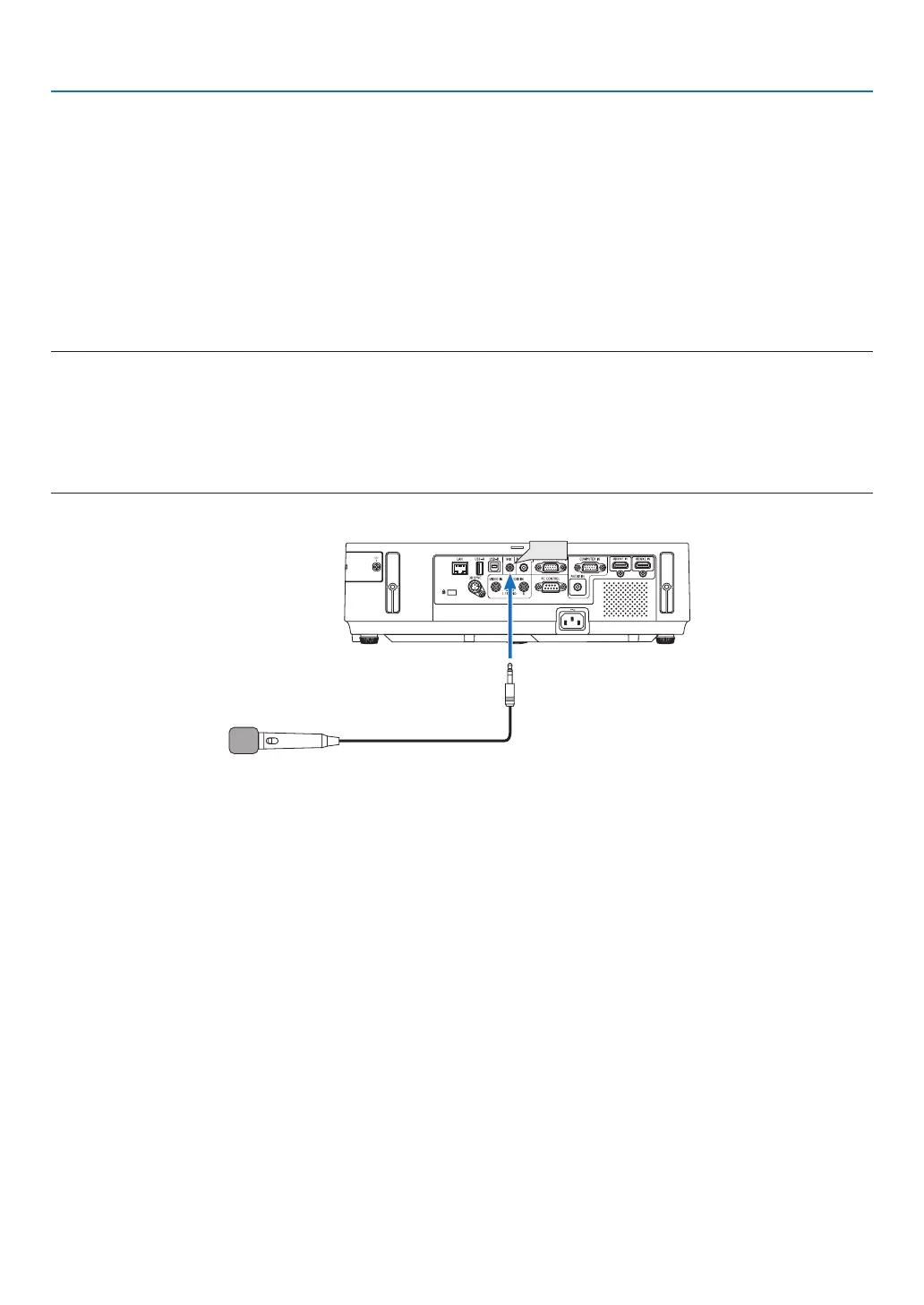
⓮ Connecting Your Microphone
ConnectingacommerciallyavailabledynamicorcondensermicrophonetotheMICinputjackallowsyoutooutput
yourmicsoundfromthebuilt-inspeaker.
SoundfromCOMPUTER,HDMI1,HDMI2,andVIDEOaudioinputsorsoundofUSB-A/LANinputwillbeheardfrom
thespeakerwithyourmicrophonevoice.
Typeofmicrophonecanbeselected.Fromthemenu,select[SETUP]→[INSTALLATION]→[MICSELECT](→page
102)
Microphonesensitivitycanbeadjusted.Fromthemenu,select[SETUP]→[INSTALLATION]→[MICGAIN].(→page
102)
NOTE:
• DonotconnectanaudiosignaltotheMICinputjack.Doingsomaycauseexcessivelyloudsound,resultinginadamagetothe
speaker.
• IfthereisnosignalwheneitherHDMIinputisselected,soundoutputmaynotwork.
• WiththeHDMI1,HDMI2,USBDisplay(USB-B),ornetwork(LAN)portselected,thesoundofthemicrophonewillnotbeoutput
ifthereisnodigitalaudiosignalpresent.Inthiscase,fromtheon-screenmenu,select[SETUP]→[OPTIONS(1)]→[AUDIO
SELECT]→[COMPUTER].Thiswilloutputsoundofyourmicrophone.
Dynamic mic or condenser mic



 To Next Page