64
3. Convenient Features
3. Clickthe“OK”button.
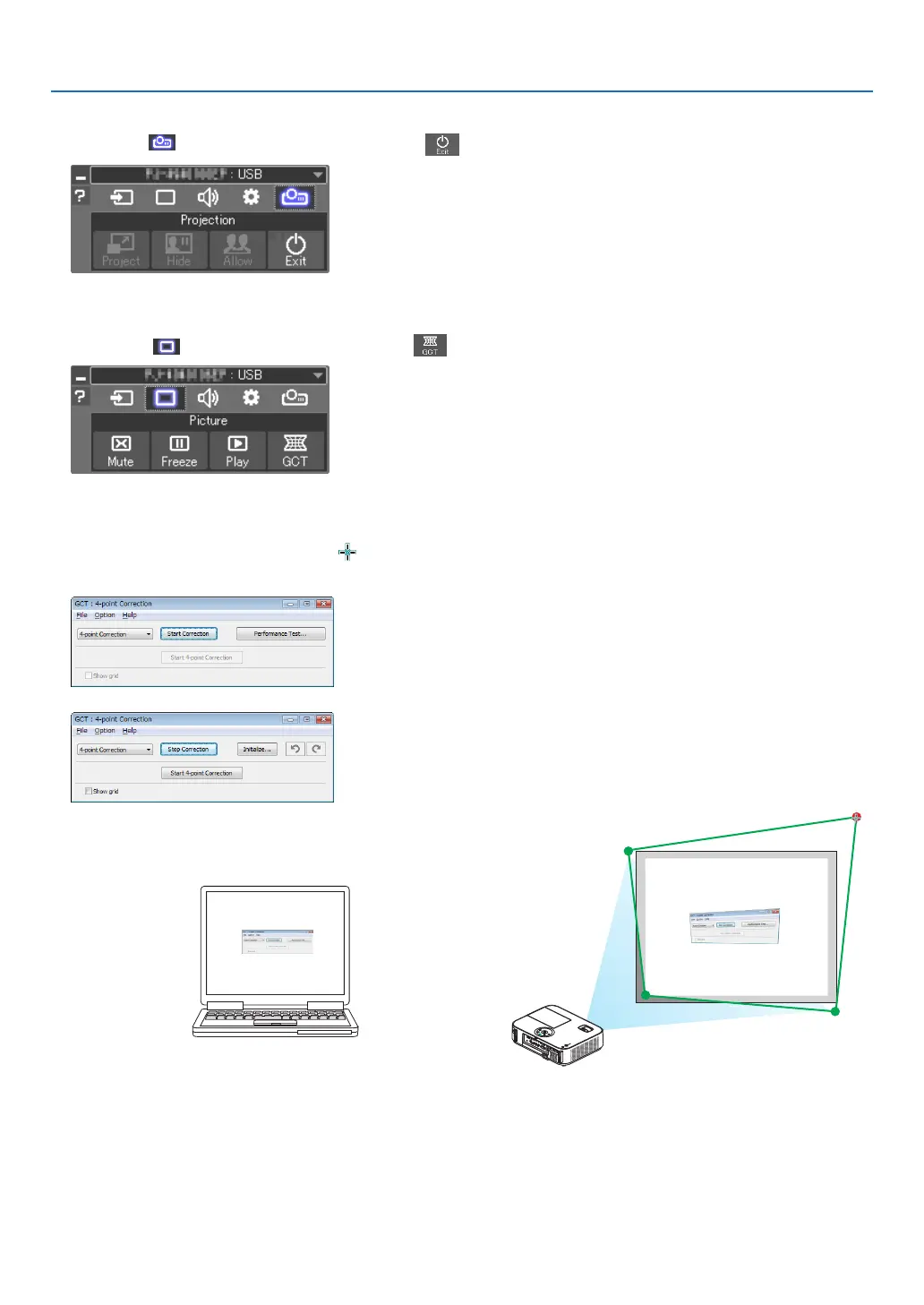
4. Clickthe“ ”(Projection)iconandthenthe“ ”(Exit)button.
5. Click“Yes”.
6. StarttheImageExpressUtilityLiteagain.
7. Clickthe“ ”(Picture)iconandthenthe“ ”button.
The“4-pointCorrection”windowwillbedisplayed.
8. Clickthe“StartCorrection”buttonandthen“Start4-pointCorrection”button.
A green frame and a mouse pointer ( ) will be displayed.
• Four[•]markswillbeappearedatfourcornersofthegreenframe
9. Usethemousetoclickthe[•]markofwhichcorneryou
wishtomove.
The currently selected [ •]markwillturnred.
(Intheaboveexample,Windowsscreensareomittedforclarication.)



 To Next Page