English-10
Controls
OSM (On-screen Manager) control buttons on the
front of the monitor function as follows:
SELECT Enters and exits the OSM menu.
CONTROL-/+ Selects one of the controls and decreases or increases
the adjustment.
RESET Resets the highlighted control to the factory setting.
Press -/+ button at the same time for approximately
1 sec.
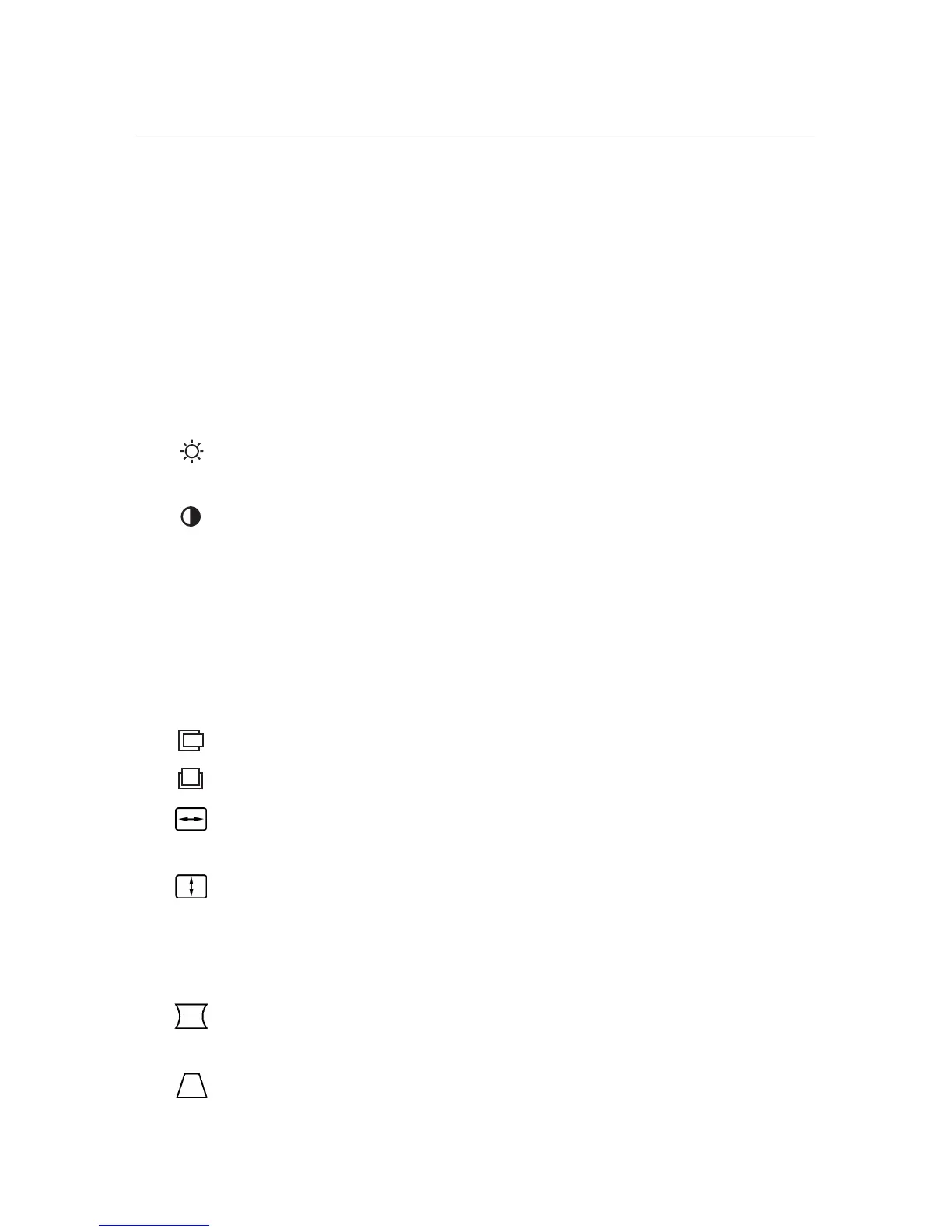
BRIGHTNESS: Adjusts the overall image and background
screen brightness.
CONTRAST: Adjusts the image brightness in relation to the
background. (Contrast control is also effective with “-,+”
button even though OSM window is not visible.)
R Red Color Control: Adjust the red contrast of the display.
G Green Color Control: Adjust the green contrast of the
display.
B Blue Color Control: Adjust the blue contrast of the display.
Horizontal: Moves the image horizontally left or right.
Vertical position: Moves the image vertically up or down.
Horizontal size: Decreases or increases the horizontal size
of the image.
Vertical size: Decreases or increases the vertical size of the
image.
The Geometry controls allow you to adjust the curvature or angle of the
sides of your display.
Pincushion/Barrel: Decreases or increases the curvature of
the sides either inward or outward.
Trapezoid: Decreases or increases the bottom of the screen
to be the same as the top.









 To Next Page