2-8
3.3 Factory reset and auto contrast
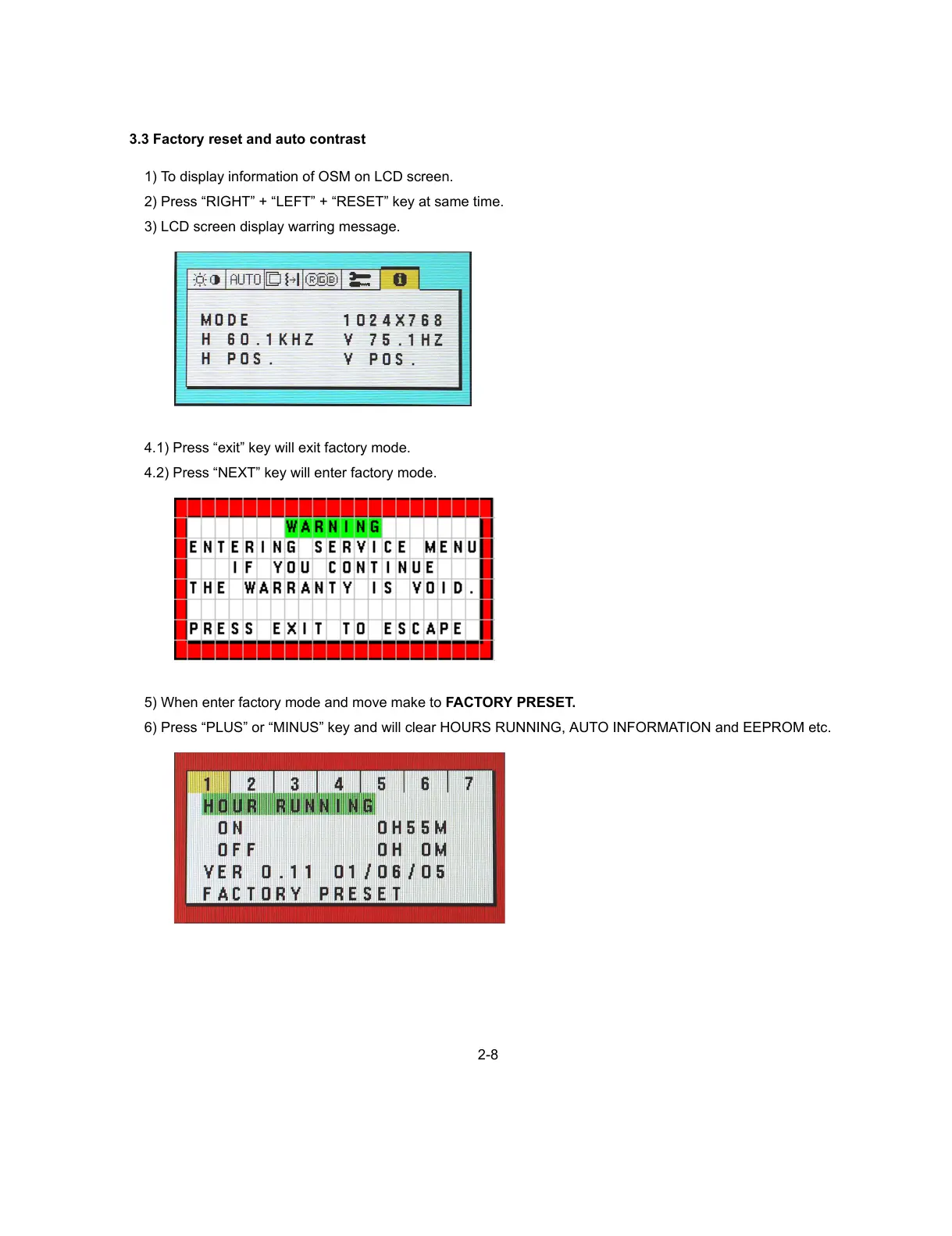
1) To display information of OSM on LCD screen.
2) Press “RIGHT” + “LEFT” + “RESET” key at same time.
3) LCD screen display warring message.
4.1) Press “exit” key will exit factory mode.
4.2) Press “NEXT” key will enter factory mode.
5) When enter factory mode and move make to FACTORY PRESET.
6) Press “PLUS” or “MINUS” key and will clear HOURS RUNNING, AUTO INFORMATION and EEPROM etc.



 To Next Page