EasyManua.ls Logo

NEC MultiSync ME431 - User Manual

NEC MultiSync ME431
96 pages
To Next Page IconTo Next Page
Loading...
User’s Manual
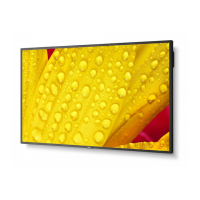
Large Format Display
MultiSync ME431
MultiSync ME501
MultiSync ME551
MultiSync ME651
MODEL: ME431, ME501, ME551, ME651
Please find your model name on the label on the rear side of the monitor.

Table of Contents

Other manuals for NEC MultiSync ME431

Question and Answer IconNeed help?

Do you have a question about the NEC MultiSync ME431 and is the answer not in the manual?

NEC MultiSync ME431 Specifications

General IconGeneral
BrandNEC
ModelMultiSync ME431
CategoryMonitor
LanguageEnglish

Summary

Important Information and Safety

Safety Symbols and Warnings

Guide to safety symbols and general warnings.

Recommended Use and Maintenance

Ergonomics and Usage Tips

Advice on user comfort and monitor placement.

Cleaning Guidelines

Instructions for cleaning the screen and cabinet.

Chapter 1: Installation

Setup Overview and Connections

Initial setup steps and connecting external equipment.

Mounting Procedures and Safety

Guidelines for safe monitor mounting.

Mounting Accessories and Options

VESA mounting, stands, and adapters.

Chapter 2: Monitor Components

Control Panel and Terminals

Identification of physical controls and ports.

Wireless Remote Control Functions

Overview of remote control buttons and features.

Chapter 3: Device Connections

Connecting Computers and Media Devices

How to connect PCs, media players, and audio equipment.

Media Player and USB Usage

Using the built-in media player and USB ports.

Chapter 4: Basic Operations

Power Management and Remote Operation

Monitor power states and remote control usage.

Image Settings and OSD Navigation

Adjusting picture settings and navigating menus.

Media Player Features

Detailed operations of the media player.

Chapter 5: Advanced Operations

Power Schedules and Picture Modes

Automating power and customizing picture settings.

Security, Locking, and Remote ID

Preventing unauthorized access and managing remote control.

Chapter 6: External Control

Control Interfaces (RS-232 C, LAN, HTTP)

Methods for external monitor control.

Network Settings and Commands

Network configuration and command protocols.

Chapter 7: Troubleshooting

Display and Signal Issues

Resolving screen image and video signal problems.

Functionality and Hardware Problems

Troubleshooting buttons, sound, remote, and USB.

Chapter 8: Specifications

Compatible Signal List

Supported display signal types and resolutions.

Model Specifications (ME431;ME501;ME551;ME651)

Detailed technical specifications for each model.

Appendix A: Legal Information

Trademarks and Licensing

List of trademarks and software license details.

Appendix B: External Resources

Support Websites and Documentation

Links to NEC support and additional manuals.

Available Software Tools

Information on calibration and management software.

Appendix C: OSD Controls Reference

OSD Menu Configuration

Detailed settings for all OSD menu categories.

Appendix D: Environmental Information

Product Disposal and Energy Saving

Guidelines for product disposal and energy efficiency.

Related product manuals