Teletext
Teletext & Subtitle
1
Select a TV channel providing the Teletext program.
Press TTX button to display the teletext.
Press TTX button again, the text will be superimposed on a TV picture with
transparent background. (Mix mode)
2
What Is Teletext?
Your System receives Teletext signals broadcast by a TV network, and decodes them into graphical format for viewing.
News, weather and sports information, stock exchange prices and programme previews are among the many services
available.
To Turn On/Off Teletext
Press TTX button once more to exit the teletext.
3
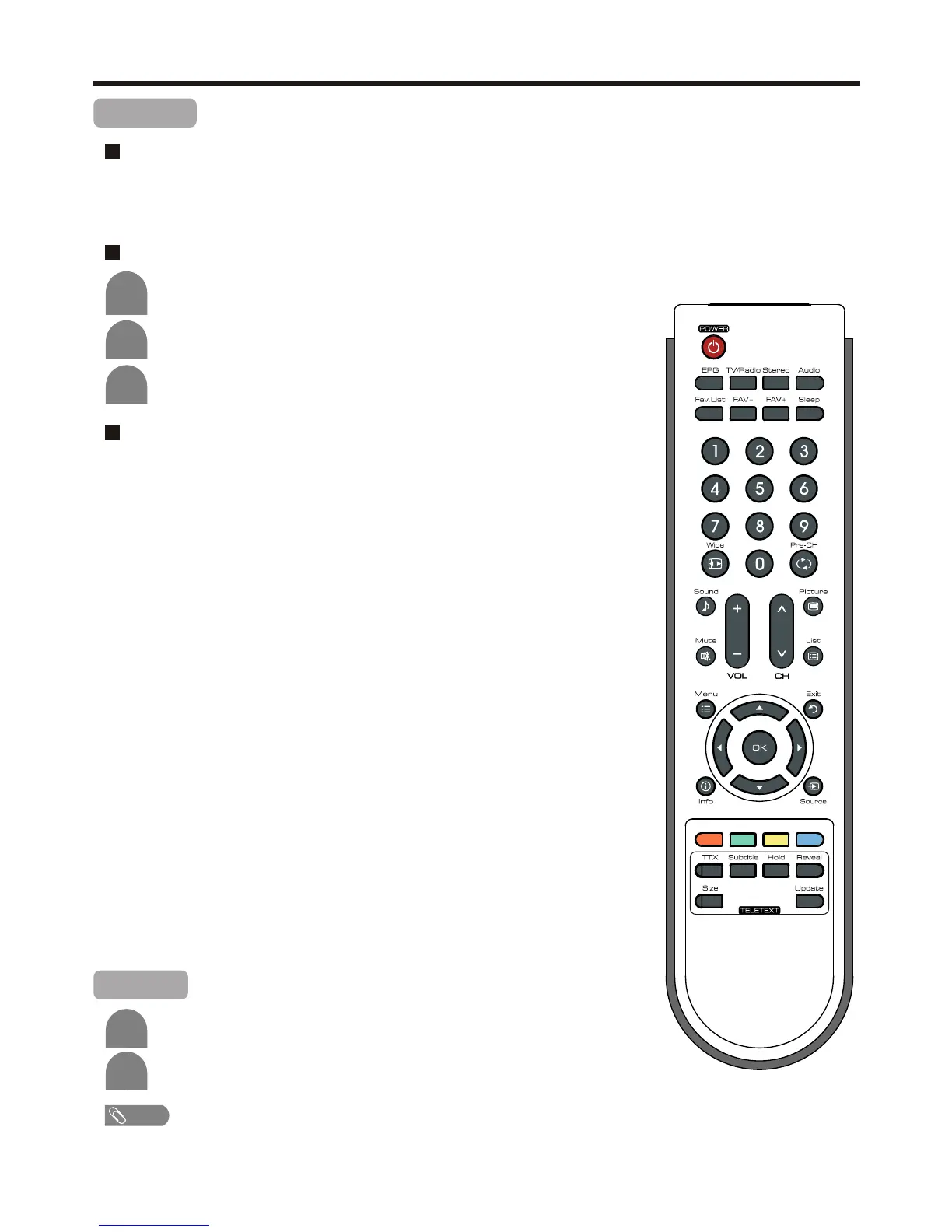
Teletext control button list
! TTX button
Used to call teletext, change to transparent mode and then exit.
! EPG button
In teletext mode, press this button to display the index page.
! 5/6 button
Used to scroll page upward or downward.
! 0 – 9 button
Directly select any page by using 0 – 9.
! Coloured buttons (RED/GREEN/YELLOW/BLUE)
Coloured areas are displayed at the bottom of the screen. The 4 coloured
buttons are used to access the items or corresponding pages.
! Hold button
Certain pages contain sub-pages which are automatically displayed
successively. This button is used to stop or resume sub-page acquisition.
! Reveal button
Press the button to reveal the concealed information such as games
solutions. Press the button again to hide the information.
! Size button
Press this button several times to display the upper, then the lower part of
the screen and then return to the normal size teletext page.
! Update button
Press the button to view the updated teletext page.
Subtitle
If the program has subtitle, simply press Subtitle button to display subtitle.
2
Press Subtitle again to cancel the subtitle.
1
Note
! The subtitle function only works in digital channels.
26



 To Next Page