Car A ccessories
tec hnica l who lesal es spe cialist
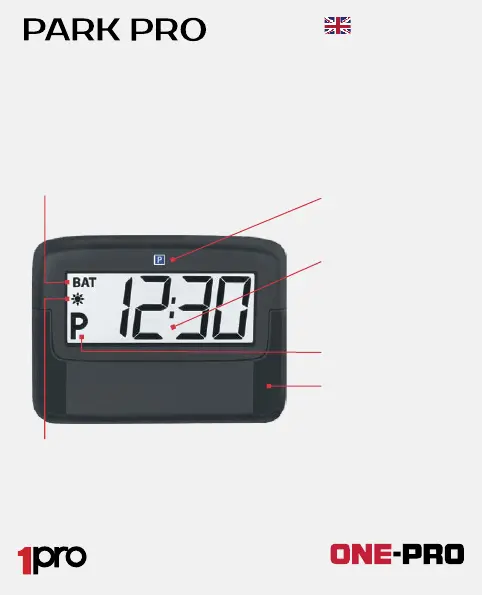
When BAT symbol is displayed
the battery must be changed
within a week.
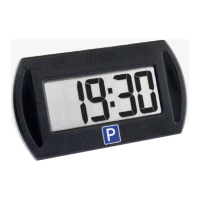
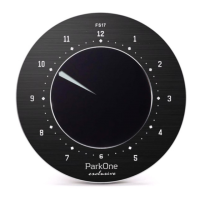
Approximately 20 seconds after you have parked your car, PARK
PRO automatically starts to show the arrival time. In Europe,
there are three different ways of determining the arrival time:
1. Real time: The actual time of arrival. Required in EST, NOR
2. The arrival time is set to the next quarter. Required in DEN, AUT
3. The arrival time is set to the next half hour. Required in FIN, SWE,
GER, SUI
Sun symbol indicates daylight saving
time. Make sure to set time and date
correctly to guarantee the correct switching
between summer and winter time.
High-efficient TFT
display is visible in
dark and tolerated
temperatures as
low as -35C.
P - Indicates that
the car is parked.
2 x adhesive pads.
More are available
as spare parts.
P (Park) symbol is
required in some
countries.
The holder/cradle can be changed to an affordable 4-colour
printed logo of your choice. Contact the importer for more details.
User guide
Car A ccessories
tec hnica l who lesal es spe cialist
P BUTTON:
Manually sets the arrival time. Each press
postpones the arrival time by 15 or 30 minutes.
+ BUTTON:
Set the time, date, daylight saving,
method of setting the arrival time.
Adjust using + button.
To change the battery
remove the device
from the cradle. Slide
the cover open. Insert
the battery (CR 2032)
with the text side (+)
facing up.
Cradle. Install to
the windscreen.
F BUTTON:
Keep pressed for
3 -10 seconds until
the display starts to
blink.
User guide


 To Next Page