60 - EN
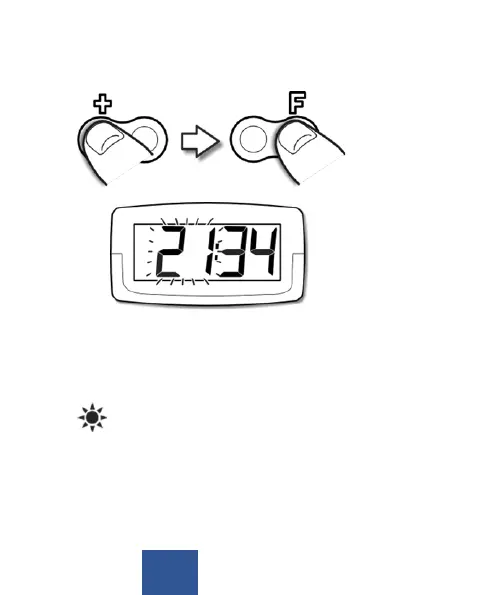
3. Aer seng the minutes, press the F buon unl hours
start to ash. Set the hours using the + buon�
C: Activating/deactivating summer/winter time
By default, the clock is set to switch automacally between sum-
mer me and winter me. This is indicated in the display by the
symbol
For countries without daylight-saving me, the funcon can be
deacvated as follows:
4. Aer you have set the me and date press the F buon
unl oN:Su start to blink in the display.


 To Next Page