PERICALM™ Instruction Manual - GB
Description of PERICALM™ Unit & Functions
8
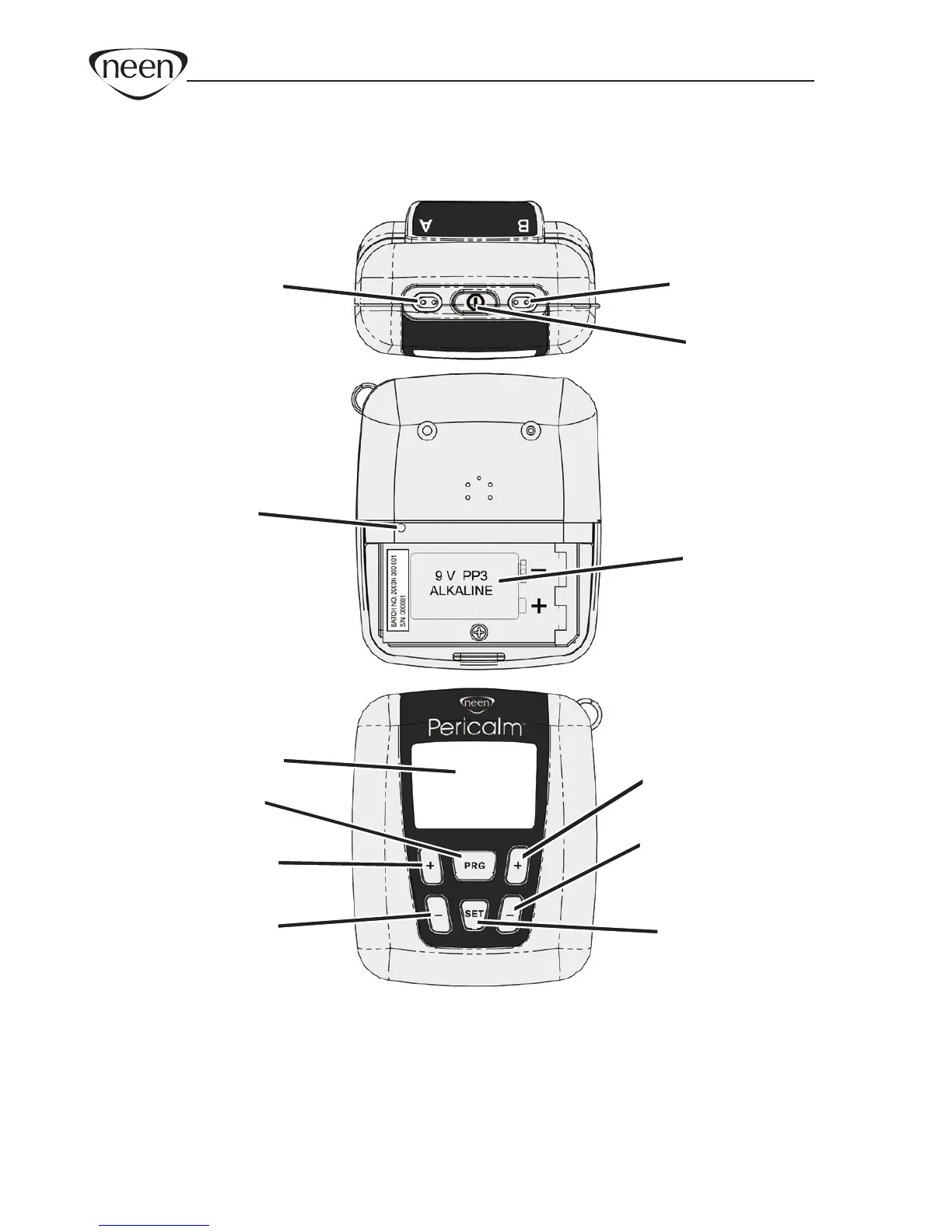
* PRG button Selects the desired programs - PR, STR1-2, URGE, FURG,
PFW, MEM1-3.
* SET button Hold down for three seconds. Changes the parameters
Pulse Rate, Pulse Width and Time for custom programs
MEM1-3.
Lock
button
Channel A Channel B
Power
Battery
compartment
LCD Display
Selects
Program
Channel A
Increase Intensity
Channel A
Decrease Intensity
Channel B
Increase Intensity
Channel B
Decrease Intensity
Changes
parameters
(prev was Set)
Top
Rear
Front


 To Next Page