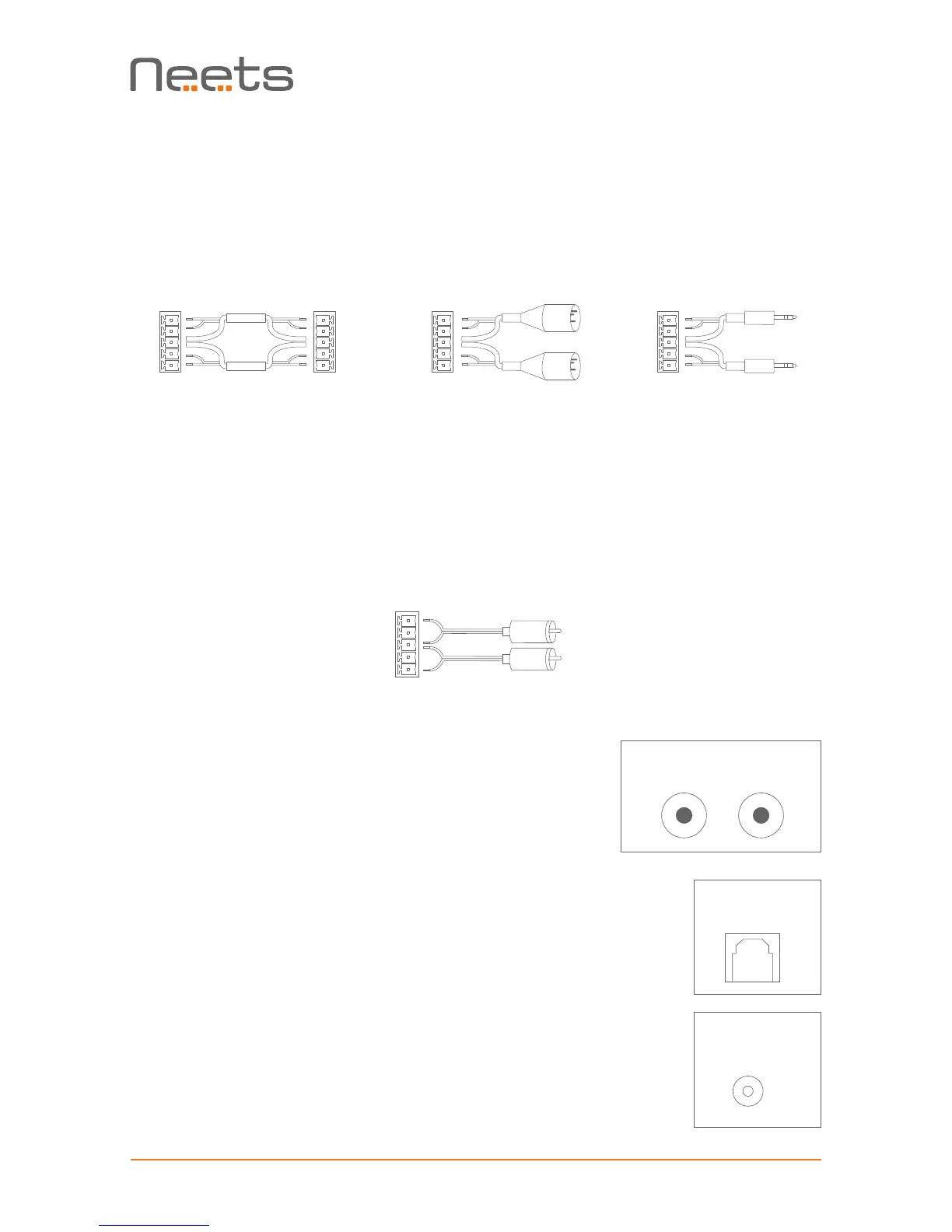
Connect:
• L+ to left positive/hot output
• L- to left negative/cold output
• R+ to right positive/hot output
• R- to right negative/cold output
Depending on which connector is used on the balanced source, use one of the connection
diagrams shown below.
Connect:
• The G to the cable shield.
• L+ to left signal output
• R+ to right signal output
• Finally connect L- and R- to G with a small piece of wire
To connect the input to a single ended/unbalanced source.
Unbalanced audio
The connector marked “UNBALANCED” is a unbalanced line level
audio input. Connect your audio source here with an RCA cable.
White input is left channel, red inputs is right channel.
Optical input connector
The connector marked “OPTICAL IN” is SPDIF digital audio input.
Connect the digital audio source with an TOSLINK cable.
DC input connector
Power is supplied through this connector. Connect the supplied Neets
mains power adaptor with the round DC input and connect the mains
cable to the AC supply only after all other connections to the Sound Bar
have been made. Use only the included Neets mains power adaptor to
supply power to the Sound Bar.


 To Next Page