Page 8 of 16
Connection and Controls
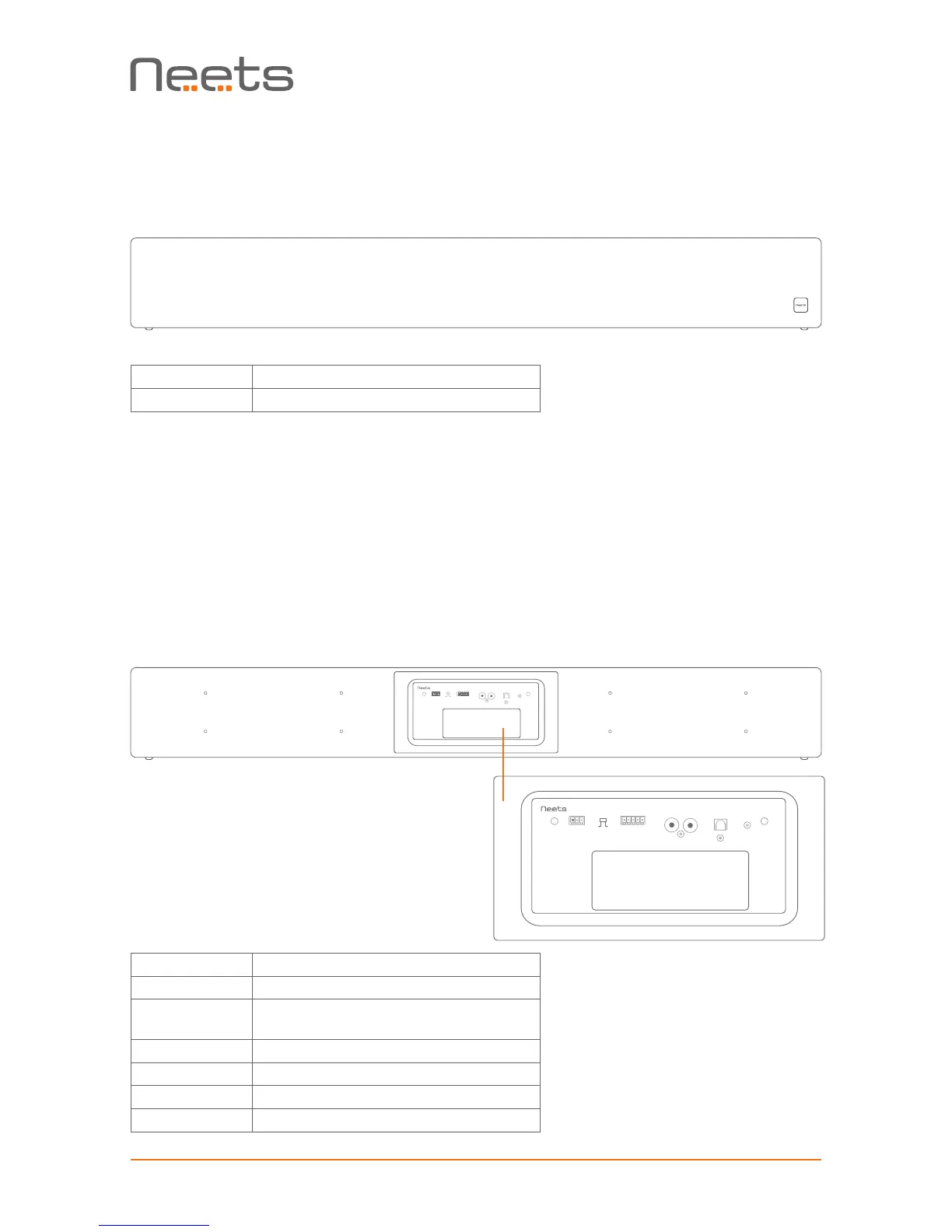
Front
Number Description
1 Power/standby indication led
Power/standby indication LED
The LED indicate the current state of the Sound Bar:
• When powered on the LED will light up
• When Powered off the LED will be off
• When the output is muted by RS-232 command the LED will blink
Back
Number Description
1 RS-232 connector
2 Switch for selecting RS-232 or Auto
On/Off mode
3 Balanced audio connector
4 Unbalanced audio
5 Optical input connector
6 DC Input
RS-232 BALANCED UNBALANCED OPTICAL IN DC INPUT
G
Tx
R–
L–
L+
R+
G
Rx
RS-232
Auto
On/Off
L
R
RS-232 BALANCED UNBALANCED OPTICAL IN DC INPUT
G
Tx
R–
L–
L+
R+
G
Rx
RS-232
Auto
On/Off
L
R
1
3
4 5
6
2


 To Next Page