Setting 2.4G Wireless Transmission
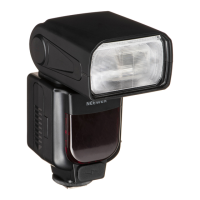
The Q4 uses the 2.4G wireless Q system and can be used in perfect combination
with some of our other models. Used as a slave unit, it is compatible with
cameras such as Canon E-TTL II, Nikon i-TTL and Sony and switches
automatically according to the master unit. No manual setting is required.
※Q4 as a slave unit can be controlled by the master unit with wireless
transmission function, such as the models: NW420, QPro series, Z1 series,
and some others.
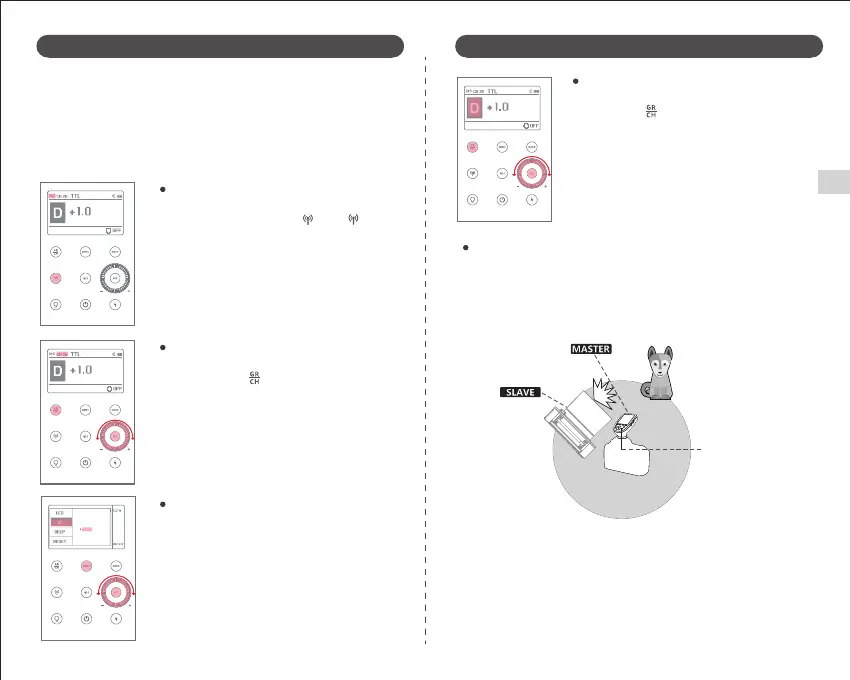
Press the "MENU" button to enter the menu mode,
rotate the adjustment knob to select the ID (01~99),
and press the "SET" button to set it.
(※Only when the Master unit has this function.)
Short press the Wireless button " ". The " "
icon will appear on the screen.
Short press the " " button to select a group (A~E).
Positioning and Operating Range (Example of wireless Flash Shooting)
(1) Automatic flash shooting using a slave unit.
● Use a master unit with wireless transmitter function as the transmitter.
● You should test the flash by taking a test shot before shooting.
● The transmission distance may be shorter depending on the location,
surrounding environment, weather conditions, etc.
Setting Channels
Setting the ID NO.
Press and hold the " " button for 2 seconds to
select channel number. Rotate the adjustment
knob to set the channel value (1~32), then press
"SET" to set the channel.
09
Wireless Flash Shooting: Wireless (2.4G) Transmission Wireless Flash Shooting: Wireless (2.4G) Transmission
Setting Groups
Wireless Flash Shooting
99
Transmission Distance
Approx. 328'/100m
EN


 To Next Page