EasyManua.ls Logo

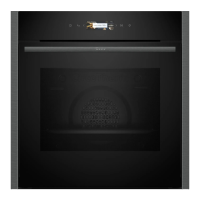
NEFF B2ACH7H 0 Series - User Manual

NEFF B2ACH7H 0 Series
32 pages
Print Icon
To Next Page IconTo Next Page
Loading...
Oven
[en] User manual and installation in-
structions
B2ACH7H.0

Questions and Answers

  • R
    Ryan LucasAug 13, 2025
    What to do if my NEFF B2ACH7H 0 Oven is not working?
    • P
      parkernicholasAug 13, 2025
      If your NEFF Oven isn't working, start by checking the circuit breaker in the fuse box. Also, verify if there has been a power cut by checking other appliances or the lighting in your kitchen. As an additional measure, you can briefly disconnect the oven from the power supply by switching off the fuse and then reset the basic settings to the factory defaults.
  • C
    Colleen HowellAug 17, 2025
    What to do if my NEFF B2ACH7H 0 does not heat up but the display lights up?
    • R
      roberthicksAug 17, 2025
      If your NEFF Oven lights up but doesn't heat, demo mode may be activated. Try disconnecting the appliance from the power supply by switching the circuit breaker in the fuse box off and on again. If that doesn't work, deactivate demo mode within 5 minutes by changing the last basic setting.
  • M
    Ms. Rachel MedinaAug 20, 2025
    Why can't I open my NEFF B2ACH7H 0 door?
    • C
      cgreenAug 20, 2025
      If you can't open the NEFF Oven door and there's a display, it might be due to the childproof lock or the cleaning function. If the childproof lock is active, use the button to deactivate it. If it's the cleaning function, allow the appliance to cool down until the indicator goes out.
  • D
    David FerrellAug 25, 2025
    How to deactivate the childproof lock on a NEFF B2ACH7H 0 Oven?
    • M
      Mary PattersonAug 25, 2025
      To deactivate the childproof lock on your NEFF Oven, use the designated button.
  • K
    Kaylee MartinezAug 27, 2025
    Why is the time flashing on my NEFF B2ACH7H 0 Oven?
    • P
      Phillip MayAug 28, 2025
      If the time is flashing on your NEFF Oven display, this usually indicates a power cut. You should reset the time to resolve this issue.
  • J
    Jose CookAug 31, 2025
    What to do if the NEFF B2ACH7H 0 Oven cooking compartment is too hot?
    • B
      Benjamin BradleyAug 31, 2025
      If the cooking compartment of your NEFF Oven is too hot for the selected operation, switch off the appliance and allow it to cool down. After it has cooled, restart the operation.
  • A
    armstrongsherriSep 4, 2025
    Why doesn't the time appear on my NEFF B2ACH7H 0 display when switched off?
    • C
      cruzmichelleSep 4, 2025
      If the time does not appear on your NEFF Oven's display when it's switched off, the basic setting has likely been changed. You should change the basic setting for the time display.
  • N
    nelsonreneeSep 8, 2025
    What to do if my NEFF Oven displays an electronics fault?
    • K
      Kiara PerezSep 8, 2025
      If your NEFF Oven displays an electronics fault, try pressing the button. If needed, reset the time. If it was a one-off, the error message should disappear. If the error message reappears, call the after-sales service, quoting the exact error message and the E no. of your appliance.

Summary

Safety

General Information

Provides general safety guidelines and precautions for using the appliance.

Intended Use

Defines the proper and intended applications for the oven, including household use.

Restriction on User Group

Outlines usage restrictions and safety advice for children and individuals with reduced capabilities.

Safe Use

Cleaning Function

Pyrolytic Self-Cleaning

Instructions for using the pyrolytic self-cleaning function to clean the cooking compartment.

Basic Operation

Setting the Type of Heating and Temperature

Instructions on selecting heating types and setting temperatures or grill settings.

Time-Setting Options

Setting the Timer

Guide on how to set and use the independent timer function for notifications.

Setting the Cooking Time

Instructions on setting a specific duration for the appliance to operate.

Setting the End Time

Guide on programming the appliance to finish cooking at a specific time.

Childproof Lock

Basic Settings

Cleaning and Servicing

Cleaning Products

Guidance on suitable cleaning agents and products to avoid damaging appliance surfaces.

Cleaning the Appliance

Detailed instructions on how to clean the appliance using specified methods and cleaning agents.

Appliance Door

Detaching the Appliance Door

Steps to safely remove the appliance door for cleaning or maintenance.

Attaching the Appliance Door

Instructions for reattaching the appliance door securely after removal.

Troubleshooting

Malfunctions

Lists common faults, their causes, and troubleshooting steps for resolving appliance issues.

Replacing the Oven Light Bulb

Step-by-step guide on how to safely replace a burnt-out oven light bulb.

Installation Instructions

General Installation Instructions

Essential guidelines to follow before starting the appliance installation process.

Electrical Connection

Detailed steps for safely connecting the appliance to the electrical system.

Electrically Connect the Appliance with the Protective Contact Plug

Procedure for connecting the appliance using a standard grounded plug and socket.

Electrically Connecting an Appliance Without a Protective Contact Plug

Instructions for connecting the appliance to power without a protective contact plug, requiring professional installation.

NEFF B2ACH7H 0 Series Specifications

General IconGeneral
BrandNEFF
ModelB2ACH7H 0 Series
CategoryOven
LanguageEnglish

Related product manuals