Troubleshooting en
25
18.1 Malfunctions
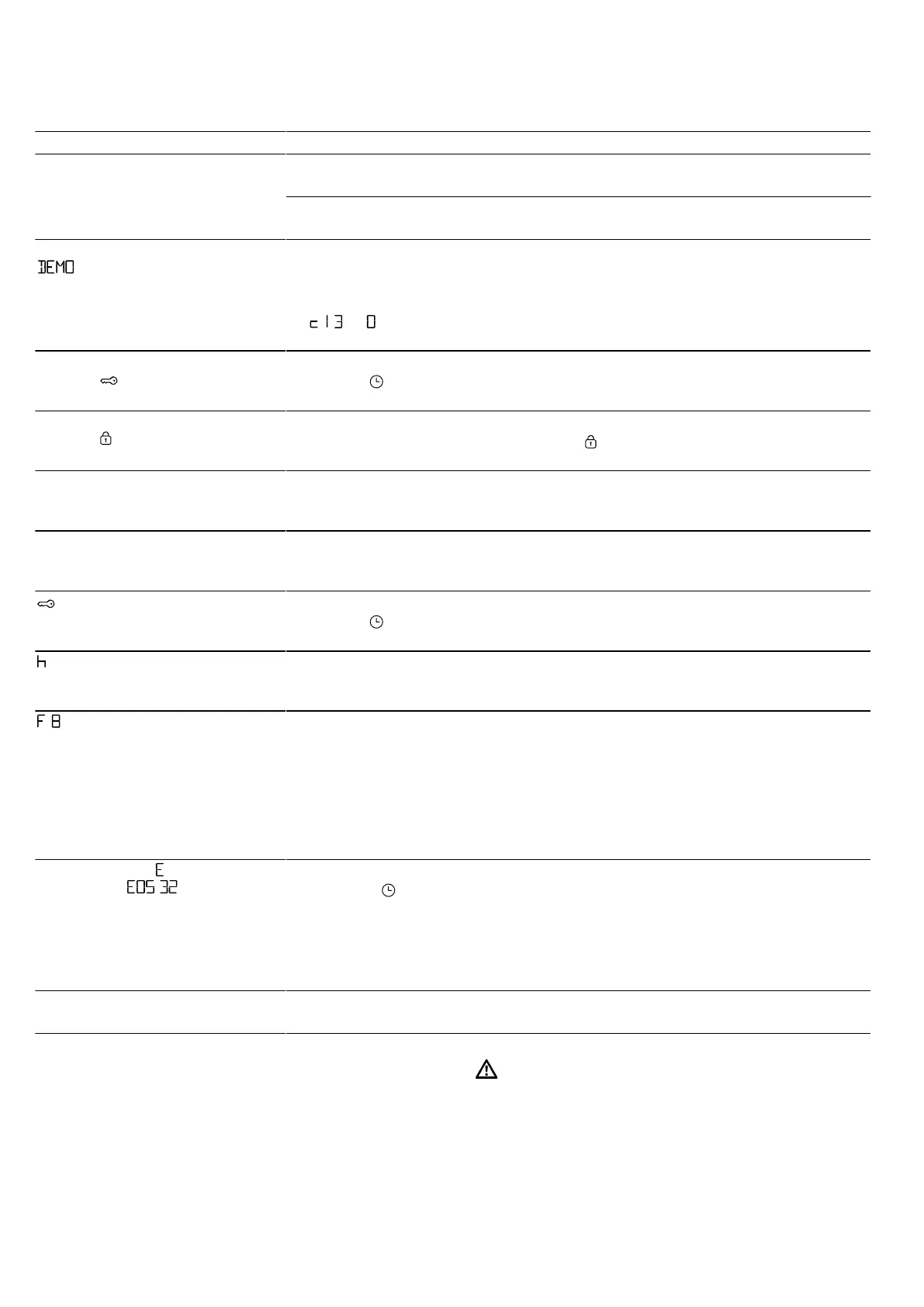
Fault Cause and troubleshooting
The appliance is not working. The circuit breaker is faulty.
▶
Check the circuit breaker in the fuse box.
There has been a power cut.
▶
Check whether the lighting in your kitchen or other appliances are working.
The appliance does not heat up;
lights up in the display.
Demo mode is activated.
1.
Briefly disconnect the appliance from the power supply by switching the cir-
cuit breaker in the fuse box off and back on again.
2.
Deactivate demo mode within fiveminutes by changing the basic setting
to .
→"Basic settings", Page13
The appliance door cannot be
opened; lights up in the dis-
play.
The childproof lock locks the appliance door.
▶
Use the button to deactivate the childproof lock.
→"Childproof lock", Page12
The appliance door cannot be
opened; lights up in the dis-
play.
The cleaning function locks the appliance door.
▶
Allow the appliance to cool down until goes out in the display.
→"Pyrolytic self-cleaning ", Page18
The time flashes in the display. There has been a power cut.
▶
Reset the time.
→"Setting the time on the clock", Page12
The time does not appear in the
display when the appliance is
switched off.
The basic setting has been changed.
▶
Change the basic setting for the time display.
→"Basic settings", Page13
lights up in the display and no
settings can be made on the ap-
pliance.
Childproof lock is activated.
▶
Use the button to deactivate the childproof lock.
→"Childproof lock", Page12
flashes in the display and the
appliance does not start.
The cooking compartment is too hot for the selected operation.
1.
Switch off the appliance and allow it to cool down.
2.
Restart the operation.
appears in the display. The maximum cooking time has been reached. To prevent an unwanted per-
manent operation, the appliance automatically stops heating after several hours
if the settings are unchanged.
▶
Switch off the appliance.
You can configure new settings if required.
Tip:To prevent the appliance from switching off when you do not want it to,
e.g. for an extremely long preparation time, set a cooking time.
→"Time-setting options", Page11
A message with appears in the
display, e.g. - .
Electronics fault
1.
Press the button.
‒ If required, reset the time.
a If the fault was a one-off, the error message disappears.
2.
If the error message appears again, call the after-sales service. Quote the ex-
act error message and the E no. of your appliance.
→"Customer Service", Page26
HomeConnect is not working cor-
rectly.
Different causes are possible.
▶
Go to www.home-connect.com.
18.2 Replacing the oven light bulb
If the light in the cooking compartment fails, change
the oven light bulb.
Note:Heat-resistant, 40-watt, 230 V halogen bulbs are
available from the after-sales service or specialist retail-
ers. Only use these bulbs. Hold the new halogen bulbs
only with a clean, dry towel. This increases the service
life of the bulb.
WARNING‒Risk of burns!
The appliance gets very hot.
▶
Never touch the inside surfaces of the cooking com-
partment or the heating elements while they are hot.
▶
Always allow the appliance to cool down.
▶
Keep children at a safe distance.


 To Next Page