EasyManua.ls Logo

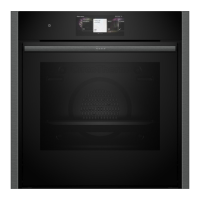
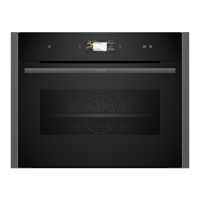
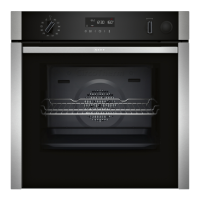
NEFF N50 B3AVH4H 0B Series - User Manual

NEFF N50 B3AVH4H 0B Series
44 pages
Print Icon
To Next Page IconTo Next Page
Loading...
Oven
[en] User manual and installation
instructions
2
B3AVH4H.0B

Questions and Answers

  • J
    John MorrisonAug 20, 2025
    What to do if my NEFF N50 B3AVH4H 0B is not working?
    • W
      William ButlerAug 20, 2025
      If your NEFF oven isn't working, check the circuit breaker in the fuse box to ensure it hasn't tripped. Also, verify if there's a power cut by checking other appliances or the kitchen lighting.
  • C
    Charles OdonnellAug 22, 2025
    Why does the time flash on my NEFF N50 B3AVH4H 0B display?
    • D
      Dennis GentryAug 22, 2025
      If the time flashes on your NEFF oven display, it indicates a power cut has occurred. To resolve this, simply reset the time on the appliance.
  • S
    Stacey HernandezAug 25, 2025
    Why does the time not appear in the display when my NEFF Oven is switched off?
    • E
      Edward CuevasAug 25, 2025
      If the time does not appear when your NEFF oven is switched off, the basic setting has likely been changed. To fix this, change the basic setting for the time display.
  • M
    Maria FieldsAug 26, 2025
    How to remove build-up of limescale in NEFF Oven?
    • Q
      qbenjaminAug 26, 2025
      If you notice a build-up of limescale in your NEFF oven, run the descaling programme in full.
  • A
    Alex EvansAug 27, 2025
    Why does my NEFF N50 B3AVH4H 0B hum during operation?
    • T
      tanyabatesAug 27, 2025
      If your NEFF oven hums during and after operation, it's the functional test of the pump creating operating noise. No action is required as this is normal.
  • K
    Kevin MitchellAug 29, 2025
    How to deactivate demo mode on NEFF Oven?
    • D
      Derrick FloresAug 29, 2025
      If your NEFF oven isn't heating up but the display lights up, demo mode might be activated. To deactivate it, briefly disconnect the oven from the power supply by switching the circuit breaker off and on again. Then, within 5 minutes, deactivate demo mode by changing the last basic setting.
  • D
    Douglas McdanielAug 31, 2025
    What to do if steam-assisted operation does not start on NEFF N50 B3AVH4H 0B Oven?
    • J
      Jennifer WoodardAug 31, 2025
      If the steam-assisted operation on your NEFF oven won't start, the water tank may be empty. Ensure the water tank is filled. Also, descaling process can lock operations with steam-assisted cooking, so run the descaling programme in full.
  • C
    Charles WalkerSep 2, 2025
    What to do if NEFF N50 B3AVH4H 0B Oven says the water tank is empty?
    • M
      Matthew PerrySep 2, 2025
      If your NEFF oven shows that the water tank is empty, simply refill it.
  • M
    Matthew TownsendSep 4, 2025
    What to do if there is too much water in the steam system of NEFF N50 B3AVH4H 0B Oven?
    • B
      Brooke GarciaSep 4, 2025
      To resolve the issue where there is too much water in the steam system of your NEFF oven: 1. Empty the water tank and re-insert it empty. 2. Reset the time. 3. Switch the appliance off and on again. 4. Run 'Descaling interrupted' in full.
  • N
    Nicholas BennettSep 6, 2025
    What to do if cooking compartment is too hot for the selected operation in NEFF N50 B3AVH4H 0B Oven?
    • R
      Robin NelsonSep 6, 2025
      If your NEFF oven's cooking compartment is too hot for the selected operation: 1. Switch off the appliance and allow it to cool down. 2. Restart the operation.

Summary

Safety and Initial Use

General Safety and Usage Guidelines

Essential safety advice, intended use, user group restrictions, and safe operation practices.

Initial Use and First Cleaning

Steps for initial setup, including setting the clock and cleaning the appliance.

Appliance Operation and Features

Basic Operation and Steam Functions

How to operate the appliance, use steam functions, and manage the water tank.

Time Settings and Programmes

How to set timers, cooking times, programmes, and select food settings.

Childproof Lock and Home Connect

How to use the childproof lock and set up Home Connect for remote operation.

Maintenance and Troubleshooting

Cleaning and Descaling Procedures

Guidelines for cleaning appliance surfaces, cooking compartment, and descaling.

Troubleshooting and Customer Service

Guide to resolving common malfunctions, error messages, and contacting customer support.

Cooking Guide and Installation

Cooking Tips and Food Selection

General cooking advice, notes on baking, roasting, grilling, and food selection.

Installation Instructions

Essential safety, procedural, and electrical guidelines for correctly installing the appliance.

NEFF N50 B3AVH4H 0B Series Specifications

General IconGeneral
BrandNEFF
ModelN50 B3AVH4H 0B Series
CategoryOven
LanguageEnglish

Related product manuals