2Chapter 1 .
Get started
• Unlock Neffos: Press the Power button to wake the screen.
• Turn Neffos on: Press and hold the Power button until your phone vibrates and the screen turns on.
Note:
If your phone does not respond after holding down the Power button for 10 seconds, the battery may be empty.
Connect your phone to a charger to charge the battery.
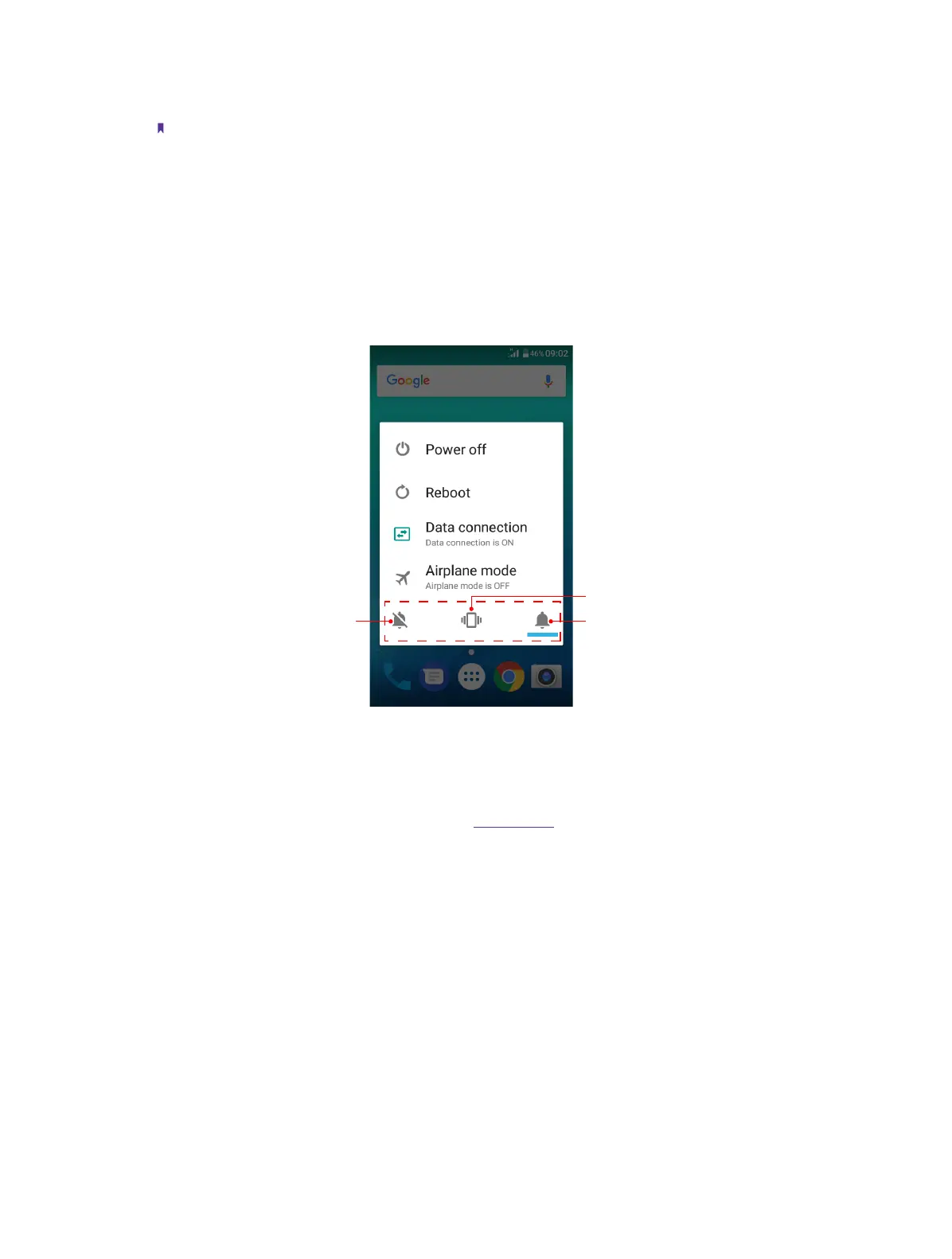
• Turn Neffos off: Press and hold the Power button, then tap Power off.
• Reboot Neffos: Press and hold the Power button, then tap Reboot.
• Turn on/off data connection: Press and hold the Power button, then choose SIM1/SIM2 to enable data
connection, or tap Off to disable.
• Enable/disable airplane mode: Press and hold the Power button, then tap Airplane mode.
• Switch between ringing, silent and vibration mode: Press and hold the Power button, and tap the mode
you need.
Do not disturb Ringing mode
Vibration mode
Volume button
• Press the Volume-up/Volume-down button to adjust the audio volume when you’re on the phone, listening
to songs, watching movies or using other media.
• Press the Volume button to take a picture. Refer to Take a photo to learn more.
• Press the Power button and Volume-down button at the same time to take a screenshot.
Home button
• Tap Home button to return to the default Home screen.
• Touch and hold Home button to open Google
TM
search.
Back button
Tap Back button to return to the previous screen or close an application. When entering text, tap Back button
to close the onscreen keyboard.
Recent apps button
• Tap Recent apps button to display recently used applications.
• Double-tap Recent apps button to switch to the previous application.



 To Next Page