25Chapter 6 .
Music and video
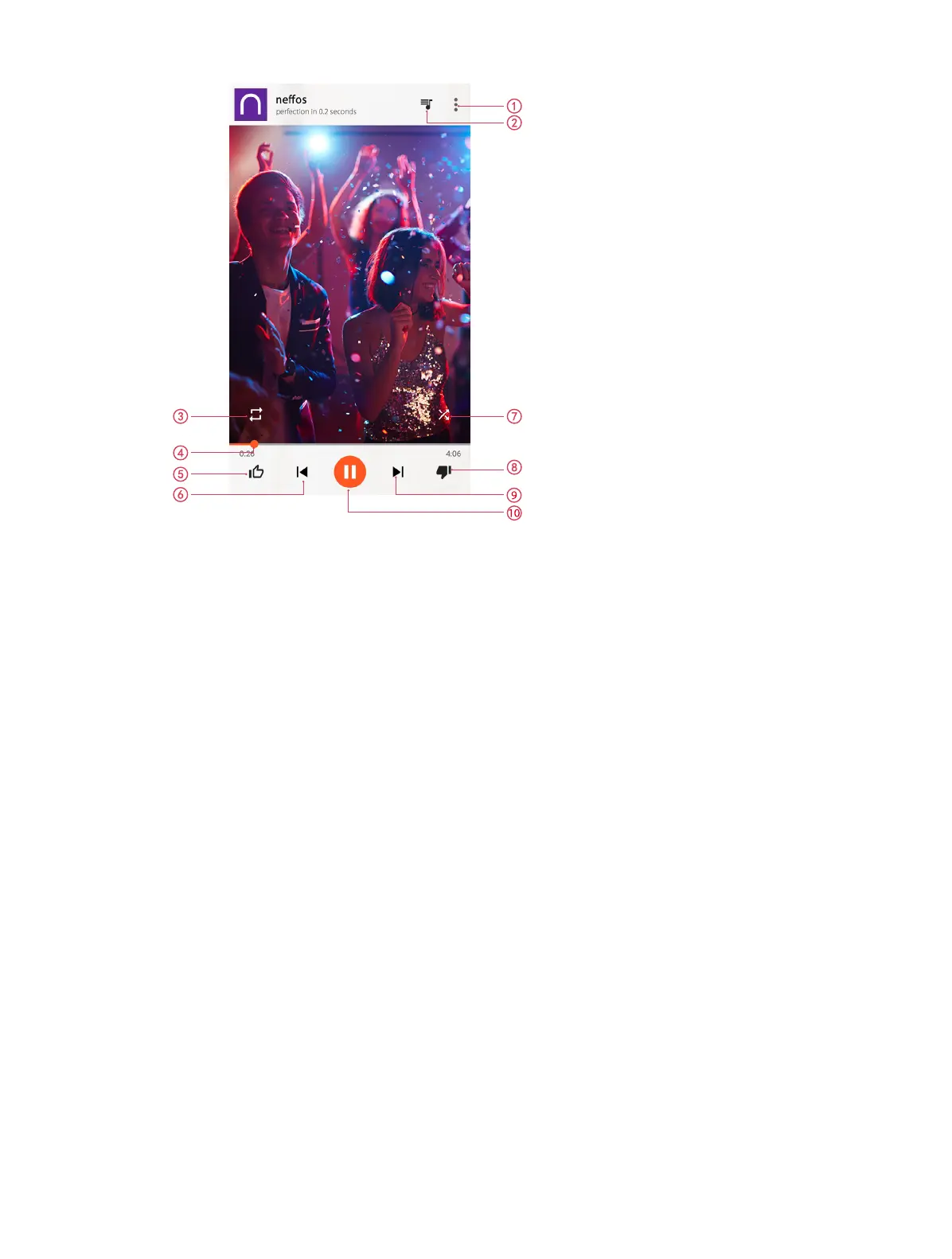
1. Tap to view all the songs in the playlist.
2. Menu: you can add the song to playlist, view the album or artist information, etc.
3. Single cycle/order play.
4. Move the slide to control the playing progress.
5. Thumbs up.
6. Play the previous song or go back to the beginning.
7. Shuffle mode.
8. Change a song.
9. Play the next song.
10. Pause and continue.
Use your phone during playback screen
When a song is playing, touch the Home button to exit the music playback screen without stopping the song.
To return to the music playback screen, open the notification panel and touch the song that is playing.
Control playback using headset
When smart headset control is enabled, you can use the buttons on a headset to control playback without
turning on the screen. (Not all headsets are compatible with your phone.)
• Volume up button: Press once to increase the volume.
• Pause button: Press once to pause or resume playback.
• Volume down button: Press once to decrease the volume.
6. 3 Play a video
Play a video



 To Next Page