46Chapter 16 .
Settings
• Ringtones and alerts: Select ringtone for SIM1 and SIM2. Choose a preset ringtone as the notification
tone for messages, emails and other notifications.
• System feedback: Touch the switches to enable or disable dial pad touch tones, outgoing SMS messages
alert tone, lock sounds, touch sounds and vibrate on tap.
16. 5 Storage
Check that there is enough space on your phone’s internal storage or microSD card before downloading
update packages or large files.
Go to Settings -> Storage to view available storage information.
16. 6 Battery
1. On the Home screen, tap Settings -> Battery.
2. Power saving: You can choose Smart power saving mode or Ultra power saving mode by turning on
the switch.
16. 7 Apps
1. On the Home screen, tap Settings.
2. Tap Apps to view all the apps including the installed and running apps.
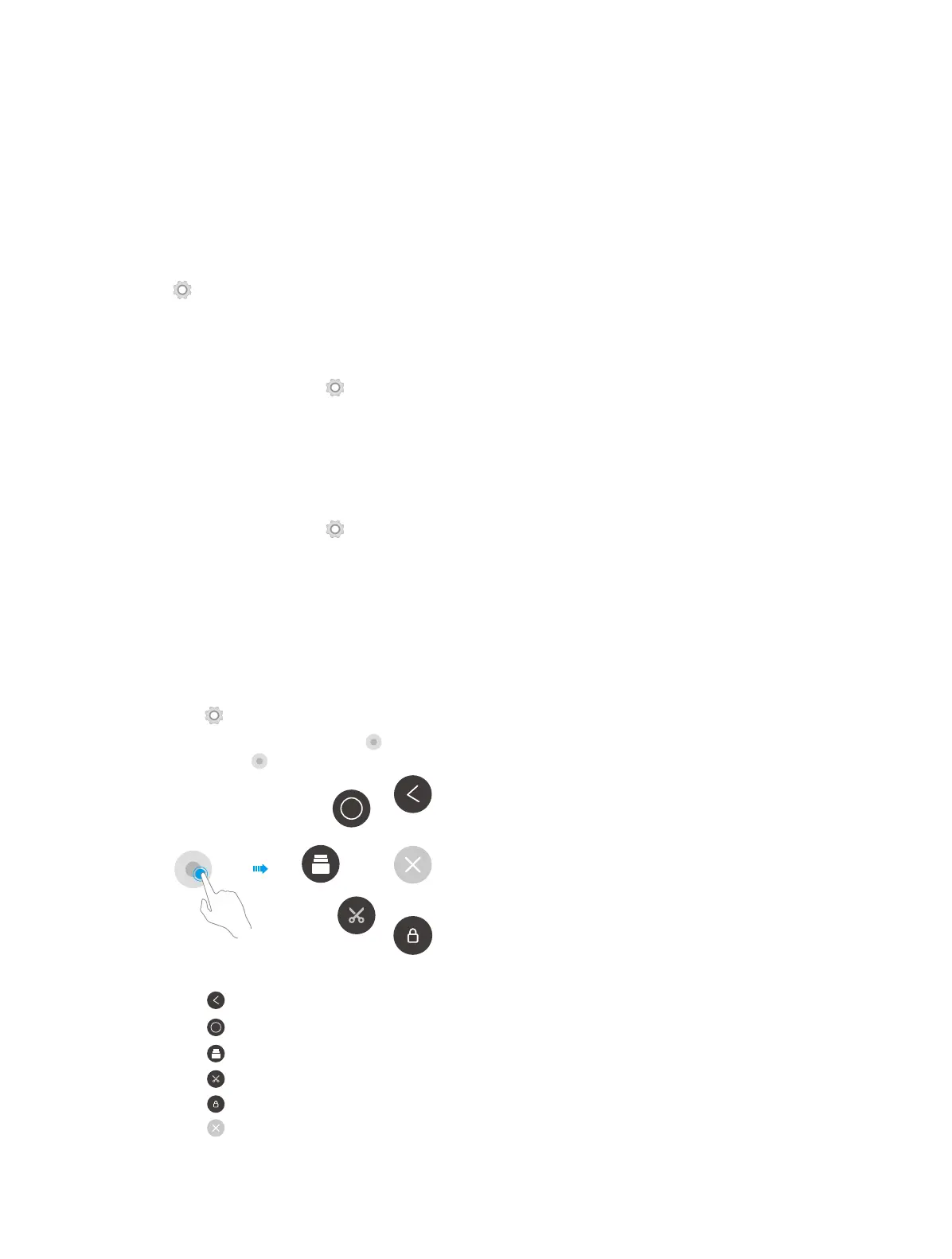
16. 8 Float button
The Float button gives you access to a number of frequently-used options and features, such as the back key,
home key, and one-touch optimization. You can move the floating button around the screen for easy one-
hand use.
1. Go to Settings -> Smart settings -> Float button and turn the switch on.
2. Once enabled, the Float button will be shown on all screens except the Lock screen and Notification
panel. Touch to expand the Float button menu.
3. From the menu, you can:
• Tap to return to the previous screen.
• Tap to return to the Home screen.
• Tap to display the list of recently used applications.
• Tap to take a screenshot.
• Tap to lock the screen.
• Tap to collapse the menu.



 To Next Page