16Chapter 4 .
Calls
Make an emergency call without SIM cards
The emergency calling mode makes dialing an emergency number a one-tap process.
1. On the Lock screen, swipe and tap EMERGENCY.
2. Enter an emergency number and tap to dial.
4. 2 Answer & end a call
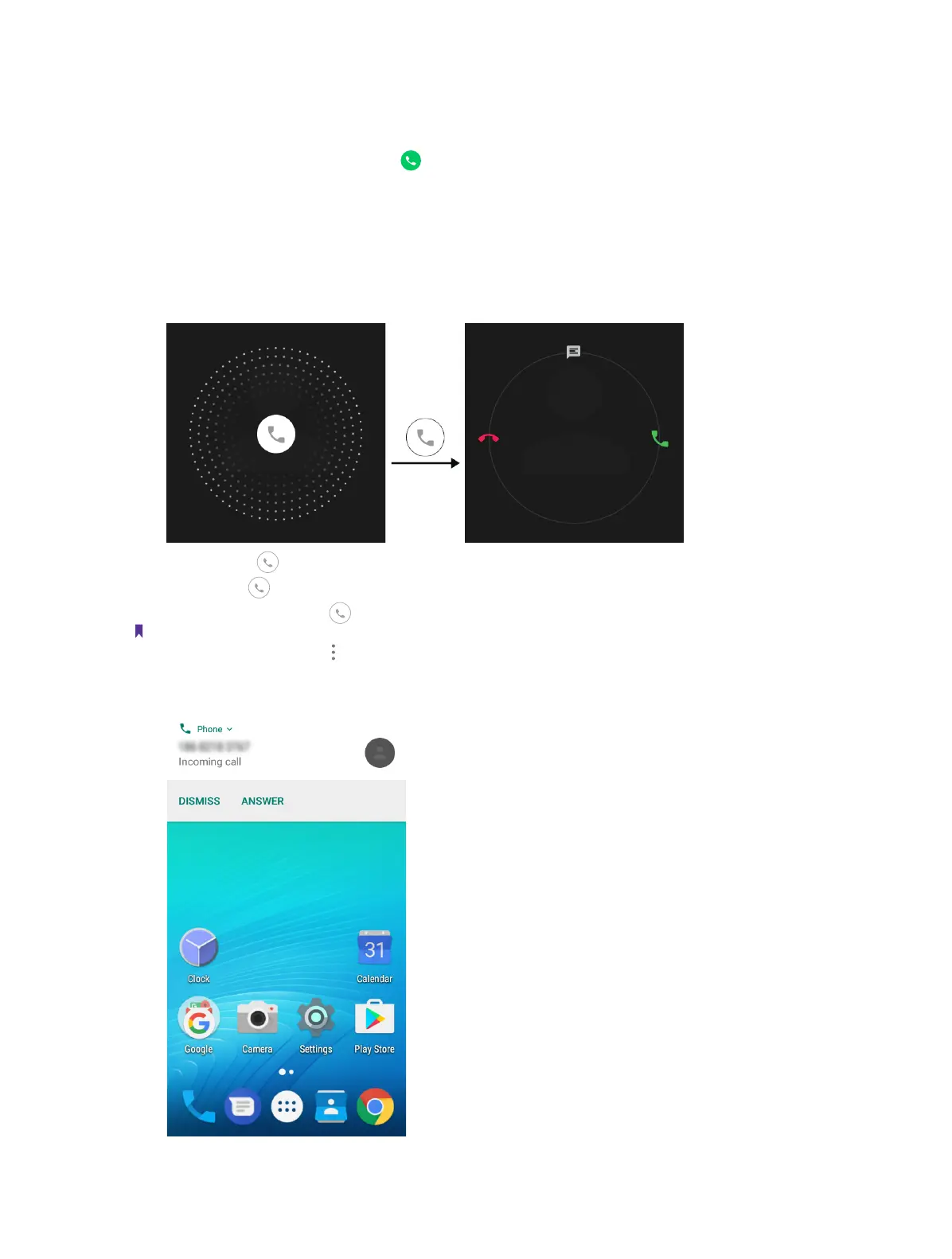
On the incoming call screen:
When the screen is locked:
Tap and hold
Answer a call: Drag right.
Reject a call: Drag left.
Quick response message: Drag upward to reject the call and select a quick response message to the caller.
Note:
On the dialer screen, you can tap ->Settings -> Quick responses to edit the quick reponse message.
When the screen is unlocked:



 To Next Page