23Chapter 7 .
Camera and Photos
Camera and Photos
Use multiple features of your camera to capture your precious moments.
• Camera at a glance
• Take a photo
• Record a video
• Shooting modes
• Camera and video settings
• Photos
7. 1 Camera at a glance
Launch your camera
• On the Home screen: Tap Camera.
• On the Lock screen: Press the Power button. Then swipe up.
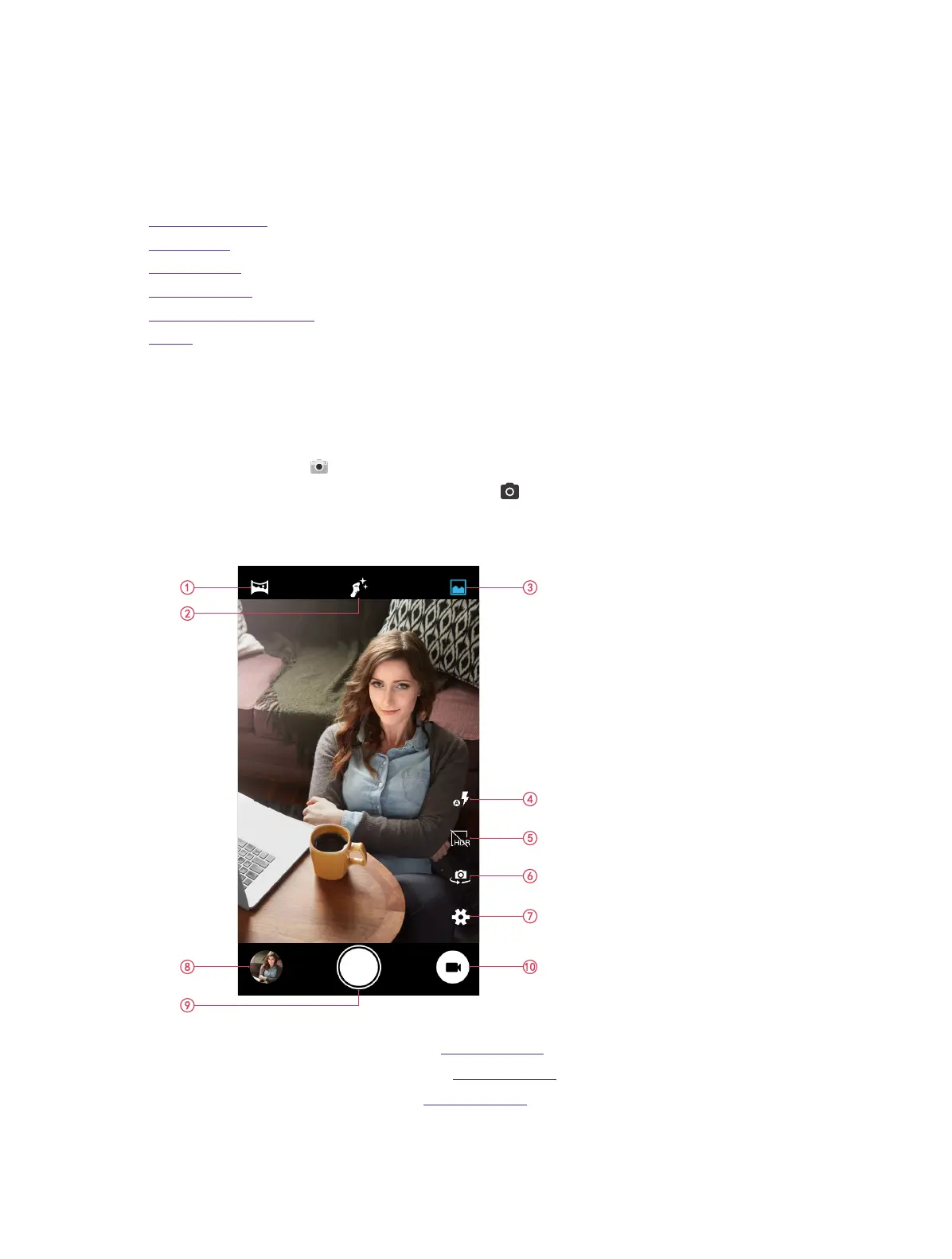
Camera home screen
1. Panorama mode. For more information, see Shooting modes.
2. Face beauty mode. For more information, see Shooting modes.
3. Normal mode. For more information, see Shooting modes.
4. Flash mode.
5. HDR mode.
7



 To Next Page