Need help?
Do you have a question about the NEO Smartpen Dimo and is the answer not in the manual?
Optimal pen positioning, usage angle, and allowable recognition angles for accurate writing.
Explains the meaning of different LED colors and actions for pen status indication.
Instructions on updating pen firmware for optimal functionality and hover features.
Explains how the Neo smartpen controller facilitates easy video content creation via touch.
Adjusts writing area and app screen synchronization for accurate calibration.
Instructions for resetting the pen if it won't turn off, charge, or stop working.
Guidance on battery usage, replacement, and important precautions for pen operation.
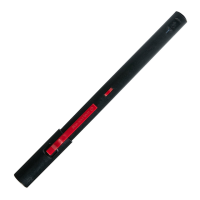
Details the technical specifications, including model, OS support, materials, and connectivity.
Information about product warranty, customer service, and required purchase details.
 General
| Type | Digital pen |
|---|---|
| Compatibility | iOS, Android |
| Connectivity | Bluetooth |
| Weight | 30 g |
| Dimensions | 147 x 10.5 mm |
| Connectivity Version | Bluetooth 4.0 |
| Continuous Use | Yes |
| Charging Time | Approx. 90 minutes |
| Charging Time (Approximate) | 1 hour |
| Paper Compatibility | Ncode paper |

 To Next Page