Networkable VAV Controller
Specification and Installation Instructions
www.neptronic.com EVCB Standard Page | 8
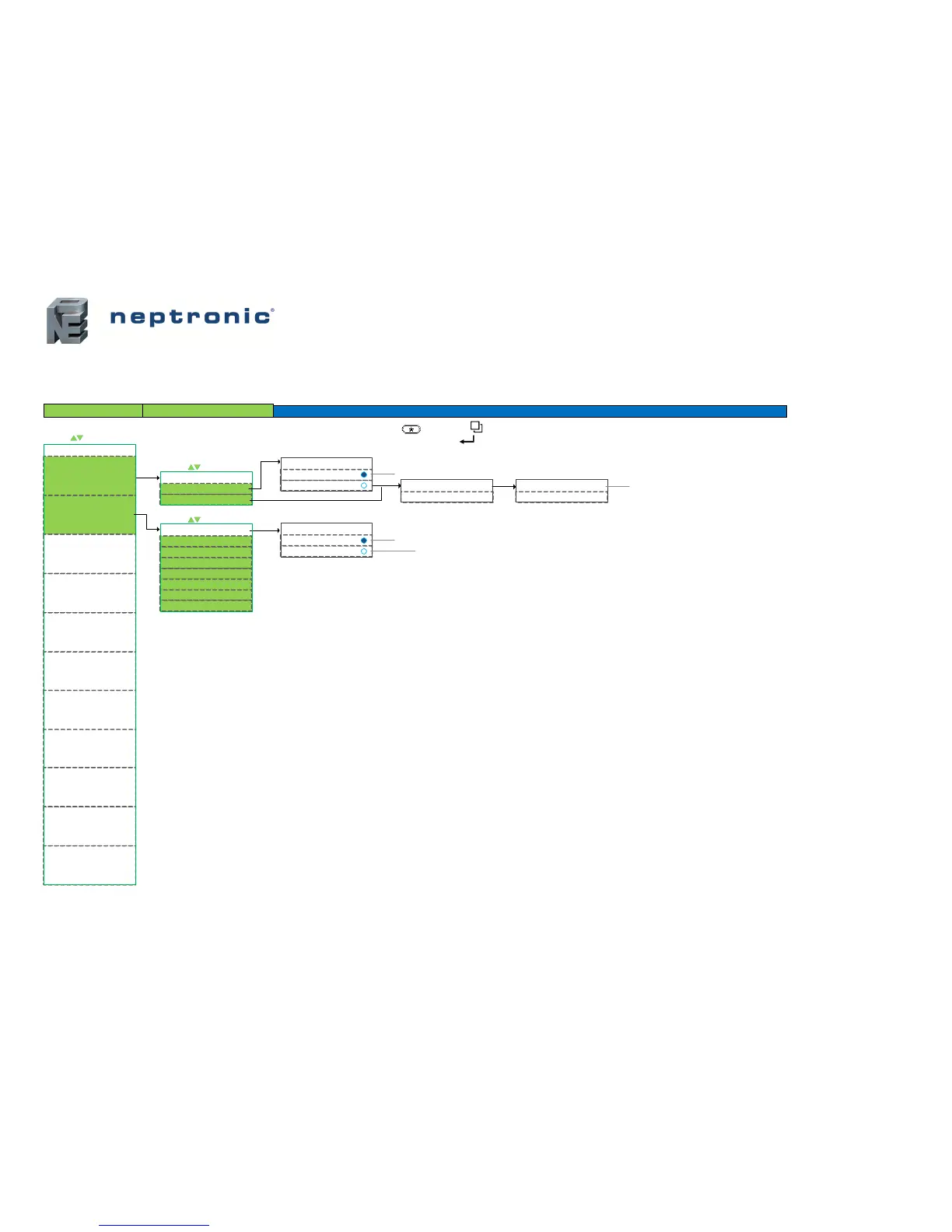
Pressure & Applications – Menu (1 of 6) | Pressure and Applications
For a description of the default settings for each application refer to Annex A: Control Apps on page 18.
OPt (Options)
Only available with CO
2
sensor models
Main Menu
APPS (Applications )
PrSs (Pressure)
CO2 (carbon dioxide)
CHrh (cool, heat, & reheat)
iTOS (ITOS)
rMp (Ramps)
NET (Network)
HrS (Time & Date)
dEP (dependent )
Pressur Mode
Ind (independent )
Setc (Settings)
Mot (Motor)
tMp (Temperature)
OutP (Outputs)
InPt (Inputs )
= scroll menu items
= scroll menu items
Main Menu Sub Menu Configuration
ON (enabled )
Pressur Mode Auto Change
OFF (disabled)
Motor Minimum Pos Cooling
10% (0-100)
Motor Minimum Pos Heating
10% (0 -1 00 )
ClHt (c ool & heat )
Control Apps
Cl (c ool only )
= scroll menu items
"APPS "
"APPS "
YES (confirm)
Confirm Control apps
NO (c anc el)
The APPS represent pre -defined default settings
for selected applications . If you select Yes, the
settings in Annex A will be applied and override
any values already configured .
BV.50
BV.52
AV.90 AV.91
"InPt "
We recommend selecting the `Control Apps` before changing any other configurations . Once selected, certain
configurations, such as NSB, proportional bands , and deadbands, will be erased and reset to factory default values.
FPbo (fan powered box ON)
FPbA (fan powered box Auto )
*** To save any changes , press on TRL and on TDU ***
*** To the previous step without saving, press on TRL and TDU ***


 To Next Page