Page12
Version:1.2
f. Waituntilthescreenreturns,thenusethedownbuttontoscrolltoNetSetup.
g. Pressthecenterbutton.
h. PresstheupbuttononcetoscrolltoRestart.
i. TheAPEXwillreboot;waituntiltheStatusLEDonthefaceoftheAPEXislitsolidgreen,then
proceedtothenextsection.
RestoretheConfigurationBackupontheNEWAPEX
DONOTDISCONNECTANYMODULESFROMTHEOLDAPEXUNTILDIRECTED.
DONOTCONNECTANYMODULESTOTHENEWAPEXUNTILDIRECTED.
1. AccesstheClassicDashboardofthenewAPEX.ReferbacktotheACCESSINGTHECLASSICDASHBOARD
topicforinstructionsifneeded.
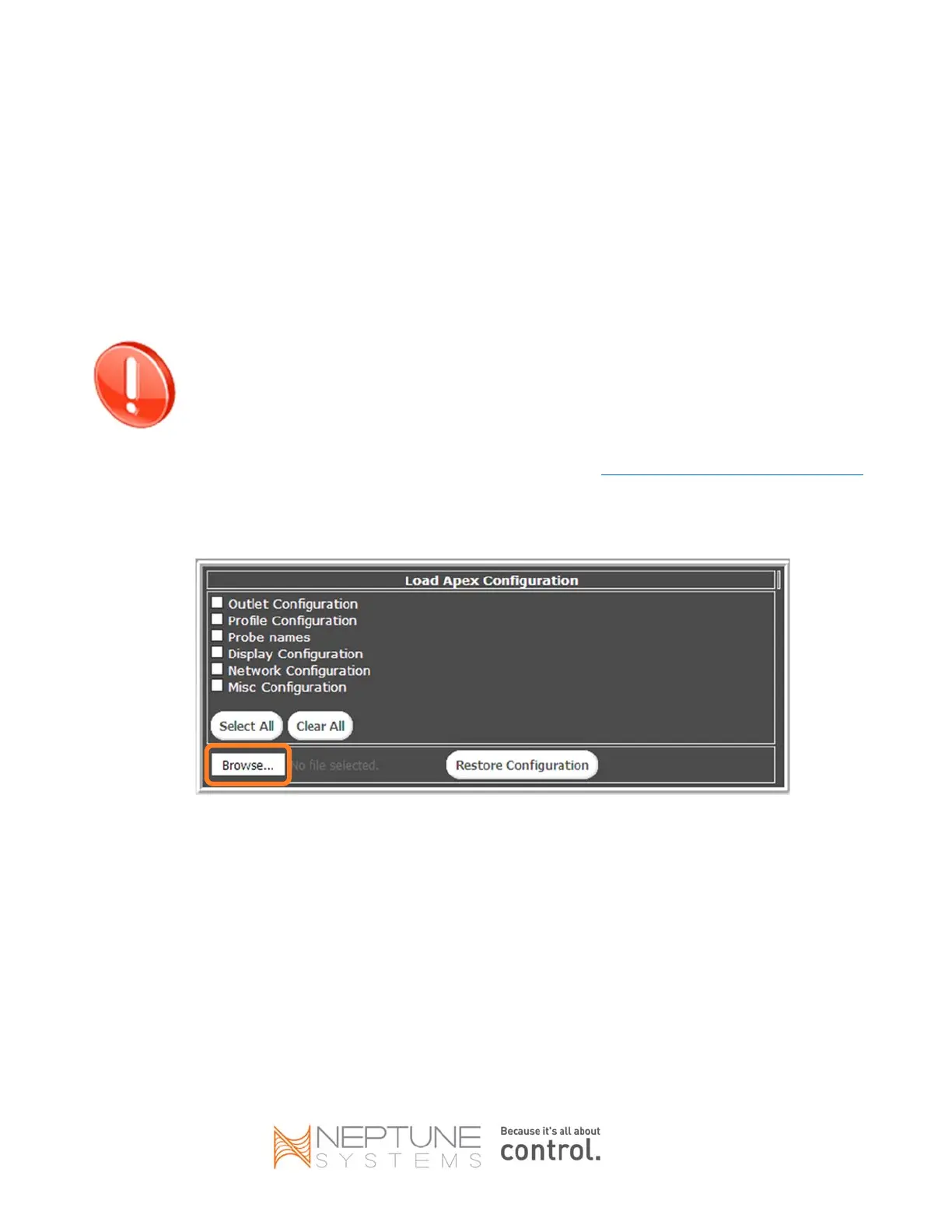
2. BrowsetotheConfiguration‐>Load/Savepage.
3. ClicktheBrowsebutton.
4. Locatetheconfigurationbackupfileyousavedpreviously.Thefilenamewillbe‘apexcfg.bin’unlessyou
saveditwithadifferentname.Selectit,thenclickOpen(orOK).


 To Next Page