Page7
Version:1.2
ACCESSINGTHECLASSICDASHBOARD
DONOTUSEMOZILLAFIREFOXORMICROSOFTEDGEBROWSERSDURINGTHECLONING
PROCESS
MozillaFirefoxisfinetouseforaccessinganAPEX’sClassicDashboardineverydayuse,but
duringtheAPEXcloningprocess,themostrecentversionofFirefoxwillnotwork.Microsoft
Edge(includedinWindows10)alsohasknownissues.IfyouuseaWindowscomputer,use
GoogleChromeorMicrosoftInternetExplorer.IfyouuseanAppleMaccomputer,useGoogle
ChromeofAppleSafari.NeptuneSystemsrecommendstheuseChromeineithercase.
1. ToaccesstheClassicDashboardofanAPEX(anymodel),followthesesteps:
a. IfusinganAppleMaccomputer,continuetoStep2.
b. IfusingaWindowscomputer,typehttp://apexinyourwebbrowser’saddressbarandpress
ENTER.
i. Ifyougeta404orPageNotFounderror,continuetoStep2
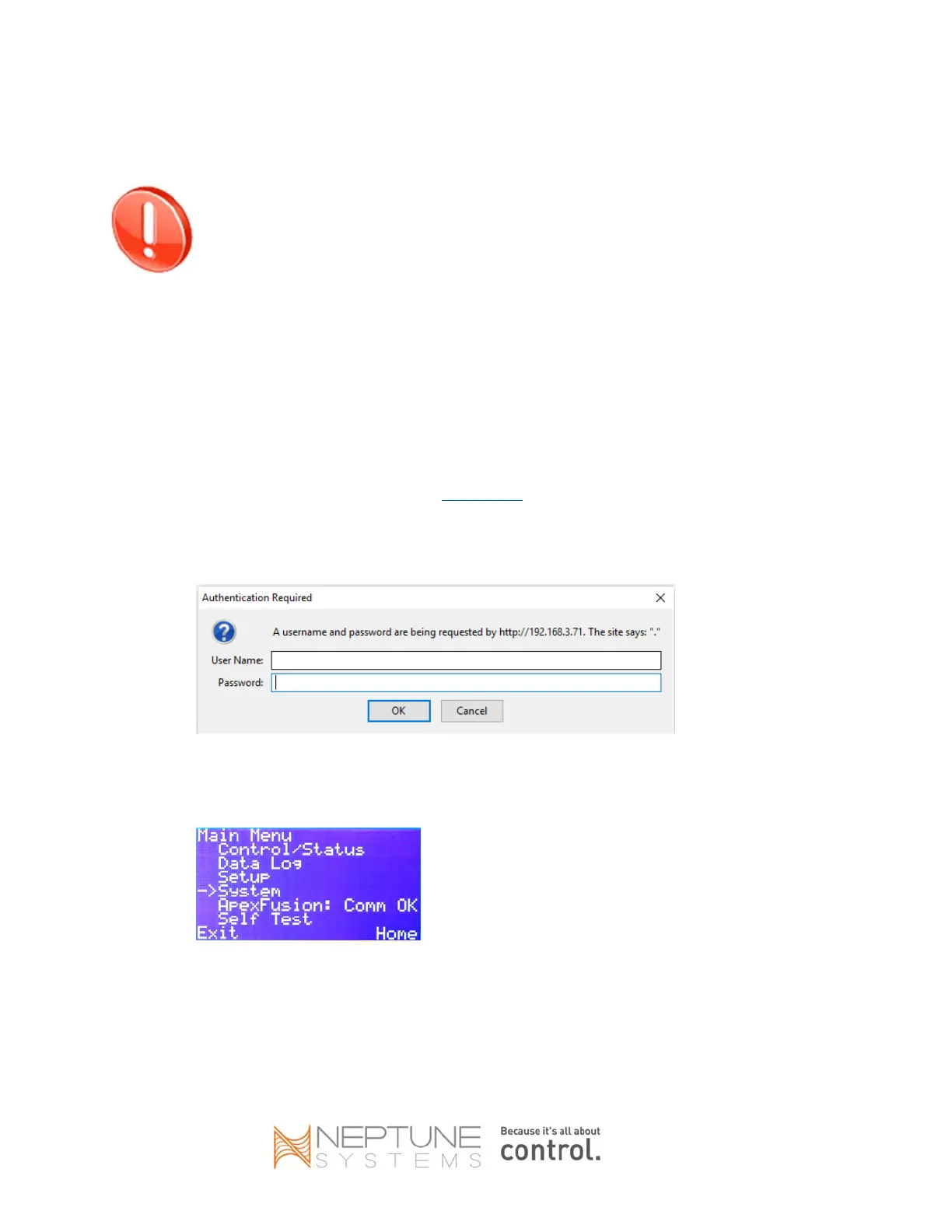
ii. Ifyougetaloginpromptthatlookssimilartothis,skiptoStep4:
2. UseyourdisplaymoduletofindtheIPaddressoftheAPEX:
a. Pressthecenterbuttononce
b. Pressthedownarrowbutton3timestoscrolltoSystem
c. Pressthecenterbuttononce
d. PressthedownarrowbuttononcetoscrolltoNetSetup


 To Next Page